Page 21 of 87
and two in the top, mid drive.
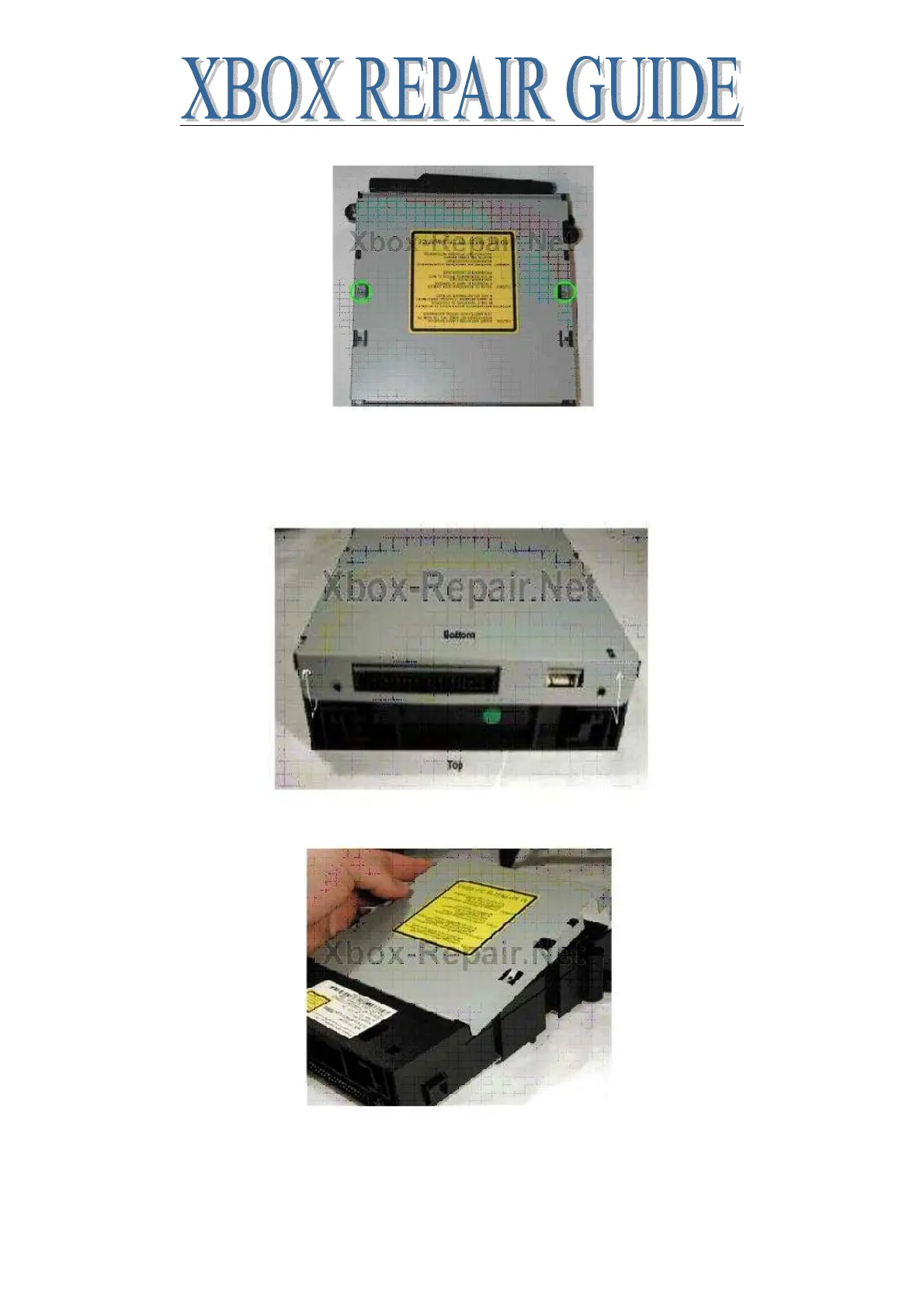
Remove all four screws, the ones mid drive are a little hard to get out, screw grabber makes it
easy, shaking the drive upside down works too. Remove the bottom tray first; flip the drive so
the bottom is facing up. You need to pull the metal tab in the back over the IDE connector and
then it will then slip off. Pull out then up.
Now remove the top, you have to push in two catches near the front on either side of the drive to
allow you to tip up the front of the top panel like this.














 To Next Page