Microtech S.r.l
e-tab Style
23
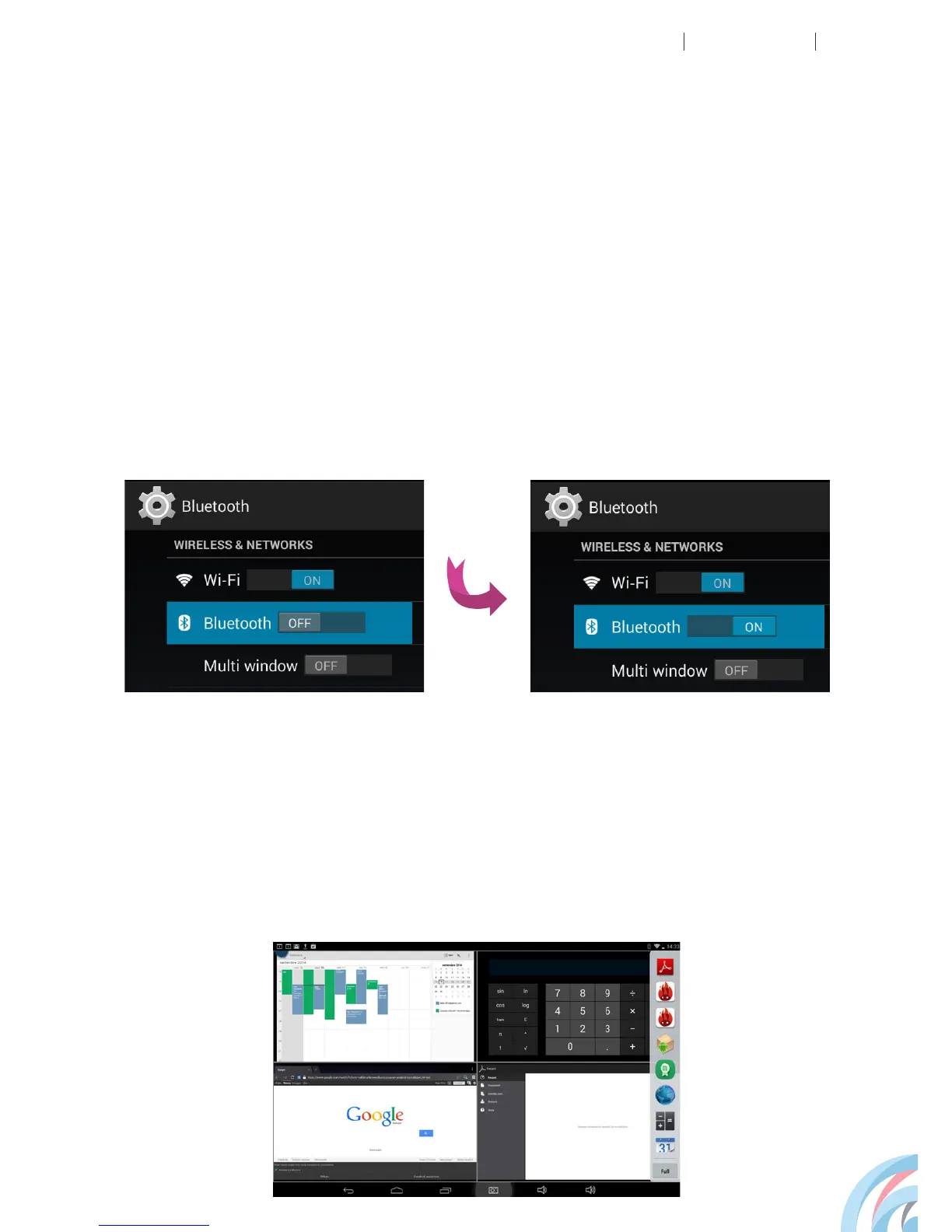
BLUETOOTH SETTINGS
MULTI WINDOW
Go to Settings, Wireless & networks, Bluetooth. Switch
the badge to the ON position and your e-tab will recognize
other nearby active devices.
Select the device you are interested in and it will connect.
This function allows the opening of many windows
simultaneously on your screen.



 To Next Page