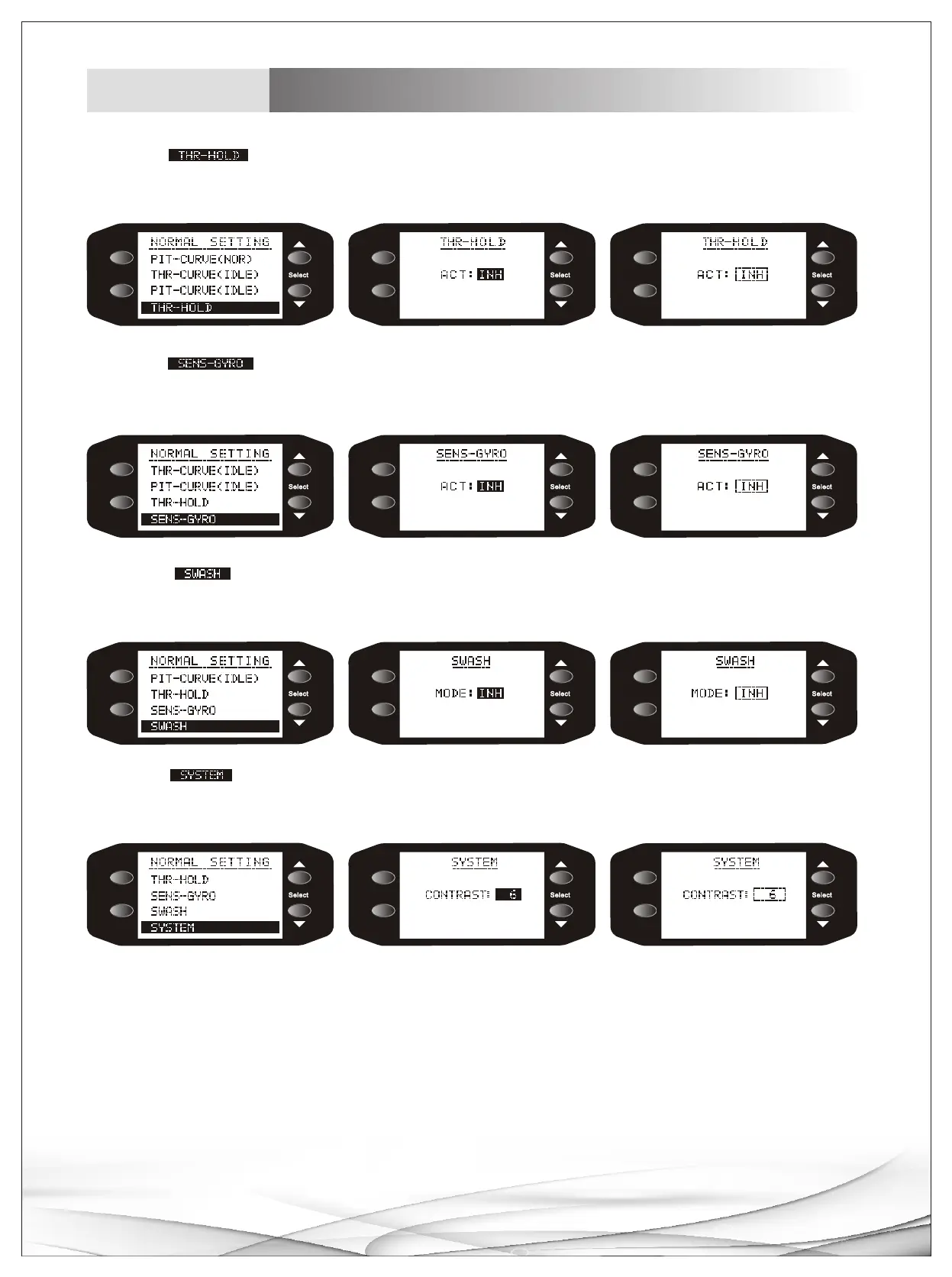
11.Choose sub-menu with +/- buttons, Press MENU button to enter sub menu, choose any title
with +/- buttons, press MENU button to confirm chosen title, setup parameters with +/- buttons, press END
to return main menu.
12.Choose sub-menu with +/- buttons, Press MENU button to enter sub menu, choose any title
with +/- buttons, press MENU button to confirm chosen title, setup parameters with +/- buttons, press END
to return main menu.
13.Choose sub-menu with +/- buttons, Press MENU button to enter sub menu, choose any title
with +/- buttons, press MENU button to confirm chosen title, setup parameters with +/- buttons, press END
to return main menu.
14.Choose sub-menu with +/- buttons, Press MENU button to enter sub menu, choose any title
with +/- buttons, press MENU button to confirm chosen title, setup parameters with +/- buttons, press END
to return main menu.
11
Helicopter
Display instruction
ME NU
EN D/E XI T
ME NU
EN D/E XI T
ME NU
EN D/E XI T
ME NU
EN D/E XI T
ME NU
EN D/E XI T
ME NU
EN D/E XI T
ME NU
EN D/E XI T
ME NU
EN D/E XI T
ME NU
EN D/E XI T
ME NU
EN D/E XI T
ME NU
EN D/E XI T
ME NU
EN D/E XI T



 To Next Page