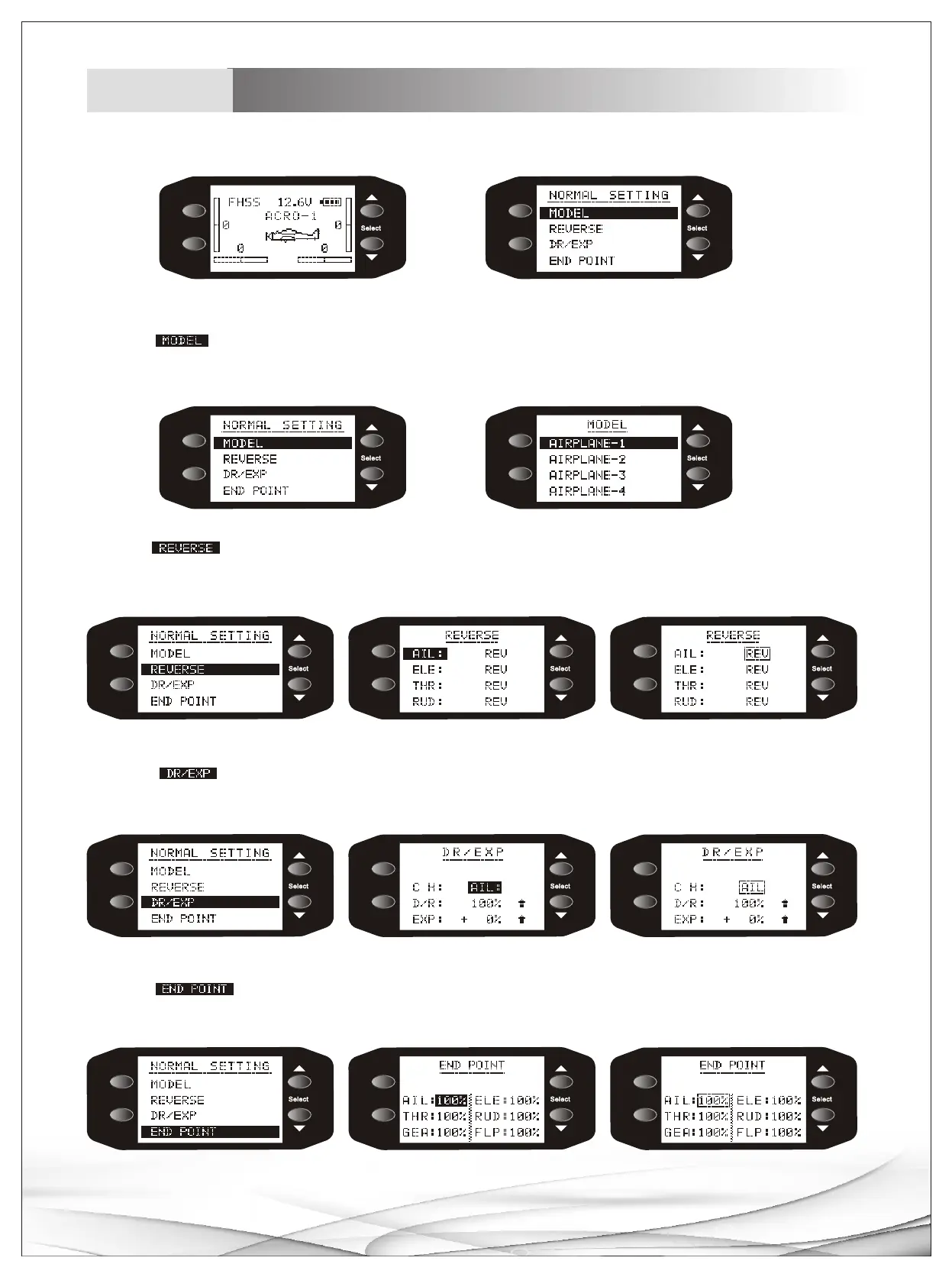
1.Switch on, press MENU button to main menu, press +/- to choose different title.。
2.Choose MODEL sub-menu with +/- buttons, Press MENU button to enter sub menu, choose any mode with +/-
buttons, press MENU button to confirm it, Press END button to return main menu.
ME NU
EN D/E XI T
Main menu
Airplane
3.Choose REVERSE sub-menu with +/- buttons, Press MENU button to enter sub menu, choose any channel with +/-
buttons, press MENU button to enter REV/NOR setup of this channel, select REV or NOR with +/- buttons, press END to
return main menu.
4.Choose sub-menu with +/- buttons, Press MENU button to enter sub menu, choose any title with +/-
buttons, press MENU button to confirm chosen title, setup parameters with +/- buttons, press END to return main menu.
DR/EXP
5.Choose sub-menu with +/- buttons, Press MENU button to enter sub menu, choose any title with +/-
buttons, press MENU button to confirm chosen title, setup parameters with +/- buttons, press END to return main menu.
END POINT
07
Display instruction
Menu
ME NU
EN D/E XI T
ME NU
EN D/E XI T
ME NU
EN D/E XI T
ME NU
EN D/E XI T
ME NU
EN D/E XI T
ME NU
EN D/E XI T
ME NU
EN D/E XI T
ME NU
EN D/E XI T
ME NU
EN D/E XI T
ME NU
EN D/E XI T
ME NU
EN D/E XI T
ME NU
EN D/E XI T



 To Next Page