
 Need help?
Do you have a question about the Middleby Marshall PS636G and is the answer not in the manual?
Identification and function of major parts of the PS636 oven.
Detailed dimensions, general, electrical, and gas specifications for the PS636 ovens.
Requirements and recommendations for proper oven ventilation and exhaust.
Step-by-step instructions for assembling the oven components and base.
Guidelines for connecting the oven to the electrical power supply.
Essential information and precautions for connecting the oven to the gas supply.
Explanation of control panel buttons and oven display information.
How to start, adjust temperature, and control belt speed on the oven.
Explanation of the oven's energy-saving features and modes.
Common issues, causes, and solutions for the PS636G oven.
Routine cleaning and checks to perform on the oven daily.
Tasks required for monthly cleaning and inspection of oven components.
Periodic maintenance tasks for every three and six months of operation.
Comprehensive diagram illustrating the electrical connections and components of the PS636G oven.
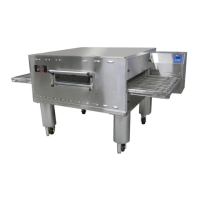
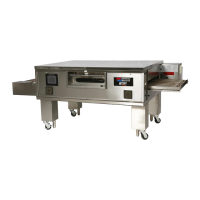
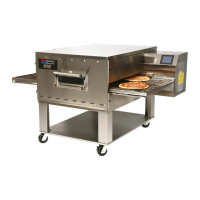
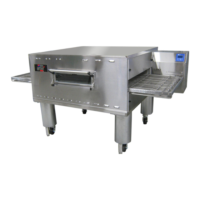
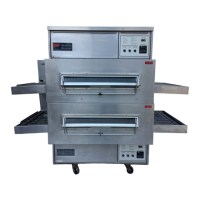
The PS636 Series Gas Ovens are designed for baking and cooking a wide variety of food products, including pizza, cookies, and sandwiches. These ovens are available in single, double (two-stack), or triple (three-stack) configurations, offering flexibility for different operational needs.
The oven operates with a conveyor system that moves food products through the baking chamber. The conveyor is driven by a motor, ensuring a consistent and controlled cooking process. Crumb pans are strategically placed at each end of the conveyor to collect debris, simplifying cleanup. End plugs provide access to the oven's interior for maintenance. Eyebrows, which are adjustable, help prevent heat loss into the environment, contributing to energy efficiency. A window allows users to monitor food products inside the baking chamber without opening the oven.
Access to the oven's interior and control components is provided through a machinery compartment access panel. The oven's serial plate contains important specifications for installation and operation. The control panel, located on the oven, houses all operating controls. A photo cell is integrated to turn the oven on when its beam is interrupted, indicating the presence of a product.
For gas ovens, a gas burner heats the air, which is then projected onto the food products by blowers through air fingers. The blowers are crucial for circulating hot air, ensuring even cooking.
The PS636 oven features a user-friendly control panel with several keys for managing operation. The "ON/OFF" key allows for quick activation into "ON" mode or, when pressed and held, transitions the oven into "OFF" mode. If the oven temperature is above 200°F during shutdown, the blowers will continue to run until the temperature drops below this threshold.
The "TEMPERATURE" key displays the actual oven temperature and, when pressed and held, allows the user to adjust the set temperature. The "BELT" key displays the front and back belt speeds and, when pressed and held, enables adjustment of the belt speed. "UP/DOWN" keys are used to change numerical values or parameters. A "TOOLS" key provides access to "SETUP" or "TEST" screens when the oven is off. The "CANCEL" key cancels the last action and returns to the previous screen or operation, or, when pressed and held, shuts the oven off. The "RETURN" key starts the oven from "OFF" mode and saves changed parameter values.
The oven's display provides real-time information. A "BAKING" indicator appears when the oven is in baking mode, while its absence signifies "IDLE" mode. The setpoint temperature is clearly displayed. The actual temperature can be viewed by pressing the "TEMPERATURE" key. The belt speed is shown in minutes and seconds, indicating the time it takes for the belt to traverse the baking chamber. A letter "F" or "B" preceding the belt time indicates whether the front or back belt time is displayed, respectively; if no letter appears, the belt times are identical. The "HEAT STATUS" alternates between "HEAT" (indicating the heat relay is energized) and a percentage (representing the "percent of heat" signal from the control to the gas valve).
The PS636G control offers various functions, including temperature control, belt speed control, upper/lower blower speed setting, energy management, oven diagnostics and system testing, and conveyor speed calibration. Upon initialization, the control displays a "WOW OVEN" splash screen before entering "OFF" mode.
The PS636 incorporates energy-saving features, primarily through a modulating gas control and an IDLE/BAKING mode control. The modulating gas valve precisely controls the gas pressure delivered to the burners, adjusting energy input to maintain temperature without the inefficiencies of on/off cycling.
The oven also features an idle mode where blowers operate at a reduced speed during non-baking periods, minimizing the volume of air requiring heating and thus reducing energy consumption. A photo eye sensor at the entrance of the baking chamber detects when food is placed on the belt, automatically increasing the blower speed to the higher (baking) setting for faster convection heat transfer. After the product passes the photo eye, a preset timed period ensures the product fully passes through the oven before it returns to idle mode. This energy management system provides efficient baking without unnecessary energy consumption during non-baking times, all without requiring user interaction.
Daily maintenance involves ensuring the oven is cool and disconnected from power. All cooling fan grills and vent openings should be cleaned with a stiff nylon brush. The oven's exterior should be cleaned with a soft cloth and mild detergent. All cooling fans must be checked for proper operation, as a malfunctioning fan can damage internal components. Conveyor belts should be cleaned with a stiff nylon brush, ideally while the conveyor is running slowly. Crumb trays must be removed and cleaned regularly. The window should also be cleaned in place.
Monthly maintenance includes checking that the oven is cool and disconnected from power. Crumb trays should be removed, and the drive end of the conveyor should be slightly lifted and pushed forward to release tension on the drive chain, which can then be removed from the sprocket. The conveyor should be slid out of the oven, folding it as it is removed. End plugs should be removed, followed by the air fingers and blank plates, which should be marked with a "LOCATION CODE" for correct reinstallation. Air fingers need to be disassembled, and all three pieces should be marked with a "LOCATION CODE" to ensure proper reassembly. All air finger components and the baking chamber interior should be cleaned with a vacuum cleaner and a damp cloth. After cleaning, the air fingers and end plugs are reassembled, and the conveyor is reinstalled, with the drive chain reattached. The conveyor belt tension should be checked and adjusted if necessary, ensuring it lifts between 3-4 inches (75-100mm) without overtightening. Finally, the crumb trays are replaced.
Every three months, in addition to the monthly tasks, the blower mounts and their surrounding compartments should be vacuumed. All electrical terminal screws should be tightened. The split belt disassembly and cleaning procedure involves removing the conveyor end stop, crumb trays, chain cover, drive chains, end plugs, and the conveyor assembly from the oven. The conveyor belts are then removed from the frame, and the idler shaft assembly is disassembled and cleaned. The shafts should be lubricated with a light food-grade lubricant, avoiding products like WD40. The idler shaft is then reassembled, ensuring the bronze washer is in place. Conveyor drive sprockets are loosened and removed, and the conveyor configuration is checked. The drive shaft is disassembled and lubricated, then reassembled with the bronze washer in place. Drive sprockets are replaced, and belts and master links are reassembled onto the conveyor. The end plugs and conveyor are reinstalled, drive chains reattached, and the chain cover replaced. Conveyor belt tension is checked and adjusted, and all components are replaced.
Every six months, the oven should be cool and disconnected from power. For gas ovens, the burner nozzle and spark electrode assembly should be inspected and cleaned. The conveyor drive shaft bushings and spacers should be checked for wear and replaced if needed. The blower belt should be checked for proper deflection (1/4" or 6mm) and for cracking or excessive wear. If necessary, the belt tension can be adjusted by loosening the motor mounting bolts, repositioning the motor, and then tightening the bolts.
 General
| Manufacturer | Middleby Marshall |
|---|---|
| Model | PS636G |
| Category | Oven |
| Belt Width | 36 inches |
| Cooking Chamber Length | 63 inches |
| Baking Chamber Height | 4 inches |
| Temperature Range | 300°F to 600°F |
| Belt Speed | Adjustable |
| Heating Elements | Gas Burners |
| Construction | Stainless steel |
| Cooling System | Forced air cooling |
| Control Panel | Digital |
| Type | Conveyor |
| Weight | 1, 300 lbs |
| Bake Time Range | 1 to 30 minutes |
| Power Supply | 120V |
| Amperage | 15 amps |


 To Next Page