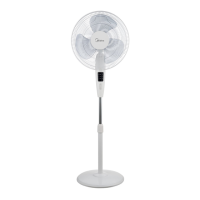
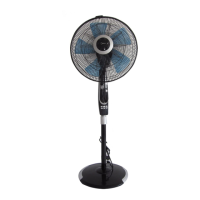
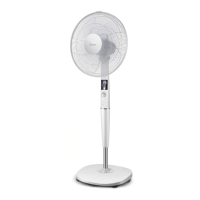
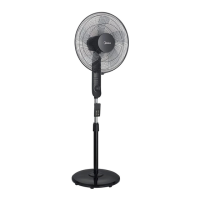
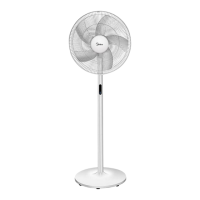
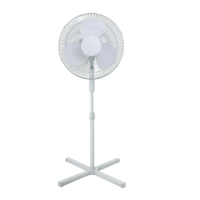
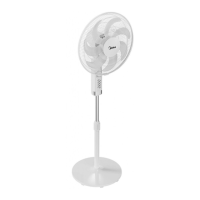
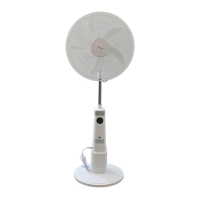
This document describes the owner's manual for a 16" Mist Fan, model FS40-13QRA. It provides important safeguards, rules for safe operation, a detailed part figure with corresponding descriptions, installation methods, instructions for use, precautions, and maintenance instructions.
Function Description
The 16" Mist Fan, model FS40-13QRA, is designed to provide both air circulation and humidification. Its primary function is to cool a space using a fan while simultaneously adding moisture to the air through its misting capability. This dual function makes it suitable for environments where both cooling and increased humidity are desired. The fan operates with various speed settings and wind modes, allowing users to customize the airflow to their preference. The misting function, controlled by a dedicated humidification switch, helps to alleviate dryness in the air. Additionally, the fan includes an oscillation feature, enabling it to swing left and right to distribute air and mist more broadly across a room. An ion switch is also integrated, which can be activated after the fan, humidifier, or heating function is in use, suggesting an air purification or enhancement capability. The fan also features an ECO/TEMP mode, which intelligently adjusts its operation based on temperature changes, aiming for energy efficiency and optimal comfort.
Usage Features
The fan offers a comprehensive set of controls for ease of use, accessible via both a control panel on the unit and a remote control.
Power Control:
- ON/OFF: A single button controls the fan's power. When pressed, the fan starts in normal wind mode at a low level, and the room temperature is displayed. Pressing it again disconnects the power supply.
Fan Operation:
- SPEED: Allows users to select different fan levels using "speed+" and "speed-" buttons, providing adjustable airflow intensity.
- MODE: This selector switch cycles through various wind classes: Normal wind, Natural wind, and Sleep wind. This enables users to choose the most comfortable airflow pattern for different situations.
- OSC (Oscillation): Controls the fan's ability to swing left and right, ensuring wider distribution of air and mist.
Humidification Function:
- MIST: This switch activates the humidification function. To use, the water tank must be filled with cold water (below 40°C, preferably demineralized, pure, or distilled water with fewer impurities). The water tank is removed from the host, unscrewed counter-clockwise, filled, and then tightened and placed back into the host at the correct angle. A few minutes are required for the host sink to fill with water before the humidification button is pressed. An indicator light signals the start of humidification. If the indicator flashes after 10 seconds, it signifies insufficient water or a low water level, prompting a check of the float in the host sink and proper placement of the water tank. It is crucial not to add sanitizers, vinegar, perfume, or essential oils to the water tank.
Smart and Timed Operation:
- TIMER: A timer switch allows users to set the fan to operate for specific durations, cycling through 1H, 2H, 4H, 8H, and then off (0-1H).
- ECO/TEMP: This "Smart wind switch" automatically selects an appropriate fan level based on temperature changes, optimizing comfort and potentially saving energy.
Additional Features:
- ION: An ion switch that can be activated after the fan, humidifier, or heating function is in use.
Safety Precautions during Use:
- Never insert fingers, pencils, or any other objects through the grill while the fan is running.
- Disconnect the fan when moving it.
- Ensure the fan is on a stable surface to prevent overturning.
- Do not use the fan in front of a window, as rain can create an electrical hazard.
- The appliance is for household use only.
- Children should use the appliance under adult supervision.
- Do not move the water tank when the humidifier is working.
- If the humidifier or host tips over with water, unplug it, remove the water tank, and ensure no water accumulates in the machine body before reuse.
- Avoid directing mist towards furniture, appliances, or walls to prevent damage from excessive dampness.
- Change water in the tank every 2 days and clean the sink every 2-3 weeks to prevent bacteria growth.
Maintenance Features
The fan requires minimal maintenance, and users are advised to refer to qualified service personnel for any repairs. However, the manual provides clear instructions for routine cleaning and care.
General Maintenance:
- Before cleaning or assembling, the fan must be unplugged from the electrical supply.
- To ensure proper air circulation to the motor, keep the vents at the rear of the motor free of dust. Do not attempt to disassemble the fan to remove dust.
- Wipe the exterior parts of the fan with a soft cloth moistened with a mild detergent.
- Avoid using abrasive detergents, solvents, gasoline, or thinner, as these can scratch the surface or damage the fan.
- Prevent water or any other liquid from entering the motor housing or interior parts.
Cleaning Instructions:
- Plastic Parts: Clean plastic parts with a soft cloth moistened with mild soap. Ensure all soap film is thoroughly removed with a dry cloth.
- Humidifier Cleaning Method:
- Before cleaning the humidifier, turn off the power, remove the spring clamp and drain plug, and clear any remaining water from the machine.
- Scale can accumulate in the water tank, sink, and transducer over time. If scale is present in the sink or on the oscillating blade, add a small amount of detergent to the water in the sink, soak for about 30 minutes, and then clean with clear water.
- After cleaning, remount the drain plug and spring clamp.
- After continuous use or drying, store the machine carefully in the shade.
Disposal:
- Electrical appliances should not be disposed of as unsorted municipal waste. Instead, use separate collection facilities. Users should contact their local government for information regarding available collection systems. Improper disposal in landfills or dumps can lead to hazardous substances leaking into groundwater, entering the food chain, and potentially harming health and well-being.

 Need help?
 General
 Weight and Dimensions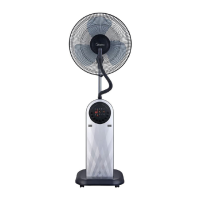

 To Next Page