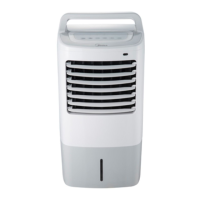
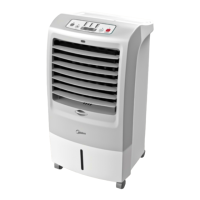
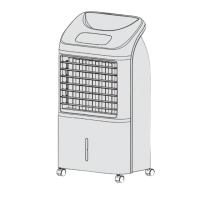
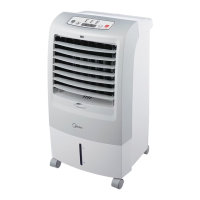
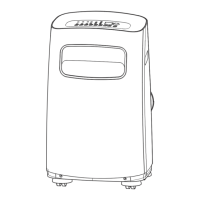
This document is an owner's manual for an Air Cooler, model MAC-107AR. It provides instructions for safe operation, product overview, operating procedures, remote control functions, circuit diagram, and maintenance.
Function Description:
The MAC-107AR is an air cooler designed for indoor use. Its primary functions include providing cooling through air circulation, humidification, and oscillation (swinging wind). It offers multiple wind modes and speed settings, as well as timing and reservation features for automated operation. The device can be used with or without ice crystal boxes for enhanced cooling.
Important Technical Specifications:
While specific electrical ratings (voltage, wattage) are not explicitly stated, the manual indicates the use of a 3A, 1.5V battery for the remote controller. The remote controller has an effective range of 5 meters and a deviation angle of 30 degrees in front of the product. The device incorporates a water tank for humidification and cooling, with clear instructions for water level management (not exceeding "MAX" and adding water when below "MIN").
Usage Features:
- Control Interface: The device features both a machine body key panel and a remote controller for operation.
- Power Control: A single button on both the machine and remote controls product start and stop.
- Swinging Wind: A dedicated button allows starting or stopping the oscillation function.
- Humidification: Short press in the start state to activate or deactivate humidification, recommended for dry or hot weather.
- Wind Modes and Speeds:
- Three wind classes are available: Normal wind (level 4), Sleep wind (level 2), and Natural wind (level 2).
- Wind speed can be adjusted by short pressing the
+ or - button, increasing or decreasing by 1 level each time.
- The remote controller has a "Set wind type/Smart" button to cycle through these modes.
- Timing and Reservation:
- Scheduled Start/Shutdown: In standby state, short press the timing button to set a scheduled start time. In start state, short press to set a timing shutdown time. The time can be adjusted in 0.5-hour increments for 0-3 hours, and 1-hour increments for 3-10 hours using the
+ or - buttons. The display will flash to confirm timing completion.
- Cancellation: To cancel timing in shutdown state, press the timing button (the pattern on the screen will flicker), then long press it for 2 seconds within 6 seconds. To cancel timing in startup state, press the timing button (pattern flickers), then press it again for 2 seconds immediately.
- Water Adding and Cleaning:
- Safety First: Always unplug the power cord before adding water or cleaning.
- Pump Module: Ensure the pump module is fixed in place to prevent abnormal humidification.
- Two Water Adding Methods:
- Directly add water to the water tank without disassembling the water pump module, after pumping out half of the existing water.
- Separate the water chestnut module (which includes the water pump module and water tube) by turning a knob 90 degrees counterclockwise. Then, completely pump out the water, clean the tank, and add new water.
- Water Tank Lock: After use, push the water tank, fix the water pump module, and lock the water tank buckle.
- Ice Crystal Box Use:
- Enhances Cooling: Frozen ice crystal boxes can be placed in the water tank to lower the air outlet temperature when humidification is on.
- Reusable and Safe: The ice crystal box is environmentally friendly, non-toxic, and harmless. It can be repeatedly frozen and recycled. Do not open the cover.
- Preparation: Pull out half of the water tank from the bottom of the machine. Remove the ice crystal box from its package, freeze it in a refrigerator for over 3 hours, then place it in the water tank. Add water, ensuring the level does not exceed "MAX" and is not below "MIN." Ice can be used as an alternative.
Maintenance Features:
- General Maintenance: The fan requires little maintenance. Do not attempt self-repair; refer to qualified service personnel.
- Cleaning Safety: Always unplug the fan before cleaning or assembling.
- Air Circulation: Keep the motor's rear vents free of dust to ensure adequate air circulation. Do not disassemble the fan to remove dust.
- Exterior Cleaning: Wipe exterior parts with a soft cloth dampened with a mild detergent. Thoroughly remove soap film with a dry cloth.
- Avoid Harsh Cleaners: Do not use abrasive detergents, solvents, gasoline, or thinner, as these can scratch the surface.
- Moisture Protection: Prevent water or any other liquid from entering the motor housing or interior parts.
- Rotor Blade Guard: Once assembled, the rotor blade guard should not be removed. For cleaning, unplug the fan and wipe the enclosure and guard with a slightly damp cloth. The rotor guard should not be disassembled or opened to clean the rotor blades.
- Battery Disposal: Wasted and old batteries (from the remote control) contain heavy metals and acid-base materials, posing a threat to human health. They should be recovered after classification.

 Need help?
 General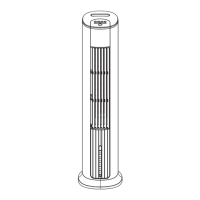

 To Next Page