35
2
How to use Matter
Connect Your Air Conditioner through Matter
Make sure your mobile device is connected to your wireless router.
Wireless router should support and turn on IPv6. Please make sure your smartphone
connects to 2.4G but not 5G network.
Matter is a connectivity technology that unifies the smart home by allowing devices and
ecosystems (such as Alexa, Google Home and Apple Home) to speak the same language
thus creating exciting new features and use cases.
To use Matter, you will need at least one Matter enabled smart speaker from Amazon,
Google or Apple, and it's respective app.
-- If you have a Matter enabled smart speaker, please proceed to the "How to use
Matter" instructions on the following pages.
-- If you don't have a Matter enabled smart speaker, you won't be able to use
Matter right now. However, you can still achieve full functionality of the product by
using our SmartHome app. To do this, proceed to the "How to use SmartHome app"
section back on page 30.
Step 1: Connect to smart speaker
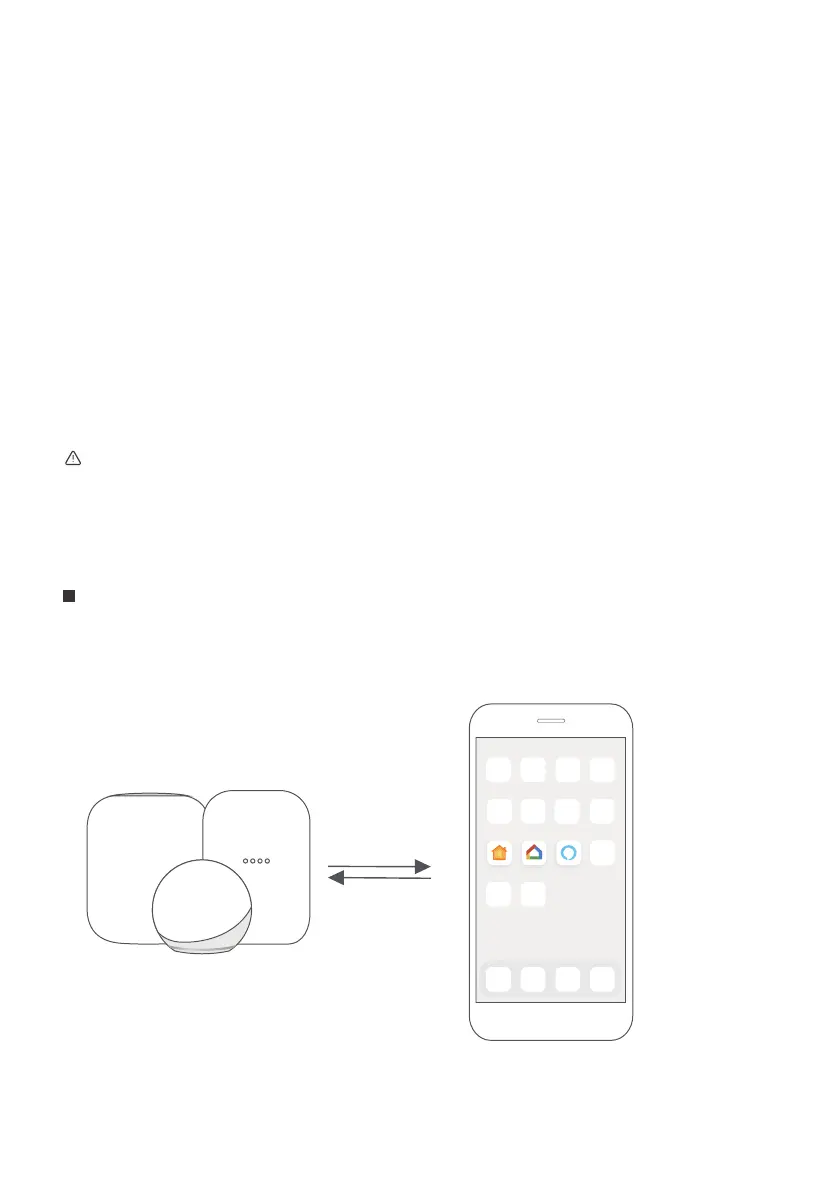
Select your preferred ecosystem (Alexa, Google Home or Apple Home) and make sure
you’ve got one of their Matter enabled products (such as their smart speakers)
connected to your wireless router.
Apple Home Google Home Alexa
For best Matter compatibility, connect the AC to the Alexa, Google Home or Apple Home
ecosystems along with at least one of their respective Matter enabled smart speakers.



 To Next Page