37
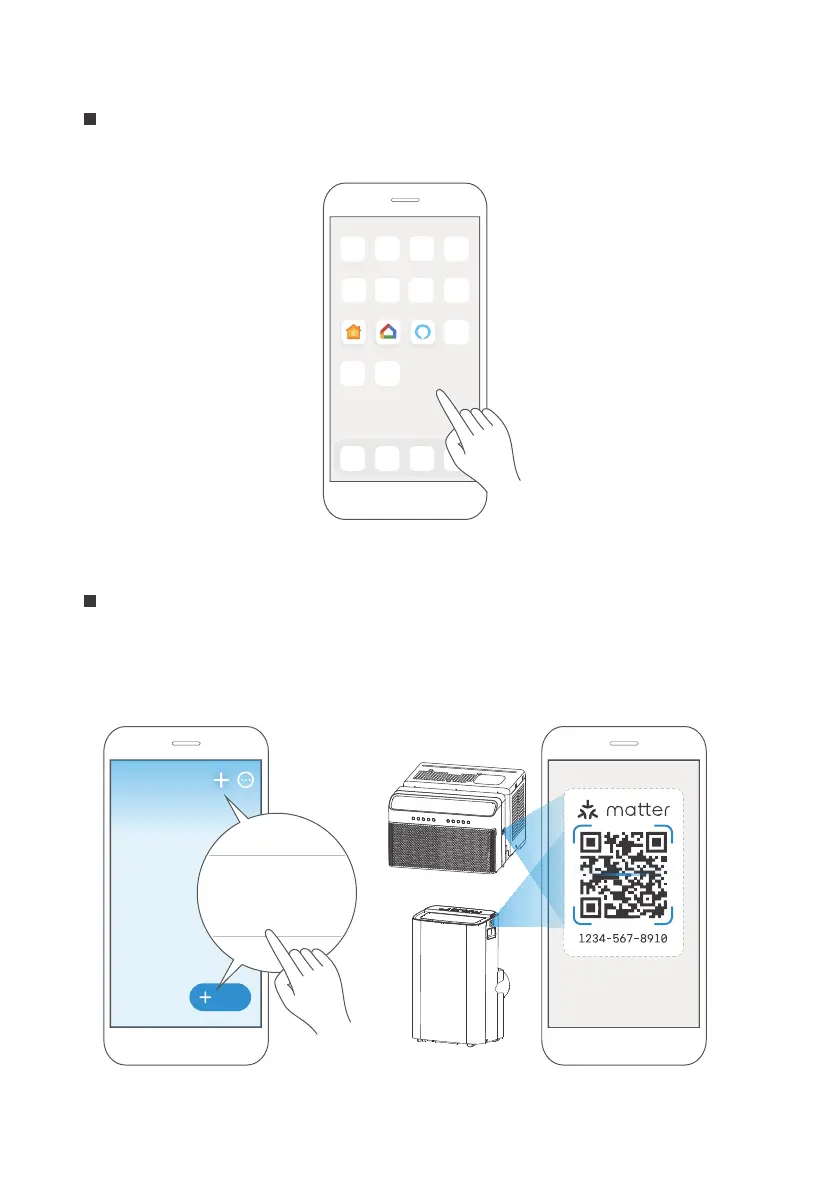
Open the Alexa, Google Home, Apple Home app on your mobile device.
Step 4: Open app
Apple Home Google Home Alexa
Tap the “+” and “Add Device/Accessory” or tap "+Add" in your app and then select
Matter device and scan the Matter QR code found on the side of the AC device.
Follow the respective instructions in the Alexa, Google Home or Apple Home app to
complete the pairing process.
Step 5: Scan matter QR code
Add
Add Device/Accessory
scan
Matter QR code



 To Next Page