EasyManua.ls Logo

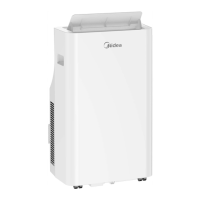
Midea Ultimate Comfort Series - User Manual

Midea Ultimate Comfort Series
9 pages
Print Icon
To Next Page IconTo Next Page
Loading...
iAdd Front Load
A quality product of
Washer - Spinner - Dryer
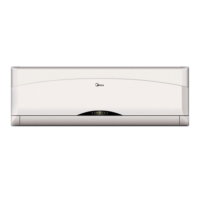
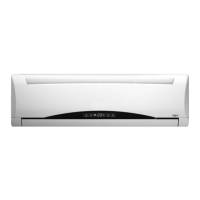
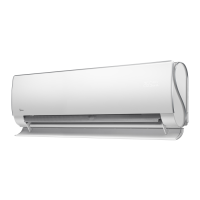
SPLIT TYPE AIR CONDITIONER
Ultimate Comfort Series
A quality product of
Customer Care
(02) 863-55-22
Landline:
(0917) 863-5522
Viber/SMS:
customercare@midea.com.ph
Email:
1-800-10-863-5522
Toll free:
Monday - Sunday / 8:00am - 8:00pm

Other manuals for Midea Ultimate Comfort Series

Questions and Answers

  • A
    Amy MejiaAug 4, 2025
    Why is my Midea Ultimate Comfort not cooling properly?
    • J
      Jamie BoydAug 5, 2025
      If your Midea Air Conditioner isn't cooling well, it might be due to several reasons. First, check if the temperature setting is higher than the room temperature and lower it accordingly. Ensure that the air filter and the heat exchangers on both the indoor and outdoor units are clean. Also, make sure that doors and windows are closed, and reduce heat sources in the room. If the SILENCE function is on, turn it off. Finally, low refrigerant could be the cause; in this case, check for leaks and replenish the refrigerant.
  • W
    Wanda LucasAug 12, 2025
    Why is my Midea Ultimate Comfort's heating performance poor?
    • J
      Joshua VegaAug 12, 2025
      If your Midea Air Conditioner isn't heating well, it could be due to extremely low outdoor temperatures; consider using an auxiliary heating device. Ensure that all doors and windows are closed to prevent cold air from entering. Also, check for refrigerant leaks and replenish the refrigerant if necessary.
  • D
    Donna MaysAug 20, 2025
    What to do if the indicator lamps on my Midea Air Conditioner keep flashing?
    • B
      Brandon MooreAug 20, 2025
      If the indicator lamps on your Midea Air Conditioner continue to flash or error codes appear, wait for about 10 minutes to see if the problem resolves itself. If not, disconnect the power, then reconnect it and turn the unit on. If the problem persists, disconnect the power and contact your nearest customer service center.
  • M
    Michelle SotoAug 27, 2025
    What to do if my Midea Ultimate Comfort starts and stops frequently?
    • R
      Roberto OnealAug 27, 2025
      If your Midea Air Conditioner starts and stops frequently, there might be an issue with the refrigerant levels. Check for leaks and recharge the system if needed. It could also be due to incompressible gas or moisture in the system, requiring evacuation and recharge. A broken compressor or voltage fluctuations could also be the cause. Consider installing a manostat to regulate the voltage.

Summary

Safety Precautions and Warnings

Understanding Safety Symbols

Explains the meaning of WARNING and CAUTION symbols used in the manual.

Electrical Safety Warnings

Details warnings related to power cords, plugs, and connections to prevent shock or fire.

Cleaning and Maintenance Safety

Provides warnings about cleaning procedures, water usage, and cleaning agents to prevent hazards.

Installation Safety Warnings

Stresses the importance of professional installation to prevent water leakage, shock, or fire.

Product Use Safety Warnings

Lists precautions for safe operation, such as avoiding inserting objects into vents or using flammable sprays.

Manual Unit Operation and Sleep Mode

Maintenance and Cleaning Guide

Troubleshooting Common Issues

Emergency Safety Actions

Lists immediate actions to take if hazardous conditions occur, emphasizing contacting authorized service.

Troubleshooting Performance and Error Codes

Poor Cooling Performance Issues

Details common causes and solutions for poor cooling, such as temperature settings, dirty filters, and obstructions.

Unit Not Working Troubleshooting

Addresses issues like power failure, dead batteries, or protection features preventing the unit from starting.

Midea Ultimate Comfort Series Specifications

General IconGeneral
HSPFUp to 10
Energy Star CertifiedYes
RefrigerantR410A
Wi-Fi ConnectivityYes
Auto RestartYes
Self-CleaningYes
Sleep ModeYes
Smart ControlYes
TimerYes

Related product manuals