Page 10
The SLEEP function is used to decrease energy
use while you sleep (and don’t need the same
temperature settings to stay comfortable). This
function can only be activated via remote control.
Press the SLEEP button when you are ready to
go to sleep. When in COOL mode, the unit will
increase the temperature by 1°C (2°F) after 1
hour, and will increase an additional 1°C (2°F)
after another hour. When in HEAT mode, the unit
will decrease the temperature by 1°C (2°F) after
1 hour, and will decrease an additional 1°C (2°F)
after another hour. And the fan speed is low.
It will hold the new temperature for 6 hours,
then the sleep operation stops, the unit will
revert back to the previous operation mode,
but the temperature will not change.
Note: The SLEEP function is not available in
FAN or DRY mode.
Set
temperature
Saving energy during sleep
1hr
1hr
8 hours
cancel sleep
operation
+/- 1 C/2 F
SLEEP Operation
+/- 1 C/2 F
Unit
Specifications
and Features
Sleep Operation
Page 11
How to operate your unit without
the remote control
In the event that your remote control fails to
work, your unit can be operated manually with
the MANUAL CONTROL button located on
the indoor unit. Note that manual operation is
not a long-term solution, and that operating
the unit with your remote control is strongly
recommended.
BEFORE MANUAL OPERATION
Unit must be turned o before manual
operation.
To operate your unit manually:
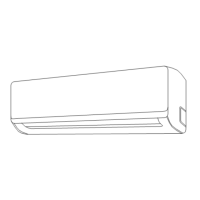
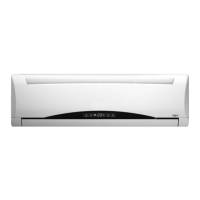
1. Lift the front panel of the indoor unit, and
raise it until it clicks in place. Use suspension
bars to prop up the panel.
2. Locate the
MANUAL CONTROL button on
the right-hand side of the display box.
3. Press the MANUAL CONTROL button one
time to activate FORCED AUTO mode.
4. Press the MANUAL CONTROL button again
to activate FORCED COOLING mode.
5. Press the MANUAL CONTROL button a third
time to turn the unit o.
6. Release the suspension bars, close the front panel.
Manual Operation (Without Remote)
2
CAUTION
Manual Operation
(Without Remote)
Manual control button
Suspension bar
The manual button is intended for testing
purposes and emergency operation only. Please
do not use this function unless the remote control
is lost and it is absolutely necessary. To restore
regular operation, use the remote control to
activate the unit.


 To Next Page
 Loading...