EasyManua.ls Logo

Midland LXT210 Series - User Manual

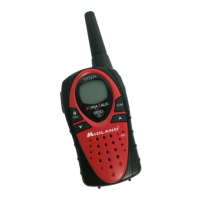
Midland LXT210 Series
20 pages
Print Icon
To Next Page IconTo Next Page
Loading...
LXT210/216/303/305/310/350/410/435
Series GMRS/FRS Radio
X-TRA TALK
®
OWNER'S MANUAL
www.midlandradio.com

Questions and Answers

  • P
    Peter HamptonJul 30, 2025
    What to do if my Midland LXT210 cannot receive messages?
    • M
      Mark ColemanJul 30, 2025
      If your Midland Radio isn't receiving messages, ensure that all radios are set to the same channel and privacy code. Also, verify that you are within the communication range of the other radios. Be aware that buildings and other structures can interfere with communication range.
  • A
    Adam WillisAug 7, 2025
    What to do if Midland LXT210 Radio display is dim?
    • C
      Christina BoyerAug 7, 2025
      If the display on your Midland Radio is dim, try recharging or replacing the batteries.
  • A
    Alexander WilsonAug 15, 2025
    Why is my Midland Radio not responding to button presses?
    • C
      Catherine SmithAug 15, 2025
      If your Midland Radio isn't responding when you press the buttons, first check to see if the key lock is activated and deactivate it. If that doesn't work, try turning the radio off and then back on to reset it. Also, make sure that the accessory microphone is properly set.
  • J
    John PriceAug 22, 2025
    How to fix Midland LXT210 with no power?
    • J
      James QuinnAug 22, 2025
      If your Midland Radio has no power, check the battery installation and replace the batteries if necessary.

Summary

Important Notice and FCC Licensing

Radio Frequency Energy Exposure

Guidance on radio frequency energy exposure limits and compliance with national and international standards.

Radio Controls

Radio Controls and Button Functions

Detailed description of the physical buttons and controls on the radio unit and their operations.

Battery Installation

Installing and Replacing Batteries

Instructions for installing or removing AA batteries or a rechargeable battery pack.

Battery Charging

Desktop Charger Instructions

Procedure for charging the rechargeable NiMH battery pack using the desktop charger and AC adapter.

Operating Your Radio

Powering On;Off and Volume Adjustment

How to turn the radio on/off and adjust the volume level.

Transmitting and Receiving Calls

Instructions for clear communication, transmitting, and receiving calls.

Channel Selection

Selecting GMRS;FRS Channels

Steps to select a specific GMRS or FRS channel for communication.

Privacy Codes

Transmit Power Level

Adjusting Transmit Power Level

Guide to selecting high or low power levels for transmissions.

Troubleshooting Guide

Common Problems and Solutions

A guide to identifying and resolving common issues with the radio.

Midland LXT210 Series Specifications

General IconGeneral
BrandMidland
ModelLXT210 Series
CategoryRadio
LanguageEnglish

Related product manuals