EasyManua.ls Logo

Midland X-tra Talk LXT 435 - User Manual

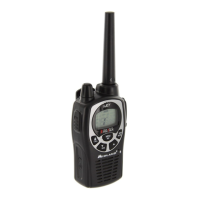
Midland X-tra Talk LXT 435
20 pages
Print Icon
To Next Page IconTo Next Page
Loading...
LXT210/216/303/305/310/350/410/435
Series GMRS/FRS Radio
X-TRA TALK
®
OWNER'S MANUAL
www.midlandradio.com

Questions and Answers

  • I
    Isaac GomezAug 8, 2025
    What to do if my Midland Radio cannot receive messages?
    • M
      Matthew AllenAug 8, 2025
      If your Midland Radio isn't receiving messages, ensure that all radios are set to the same channel and privacy code. Also, verify that you are within the communication range of the other radios. Be aware that buildings and other structures can interfere with communication range.
  • M
    morrisjenniferAug 15, 2025
    What to do if Midland X-tra Talk LXT 435 display is dim?
    • S
      Sarah GillAug 16, 2025
      If the display on your Midland Radio is dim, try recharging or replacing the batteries.
  • T
    turnersarahAug 23, 2025
    Why is my Midland X-tra Talk LXT 435 not responding to button presses?
    • T
      Thomas GrayAug 23, 2025
      If your Midland Radio isn't responding when you press the buttons, first check to see if the key lock is activated and deactivate it. If that doesn't work, try turning the radio off and then back on to reset it. Also, make sure that the accessory microphone is properly set.
  • M
    Mary ContrerasAug 30, 2025
    How to fix Midland X-tra Talk LXT 435 with no power?
    • D
      Derrick BeckAug 30, 2025
      If your Midland Radio has no power, check the battery installation and replace the batteries if necessary.

Summary

Introduction to Midland Electronics

FCC Licensing and Operation Notice

LCD Display Overview

Radio Controls

Battery Installation

Belt Clip Installation

Charging the Optional Battery Pack

Low Battery Level Indicator

Operating Your Radio

Transmitting and Receiving a Call

Instructions for clear communication, including PTT usage and receiving signals.

Understanding Radio Range

Guidance on optimizing radio range under various environmental conditions.

Quick Reference Charts

Monitor Function Operation

How to use the Monitor function to check channel activity before transmitting.

Scan Function Operation

Procedure for scanning all channels and stopping on active ones.

Call Tone and Keypad Lock

Channel Selection

Setting Privacy Codes

Transmitter Power Level

eVOX Hands-free Operation

Vibrate Alert Function

Roger Beep Tone

Call Tone Selection

Silent Operation Mode

Weather Band Receiver

External Speaker;Microphone Jack

Troubleshooting Guide

Use and Care Instructions

Specifications

GMRS;FRS Frequency Chart

Table detailing GMRS/FRS channels and their corresponding frequencies.

Weather (WX) Receiver Frequency Chart

List of Weather Band channels and their frequencies for LXT310/350/410/435 models.

Privacy Codes Frequency Chart

Frequency (Hz) values for the 38 available privacy codes.

Limited Warranty Information

Other Midland Products

Available Accessories

Accessories Order Form

Midland X-tra Talk LXT 435 Specifications

General IconGeneral
Channels22
RangeUp to 24 miles
NOAA Weather AlertYes
Call AlertYes
Keypad LockYes
Battery MeterYes
Privacy Codes38
Dimensions6.3 x 2.4 x 1.5 in
Battery Type3 AAA batteries each

Related product manuals