EasyManua.ls Logo

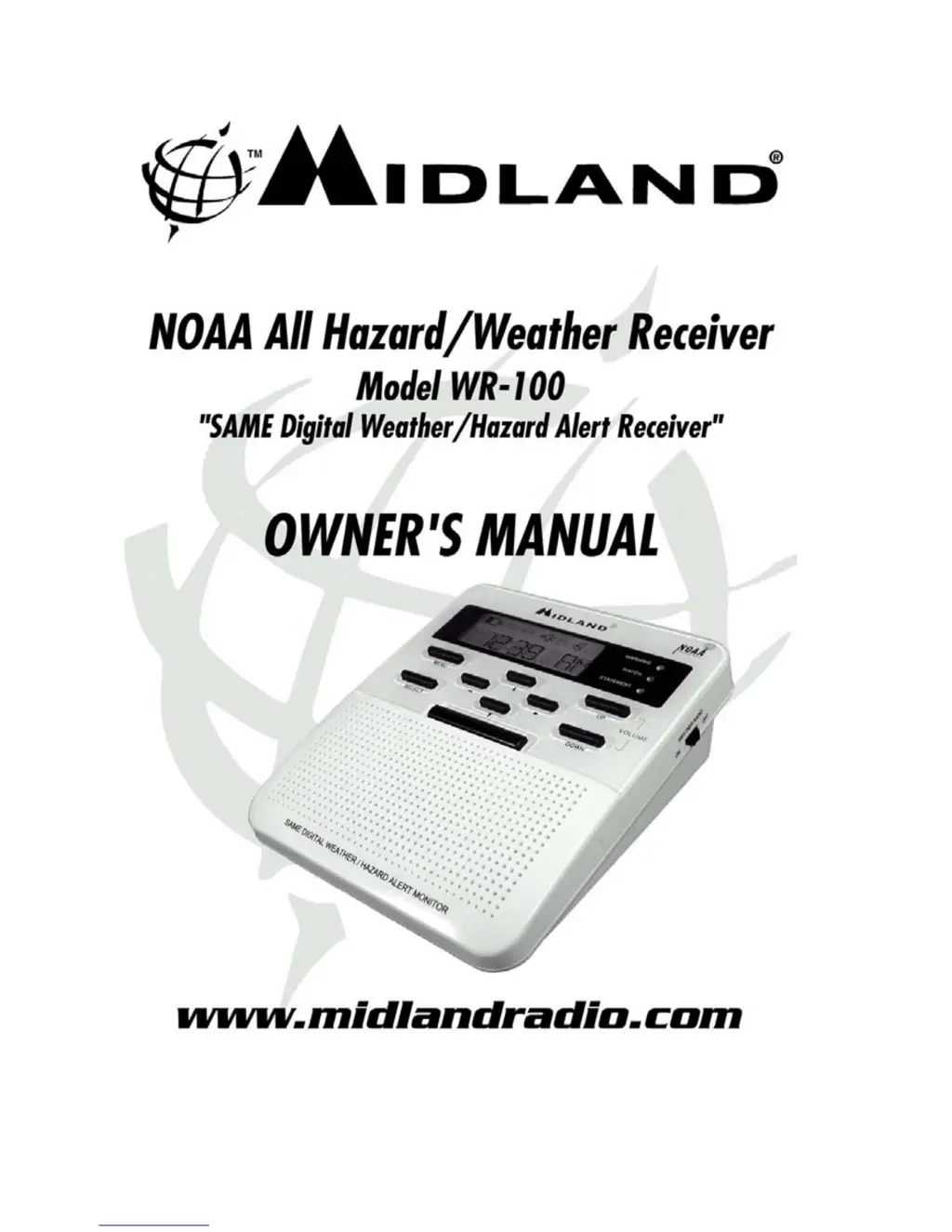
Midland WR-100 - User Manual

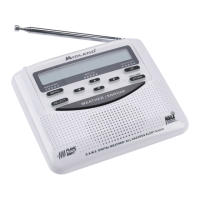
Midland WR-100
23 pages
Print Icon
To Next Page IconTo Next Page
Loading...

Other manuals for Midland WR-100

Questions and Answers

  • L
    ldeleonAug 12, 2025
    What to do if my Midland WR-100 Weather Radio is not responding to weather alert broadcasts?
    • S
      santosmichaelAug 13, 2025
      If your Midland Weather Radio isn't responding to weather alert broadcasts, verify that you've programmed the correct S.A.M.E. County Codes.
  • J
    Joshua MorrisonAug 16, 2025
    What to do if Midland WR-100 is not responding to NWS weather alert broadcasts?
    • J
      Jonathan WrightAug 16, 2025
      If your Midland Weather Radio isn't responding to NWS weather alert broadcasts, first verify that you have correctly programmed the S.A.M.E. County Codes. Also, check with the NWS to confirm that the broadcast tower is operational.
  • J
    Jay ThomasAug 20, 2025
    Why is there no sound coming from my Midland WR-100?
    • J
      Jorge GriffinAug 20, 2025
      If you are experiencing no sound from your Midland Weather Radio, the first thing you should do is check the volume level.
  • K
    Kimberly GardnerAug 25, 2025
    What to do if my Midland WR-100 has no power?
    • T
      Tommy McculloughAug 25, 2025
      If your Midland Weather Radio has no power, consider the following: * Check if the AC Power Adapter is securely plugged into both the DC jacks on the back of the Weather Receiver and the wall outlet. * If AC power has failed, check if batteries are installed and not dead. Try unplugging the power, removing, and replacing the batteries.
  • D
    derek68Aug 28, 2025
    How to fix no weather broadcast on my Midland WR-100 Weather Radio?
    • A
      Anthony CaseyAug 28, 2025
      If you're not getting a weather broadcast when you press the WEATHER/SNOOZE button on your Midland Weather Radio, try these steps: 1. Make sure the telescoping antenna is fully extended. 2. If using an external antenna, ensure it's properly connected. 3. Confirm the monitor is set to the NOAA weather channel used in your area. Contact NOAA to verify they are currently broadcasting.
  • T
    Teresa WilsonAug 31, 2025
    Why is there no weather broadcast when I press WEATHER/SNOOZE button on my Midland WR-100?
    • K
      Kara BartonAug 31, 2025
      If you are not receiving a weather broadcast on your Midland Weather Radio when you press the WEATHER/SNOOZE button, try the following: * Ensure the telescoping antenna is fully extended. * If using an external antenna, check that it's properly connected. * Confirm the radio is set to the correct NWS weather channel for your area. * Contact NWS to confirm they are currently broadcasting. * If inside a metal structure, move closer to a window. * If in a weak signal area, consider using an external antenna.
  • S
    Stephanie VillaSep 4, 2025
    What to do if my Midland Weather Radio has no sound?
    • W
      Wendy MitchellSep 4, 2025
      If there is no sound coming from your Midland Weather Radio, check the VOLUME control to ensure it is turned up to an audible level.
  • B
    Briana OneillSep 8, 2025
    How to fix Midland Weather Radio with no power?
    • M
      Michael WilliamsSep 8, 2025
      If your Midland Weather Radio has no power, ensure that the AC Power Adapter is securely plugged into both the DC jack on the back of the radio and the wall outlet. Also, make sure batteries are installed in case of AC power failure.

Summary

Features

Getting to Know Your Weather Receiver

Primary Controls Overview

Overview of key buttons like WEATHER/SNOOZE, MENU, SELECT, and Volume.

Alert Status Indicators

Explanation of the red, yellow, and green lights indicating alert status.

Power and Antenna Setup

Details on the power switch and antenna positioning for optimal reception.

Quick Start Instructions

Initial Setup

Guides on installing batteries, connecting power, and positioning the antenna.

Clock and Alarm Setup

Instructions for setting the current time and the alarm clock.

Channel Programming

Program Weather;Hazard Channel

Procedure to select the correct NOAA weather channel for your area.

S.A.M.E. County Code Programming

Alert Type Configuration

Alert Management

Reviewing Recent Alerts

Accessing and viewing stored weather and hazard alerts in the receiver's memory.

Controls

Weather;Snooze Button Function

Manages standby mode, alert cancellation, and snooze functions.

Power Switch Operation

Main switch for turning the weather radio on and off.

Alert Status Indicators

Visual indicators for WARNING, WATCH, and STATEMENT alerts.

Programming Navigation

Using MENU, SELECT, and Arrow buttons for menu interaction.

Display Information

Backlight Operation

How the display backlight activates and its duration.

Icons on the Display

Explanation of icons indicating Volume Bars, Clock Alarm, Voice Alert, etc.

Multi-Channel Reception

Guidance on handling alerts received on multiple channels.

About NWR, NOAA, NWS, & S.A.M.E. County Codes

NWR Alert Descriptions

Testing Your Weather Receiver

Connecting External Alert Output

How to connect the EXT. ALERT jack to external devices for automated alerts.

Emergency Power

Reception

Troubleshooting

Service

One Year Limited Warranty

Details of the manufacturer's warranty coverage for the weather alert monitor.

FCC Compliance Information

Specifications

Technical details including frequency range, channels, input voltage, and dimensions.

Glossary & Interesting Web Sites

Midland WR-100 Specifications

General IconGeneral
TypeWeather Radio
SAME TechnologyYes
Public Alert CertifiedYes
AM/FM RadioNo
DisplayLCD
Channels7 NOAA Channels
BrandMidland
ModelWR-100
Frequency Range162.400 - 162.550 MHz
Power SourceAC Adapter, Battery
Weight1.0 lbs

Related product manuals