Operation
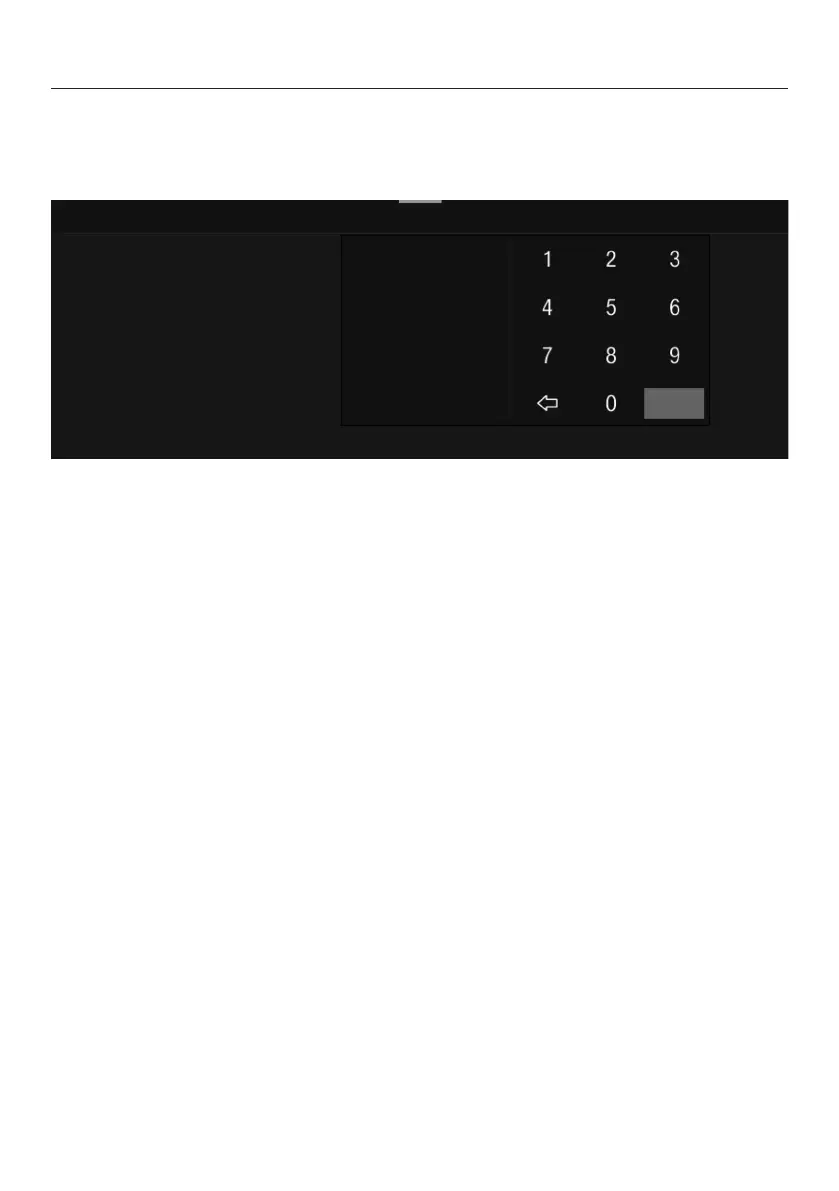
Entering numbers using the numerical keypad
Tap the centrally displayed orange value and keep your finger on it until the
numerical keypad appears.
Select the value you want: as soon as you enter a valid value, OK turns green.
Use the arrow to delete the last entered number.
Confirm withOK.
Entering a name
Letters are entered using a keyboard. It is best to select short names.
Tap the letters or characters you want.
Tip: Use thearrow to delete the last entered character.
TapSave.
Displaying the context menu
When you are in certain menus, a context menu can be displayed, e.g., for
configuring drinks.
For instance, you can tap the name of a drink and keep your finger on it until the
context menu opens.
To close the context menu, tap an area of the display located outside of the
menu window.
22


 To Next Page