Switching on the fan
^
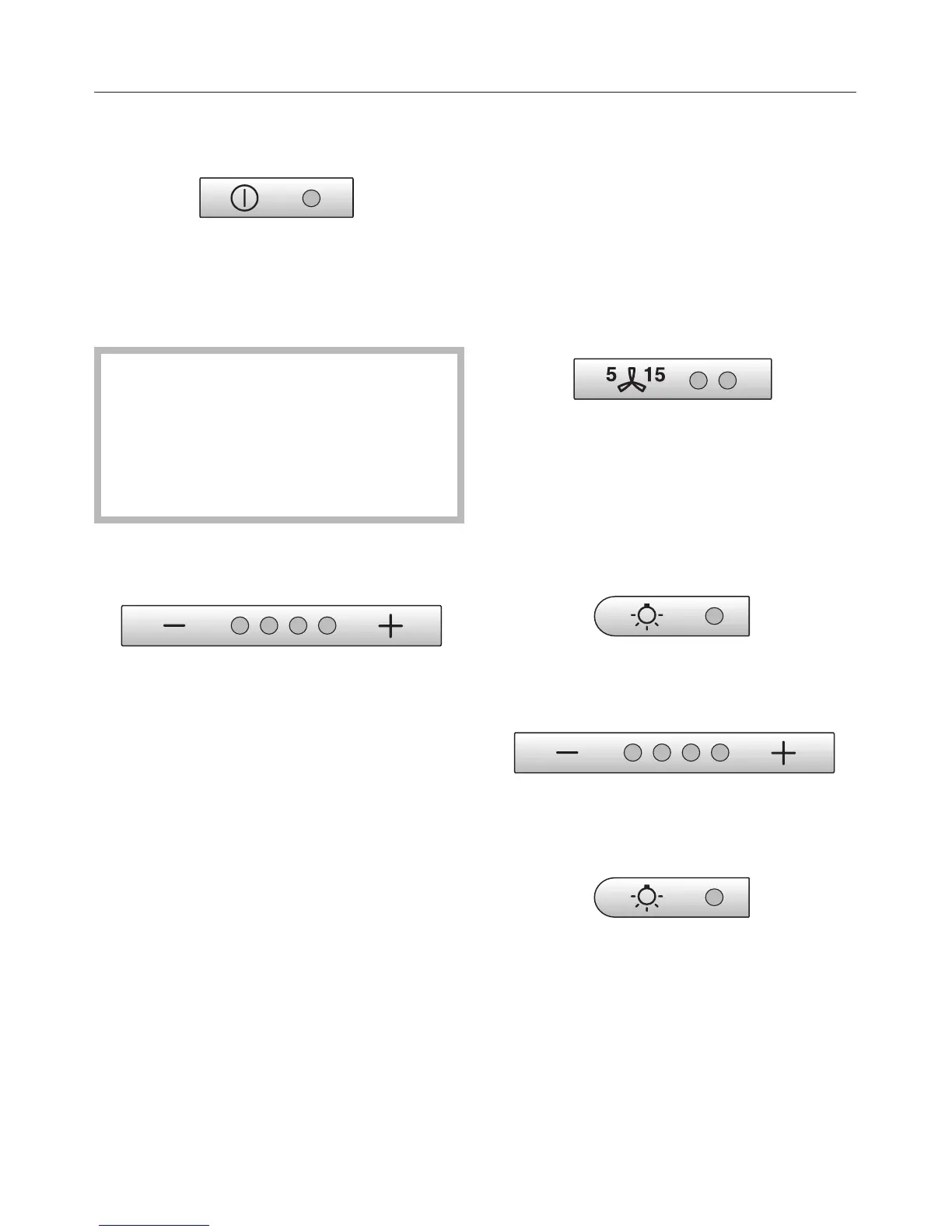
Press the On/Off touch control.
The fan runs at power level "II".
The indicator lamp will come on.
If the cooker hood has been
connected to a window contact
switch via the Miele Control module
DSM 400 then the fan cannot be
switched on if the window is shut.
The indicator lamp will flash.
Selecting a power level
^ Use the "– / +" touch controls to
select the power level required.
"+" touch control = higher setting
"–" touch control = lower setting
Depending on the intensity of the
cooking vapours, levels "I" to "III" (green
indicator lamps) are usually sufficient
for normal cooking.
Intensive setting
When frying or cooking food with a
strong aroma, you may wish to select
the Intensive setting (yellow indicator
lamp) for a short period.
Automatic switch-off of the Intensive
setting
You can set the Intensive setting so that
it only runs for 10 minutes before
reverting automatically to level III.
^
To set this option both the fan and
the hob lighting must be switched off.
^
Press the run-on option touch control
for approx. 10 seconds. The first fan
setting indicator will light up.
^ Then press, one after the other,
- the hob lighting touch control
- the "–" touch control and
- the hob lighting touch control again.
Operation
14



 To Next Page