Switching on and off
Switching on
Close the door
Open the stopcock (if it is closed).
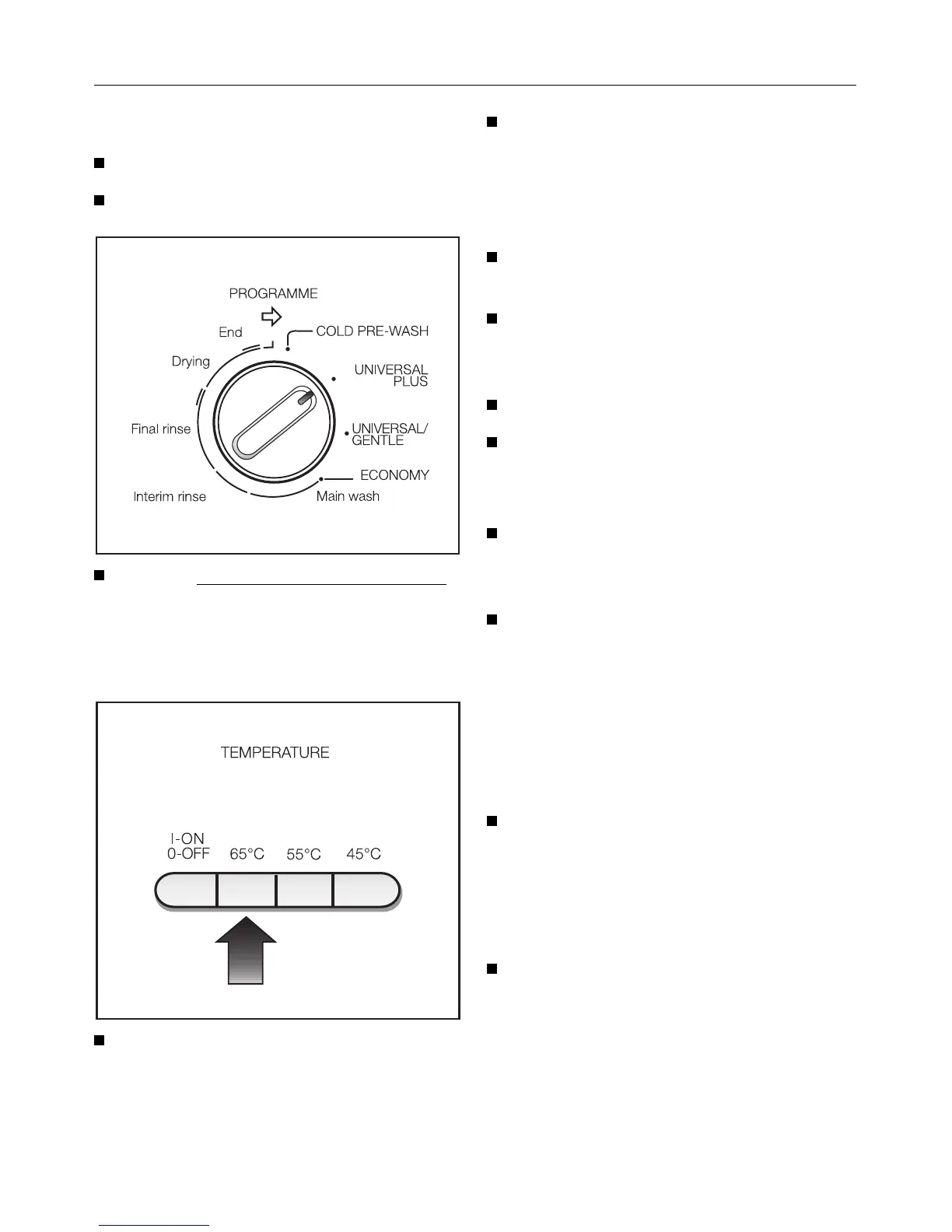
Turn the programme selector switch
(programme sequence indicator)
clockwise, until a resistance is felt, to
the “Start“ point of the required pro-
gramme, e.g. "UNIVERSAL PLUS".
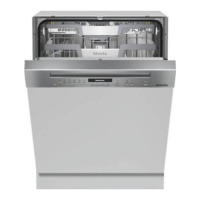
Then select the required temperature
e.g. “65 °“.
(For the “COLD PRE-WASH“ pro-
gramme it does not matter which tem-
perature button is pressed).
Next press the On-Off button. The
programme cycle begins.
If you turn the selector past the
“start point“ by mistake:
Switch the dishwasher off with the
“On-Off“-button.
Turn the programme selector switch
in a clockwise direction to the re-
quired start point.
Select the temperature again.
Switch the machine on again.
Programme change
It is possible to change temperature
within a programme, e.g. UNIVER-
SAL 55 ° to UNIVERSAL 65 °.
If changing a programme, e.g.
UNIVERSAL PLUS to UNIVER-
SAL/GENTLE it is advisable to first
switch the dishwasher off.
Switching off
On completion of a programme:
Turn the dishwasher off using the
“0n-Off“ button.
If the dishwasher is not to be used for a
longer period of time, e.g. whilst on holi-
day:
Turn off the stopcock.
Switching on and off
32



 To Next Page