The oven comes equipped with a roast
probe.
The roast probe allows you to monitor
the cooking temperature by measuring
the core temperature of the meat.
When the desired temperature is
reached the oven will automatically turn
off.
The roast probe can be used during:
–
All Roast functions
–
Microwave
(Solo and Combination functions)
Using the roast probe
^ Prepare the meat.
^
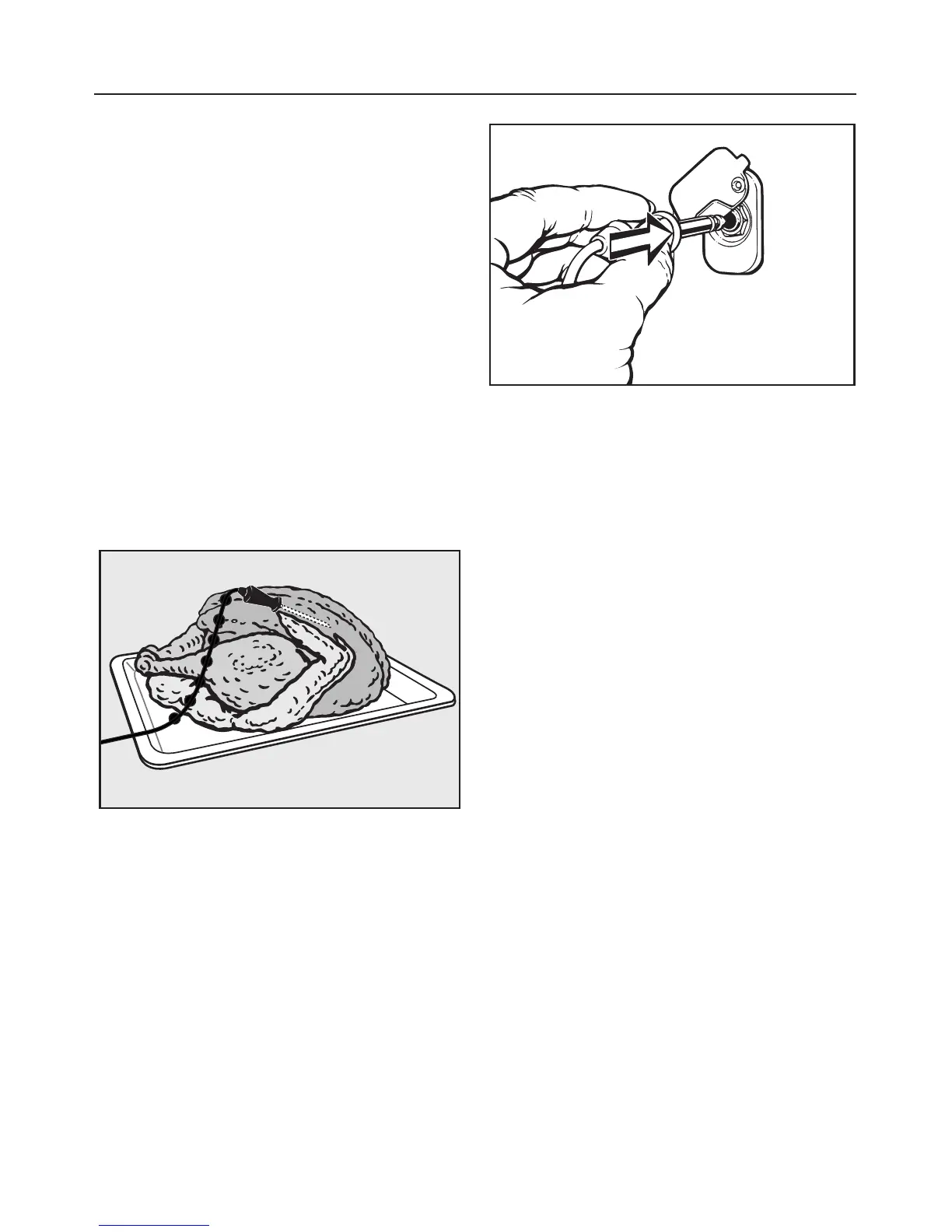
Insert the roast probe half way into
the food so that the tip reaches the
center of the thickest part of the
meat.
^
Place the food in the oven.
^
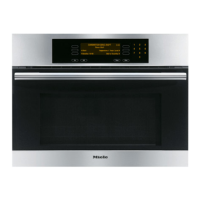
Plug the roast probe into the socket
until it clicks (see arrow).
^
Close the appliance door.
^ Select the desired function.
A delayed start is possible if desired.
(Not possible for Solo Microwave.)
The display shows the oven default
temperature and the default core
temperature.
^ If desired adjust the default
temperature and/or power level.
^
If desired adjust the default core
temperature by pressing "Probe".
Enter the new core temperature using
the keypad.
^
Select "OK".
^
Select "Start" if using a microwave
function.
The rising core temperature can be
monitored in the display during the
cooking program.
The cooking time is calculated
automatically.
Using the roast probe
49



 To Next Page