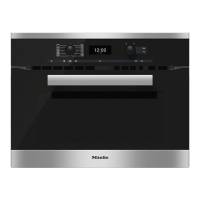
Your oven has a wide range of
Automatic programmes to enable you
to achieve excellent results with
ease. Simply select the appropriate
programme for the type of food you
are cooking and follow the
instructions in the display.
Select Automatic programmes from the
"Automatic programmes" c menu.
List of food types
–
Bakes & Gratins
– Baked goods
– Side dishes
– Bread
– Casserole
– Fish
– Meat
– Game
–
Poultry
–
Frozen food
–
Cook vegetables with MW
–
Cook fruit with MW
–
Pizza
–
Cook soup with MW
To use an Automatic
programme
From the main menu:
^
Touch Automatic programmes c.
A list of food types will appear in the
display.
^
Touch the food type you want
The Automatic programmes available
will then appear.
^
Select the Automatic programme that
you want.
Each step you need to take before
starting the Automatic programme will
appear in the display.
Depending on the programme you
have selected, further information or
prompts will appear regarding
– the roasting or baking dish,
– the shelf level,
– using the food probe,
–
the cooking duration.
^
Follow the instructions in the display.
A selection of recipes are listed at
the end of this booklet.
Automatic programmes
79



 To Next Page