23
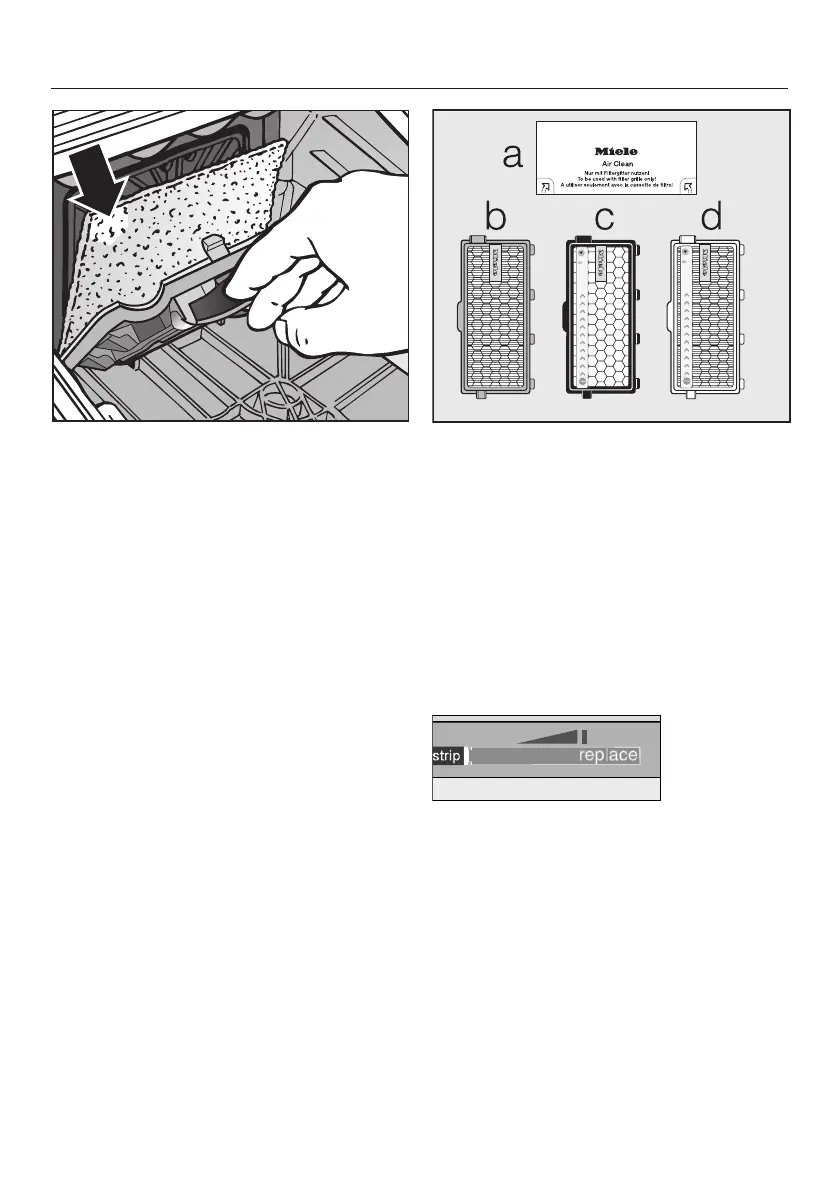
Lift up the filter frame until it clicks
and remove the old filter. Hold by the
clean, unsoiled section to remove it.
Replace with a new motor protection
filter.
Close the filter frame.
Fit the dustbag into the holder as far
as it will go.
Close the dust compartment lid se-
curely, making sure it clicks into posi-
tion. Take care not to trap the dust-
bag when doing so.
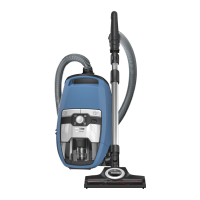
When to replace the exhaust filter
Depending on the model, your vacuum
cleaner will be fitted as standard with
one of the following exhaust filters.
a AirClean
Replace this filter every time you start a
new packet of dustbags. Every packet
of original Miele dustbags contains one
AirClean exhaust filter. Multipacks con-
tain four AirClean filters (only available
in selected countries).
bAirClean Plus 50 (light blue)
Replace this filter after approx. one
year. Make a note of the date on the fil-
ter.
cActive AirClean 50 (black)
dHEPA AirClean 50 (white)
Replace this filter when the exhaust fil-
ter timestrip® change indicator is com-
pletely red. The indicator lights up after
approximately 50 hours of operation,
which is equivalent to about a year of
average use. You can continue vacuum-
ing when the light comes on. However,
the suction power will be reduced as
will the effectiveness of the filter if it is
not replaced in good time.


 To Next Page