Operating the tumble dryer
11
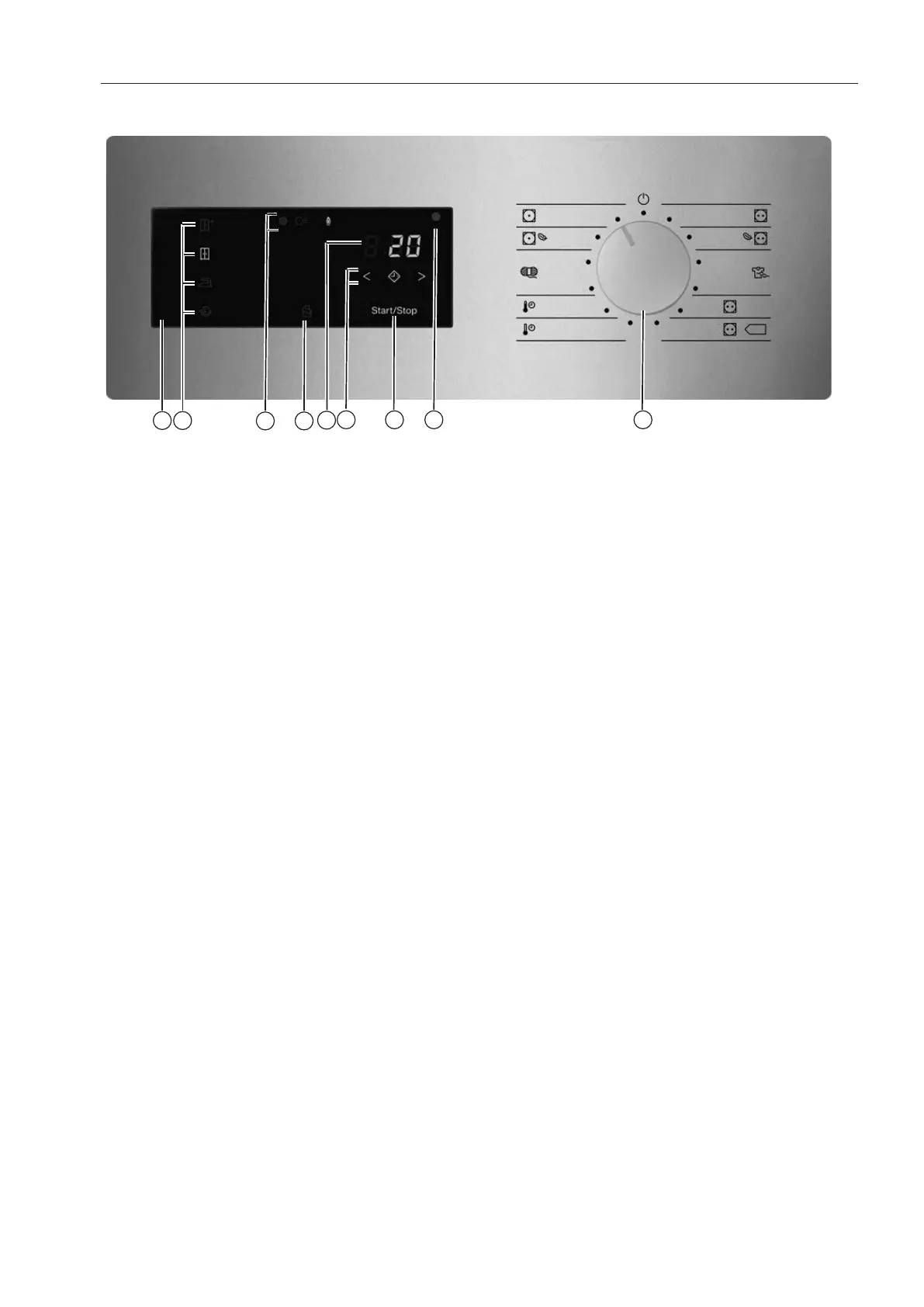
Machines with residual moisture control (ROP)
a
Control field
b
Sensor controls for the drying levels
c
Status displays
Light up when necessary.
d
sensor control
Activates the Intermittent fan operation to perfectly dry light fabrics, e.g. bed linen and
cloths. The function is deactivated as a factory default setting and can only be activated
and set by the MieleCustomer Service Department.
e
Timedisplay
Displays the remaining programme running time in hours and minutes.
f
sensor controls
For the Delay start function. After touching the sensor control, a later start time for
the programme (Delay start) can be selected. The sensor control lights up brightly
when selected.
The duration of the Delay start period is selected by touching the orsensor control.
g
/sensor control
For starting the selected drying programme and cancelling a programme once it has star-
ted. The programme selected can be started as soon as the sensor control starts flash-
ing.
h
Optical interface
Used for data transfer by the Customer Service Department.
i
Programme selector
For selecting programmes and for switching the machine off. The tumble dryer is
switched on when you select a programme and switched off by turning the programme
selector to the position.
Drying levels
- sensor control = “Normal plus”
- sensor control = “Normal”
- sensor control = “Hand iron”
- sensor control = “Machine iron”
- sensor control: “Duvets” function



 To Next Page