Replacing the "Active Air
Clean" filter and the "Active
HEPA" filter
^
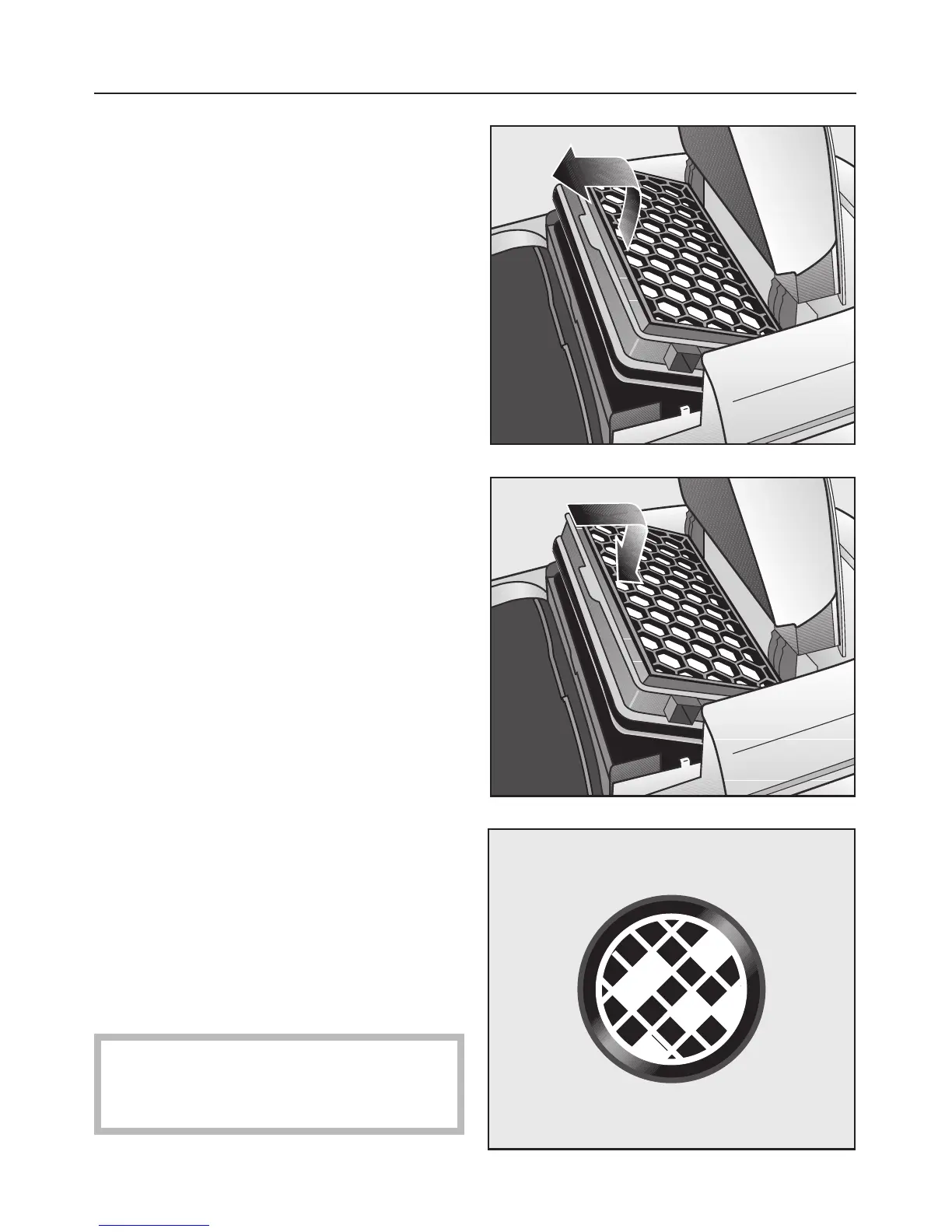
Open the dust compartment lid.
^
Lift and remove the filter.
^ Insert a new filter and press it
downwards.
^ Close the dust compartment lid firmly
until it clicks into place.
Resetting the filter change indicator
The filter change indicator (Reset
button) must be reset each time the
filter is replaced. To do this, the vacuum
cleaner must be plugged in.
^
Press and hold the filter change
indicator light until it goes out.
The display is now reset.
The indicator is only reset if pressed
while lit. If the indicator is pressed
while not lit, it will not be reset.
Maintenance and care
29


 To Next Page