Selecting the suction power
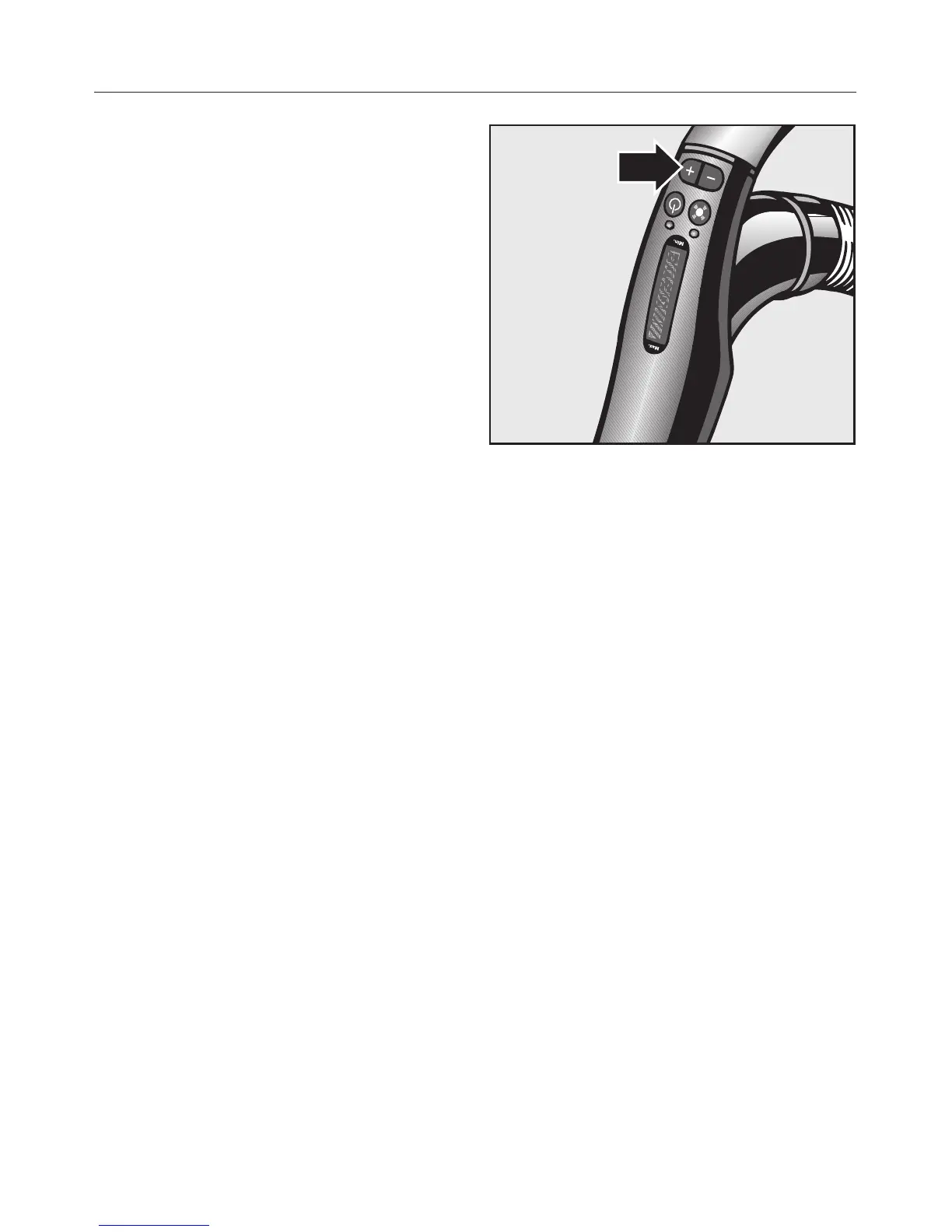
Use the + and - on the handle to
regulate the suction to suit the type of
flooring. The higher the wattage, the
more powerful the suction. Reducing
the suction power reduces the amount
of effort required to manoeuvre the
floorhead.
The power settings are denoted by
symbols on the handle which indicate
the type of use the settings are suitable
for.
a - Curtains, lightweight fabrics
b - Upholstery, cushions
c - High quality velour carpets, rugs
and runners
( - For daily energy-saving
vacuuming with a low operating
noise level
e - Loop-pile carpets and rugs
f - Hard flooring, and for intensive
cleaning of carpets
Press and hold the appropriate button
until the symbol for the setting you
require lights up green.
^
Press the + button to select a higher
setting.
^
Press the - button to select a lower
setting.
Use
16


 To Next Page