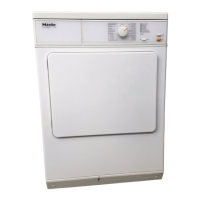
Altering the standard drying
level in the Automatic
programme
The drying level for this programme
is set at a standard Normal level.
You have the option of changing this
to an increased Normal+ (drier than
Normal)ortoHand iron (damper than
Normal) drying level.
Follow the steps (A,B,C ...) to
programme and store in memory.
Before you begin, ensure that:
– The tumble dryer is switched off.
– The door is closed.
– The programme selector is at Finish.
A Press the Start button and keep it
pressed in whilst carrying out steps
B-C.
B Switch the dryer on.
C Wait until the Start indicator lamp
lights up constantly...
D . . . and then release the Start button.
E Turn the programme selector to
Machine iron.
The Cool air lamp will flash six times.
The flashing sequence of the
Drying lamp shows which option is
currently selected.
–
If the Drying lamp is not flashing:
the standard drying level is Hand
iron
–
If the Drying lamp flashes once: the
standard drying level will remain
on the Normal setting (factory
default setting).
– If the Drying lamp flashes twice:
the standard drying level is
Normal+.
F Pressing the Start button switches
between the 3 options.
G Switch the dryer off.
The setting you have selected is now
stored in memory. You can change it
again at any time.
To check the setting:
^
Carry out steps A to E.
^
Switch the dryer off after checking
the setting as described above.
Programmable functions
44



 To Next Page