Fine filter
When to clean
Only clean the fine filter when the
Clean filter indicator light comes on.
To switch off the Clean filter indicator
light:
^
Remove, clean and replace the fine
filter with the tumble dryer switched
on.
Removing
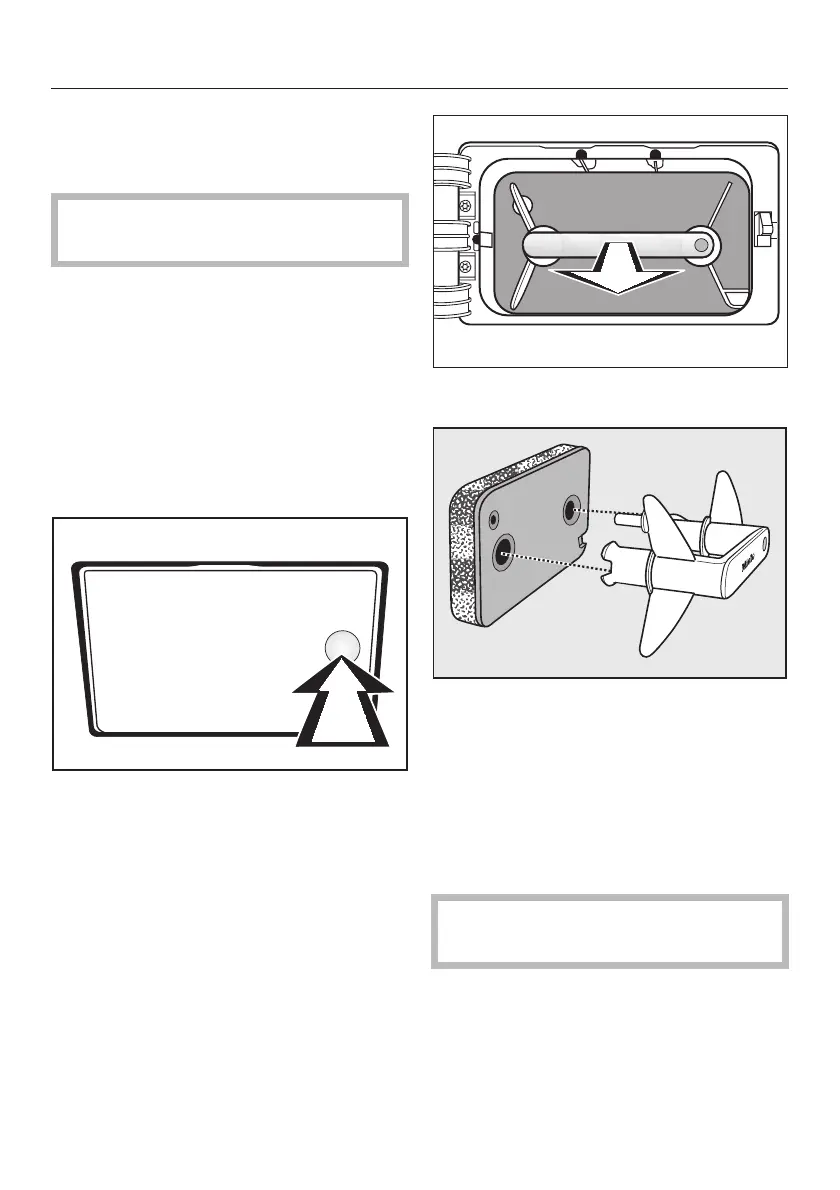
On the front left of the tumble dryer:
^
Press to open the service panel for
the fine filter (see arrow).
The panel will spring open.
^
Pull the filter out by the handle.
^ Pull the handle out of the filter.
Cleaning the fine filter
^
Clean the fine filter thoroughly under
running water.
^
Then squeeze the fine filter
thoroughly.
,
It must not be replaced dripping
wet as this can cause a fault.
^
Use a damp cloth to remove any fluff
from the handle.
Cleaning and care
29



 To Next Page
 Loading...