Delay start
28
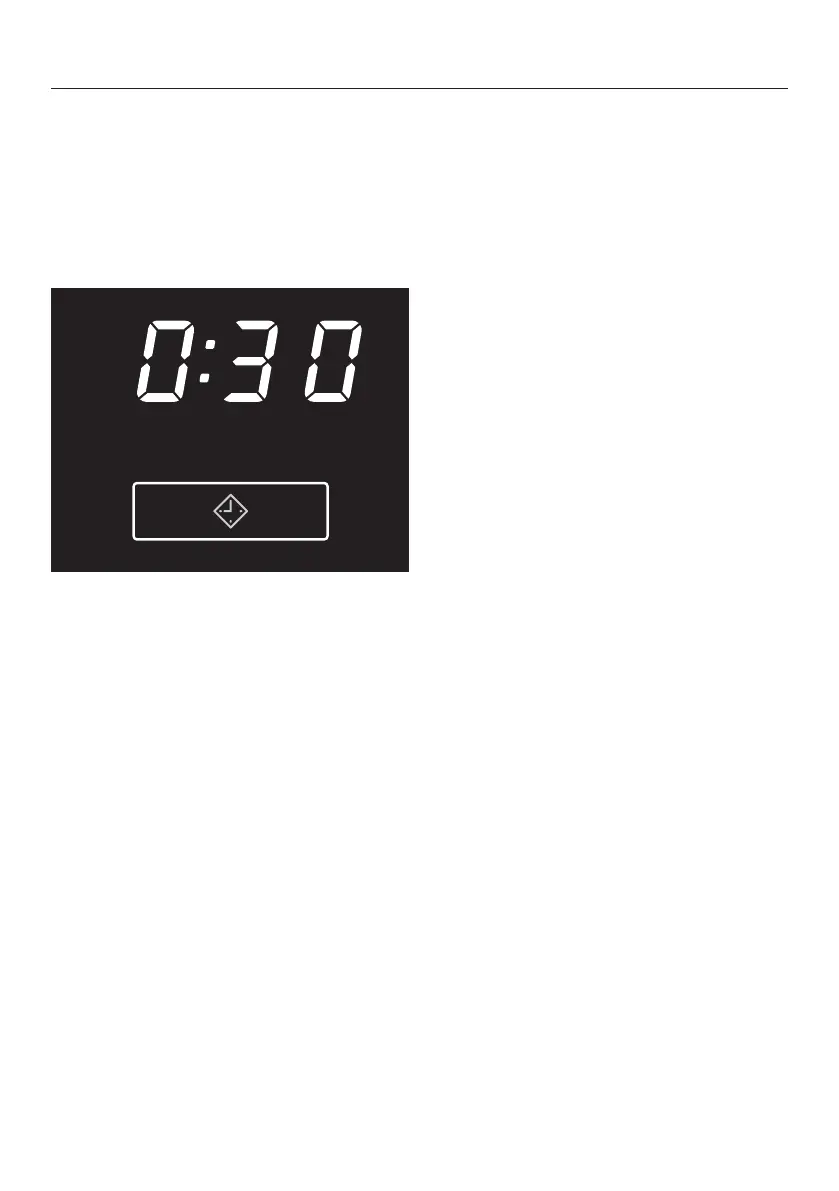
To select delay start
With delay start you can delay the start
of the programme by up to a maximum
of 24 hours.
However: delay start cannot be used
with the Warm air programme.
After selecting the programme touch
the sensor.
– will flash
– Times of up to are selected in
minute stages and then in hour
stages up to .
– If you touch the sensor continuously,
the time will count up to .
– Touching the sensor again when
shows in the display will delete
the time selected.
To begin delay start
Press the Start/Stop button.
– will light up
– Delay start times of more than will
count down in hours and then in
minutes until the start of the
programme.
– The drum will turn briefly every hour
until the start of the programme to
reduce creasing.
To change delay start after it
has started counting down
Press the Start/Stop button.
– will flash
Touch the sensor to change the
time.
Press the Start/Stop button.
To add/remove laundry after
delay start has started
counting down
You can open the door to add/
remove laundry.
– All programme settings will be saved
– will flash
You can also change the drying level, if
required.
Press the Start/Stop button so that
the delay start time continues to
count down.
To cancel delay start
Switch the dryer off and then on
again.


 To Next Page