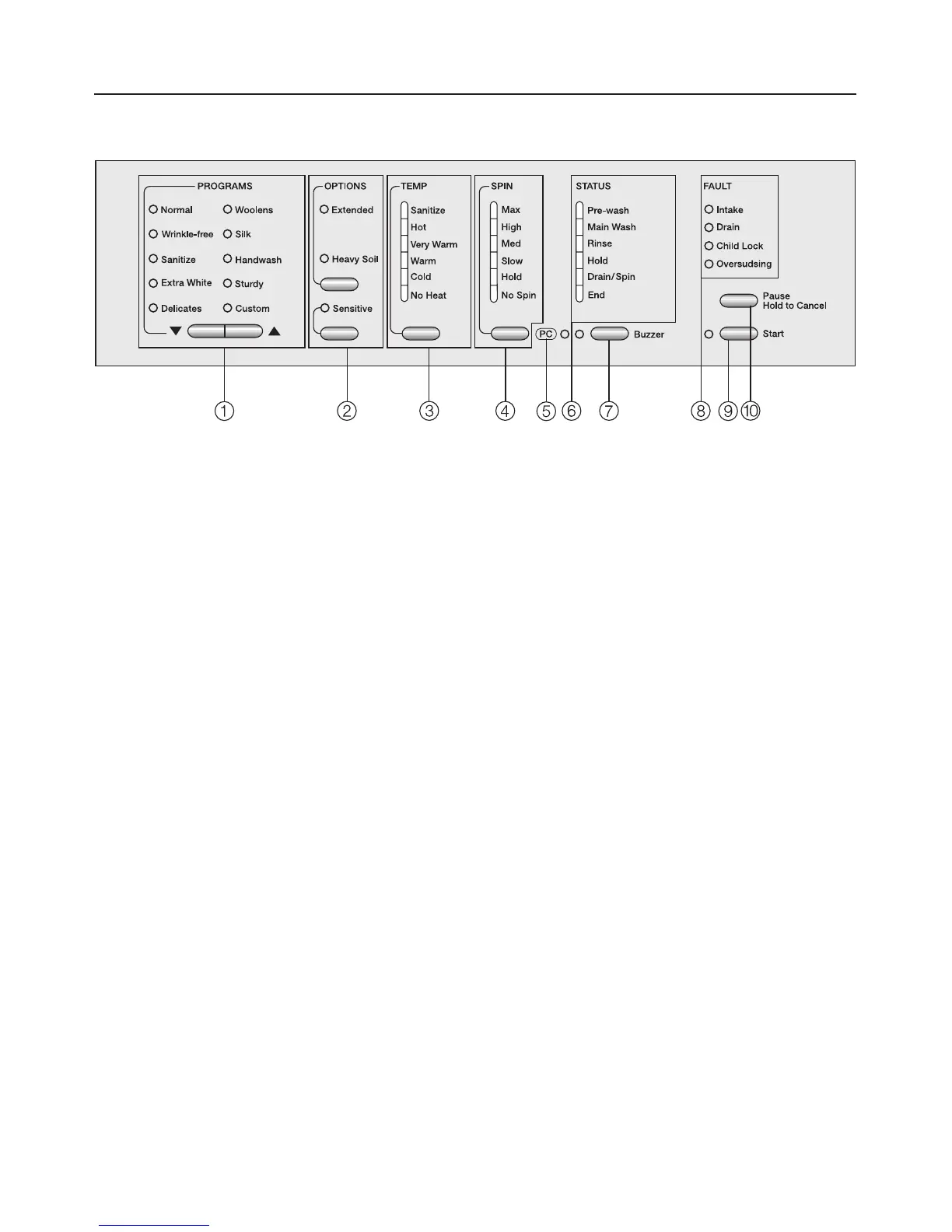
Control panel
a PROGRAMS buttons e-
to select a wash program.
b OPTIONS buttons
Special features to enhance a wash
program.
c TEMP button
to select the wash temperature.
d SPIN speed button
to select the spin speed.
e PC Indicator
allows a service technician to check
and update the wash programs.
f STATUS indicators
shows the current cycle of the wash
program.
g Buzzer button turns the buzzer on
and off.
h FAULT indicators
indicate errors and shows the
activated Child Lock.
i Start button
starts the selected wash program.
j Pause/Hold to cancel button
pauses or cancels a program.
Guide to the washer
6



 To Next Page
 Loading...