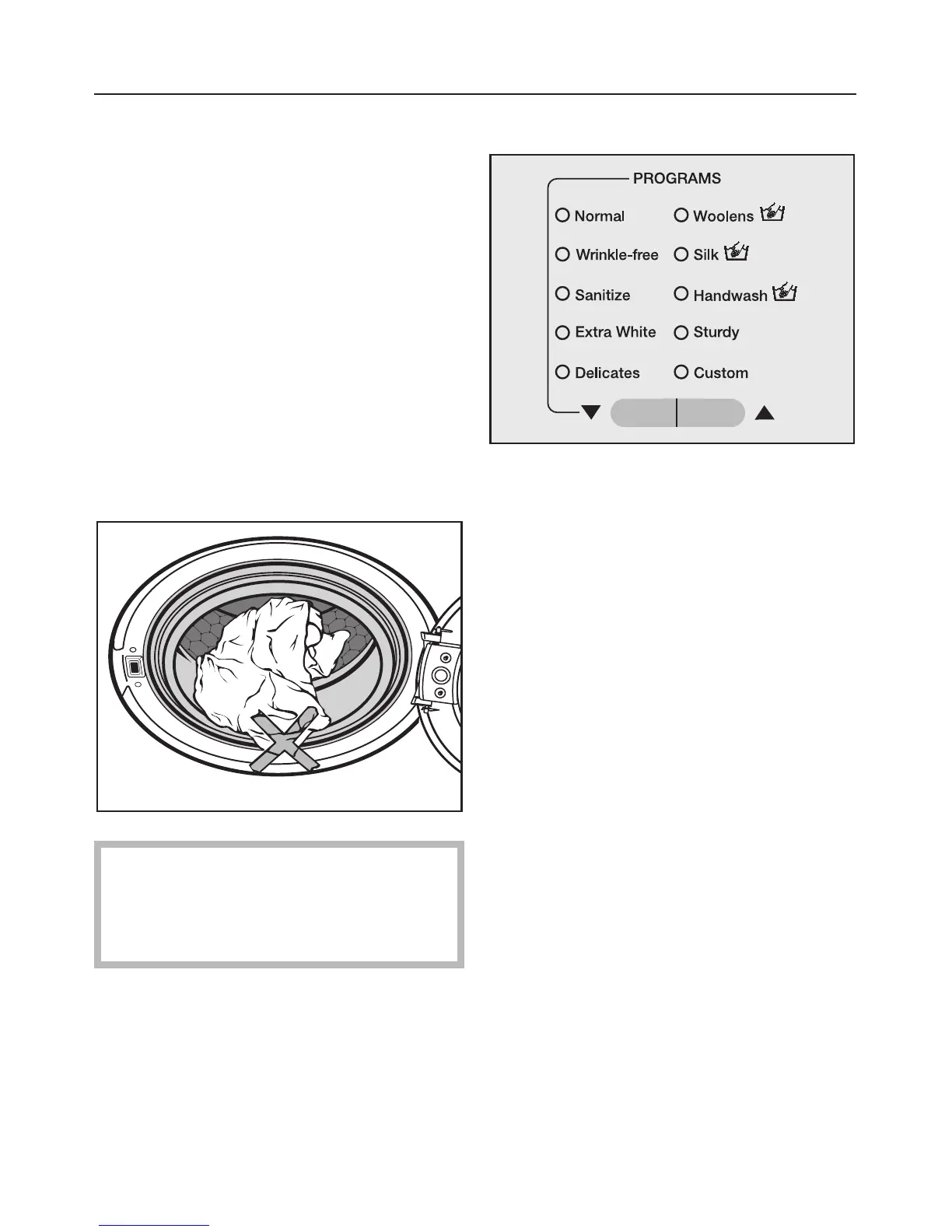
2. Load the laundry
^ Turn on the washer using the
"On / Off" button.
^ Open the drum door using the "Door"
button.
^ Load the laundry into the drum. For
best results, wash mixed loads of
small and large items. This will
improve washing effectiveness and
help distribute the load evenly.
Note: Overloading the washer will
cause poor wash results and wrinkling.
^ Close the drum door.
To prevent damage to the door seal
and clothing, make sure that there is
nothing caught between the drum
door and the seal.
3. Select a program
^ Press the "PROGRAMS" button e or
- until the desired program indicator
lights.
Using the washer
8



 To Next Page