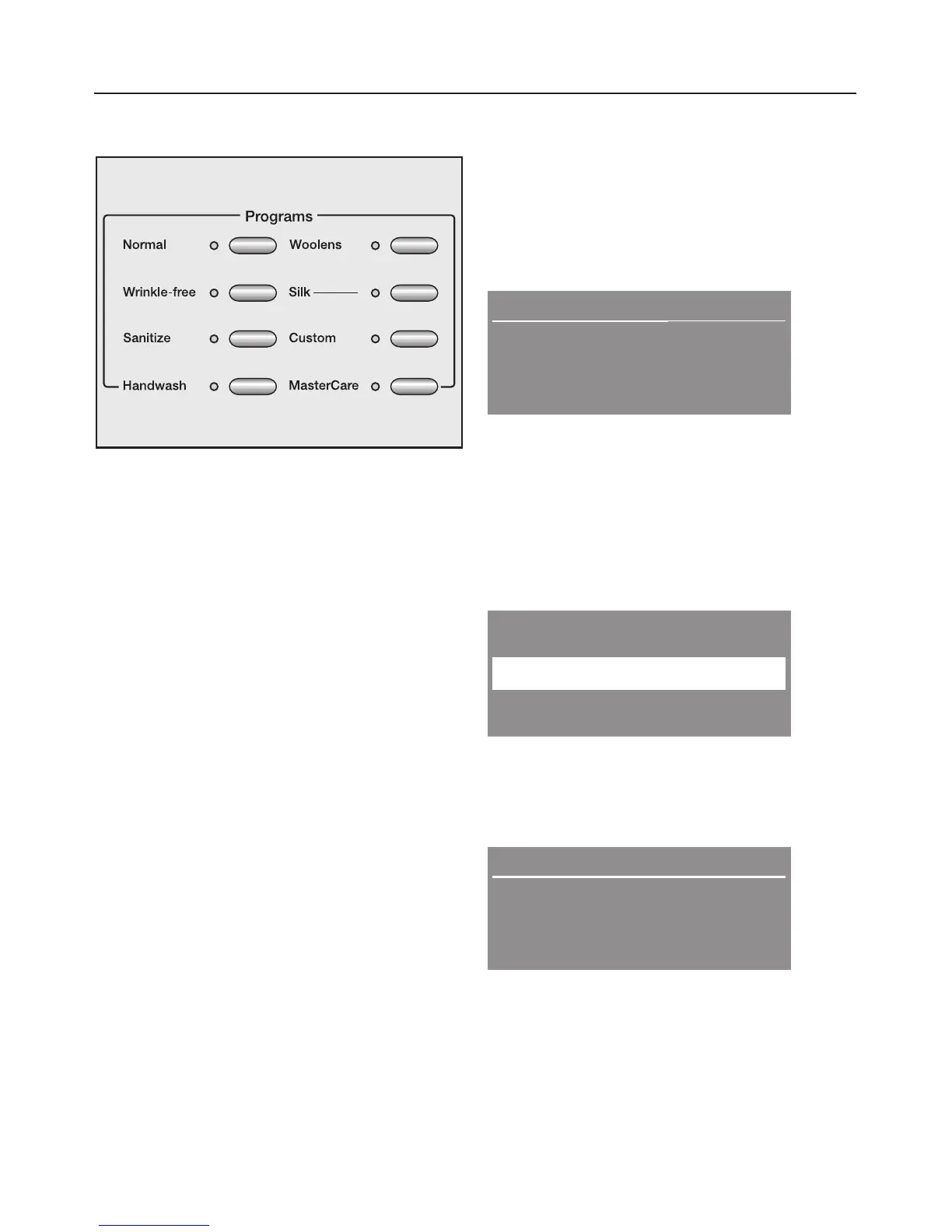
3. Select a program
^ Press the button of the desired
program.
The indicator of the selected
program lights.
4. Select a temperature and/or
spin speed
The preselected temperature and/or
spin speed can be adjusted if the
program allows for it. See the "Program
guide".
Duration: 1:02 h
MGGPGGGM
MGGGGPGM
Warm
High spin
By pressing the left menu button
"Warm", the temperature will be
adjusted. Pressing the right menu
button "High spin" will adjust the spin
speed.
If "MasterCare" is selected a list will
appear in the display.
MasterCare
Extra White
+
OK
^
With the left menu button "+"
additional programs can be selected
and then confirmed with the right
menu button "OK".
Duration: 1:12 h
Extra White
Hot
Max spin
^
If desired and allowed by the
program, adjust the temperature with
the left menu button and spin speed
with the right menu button.
Using the washer
12



 To Next Page