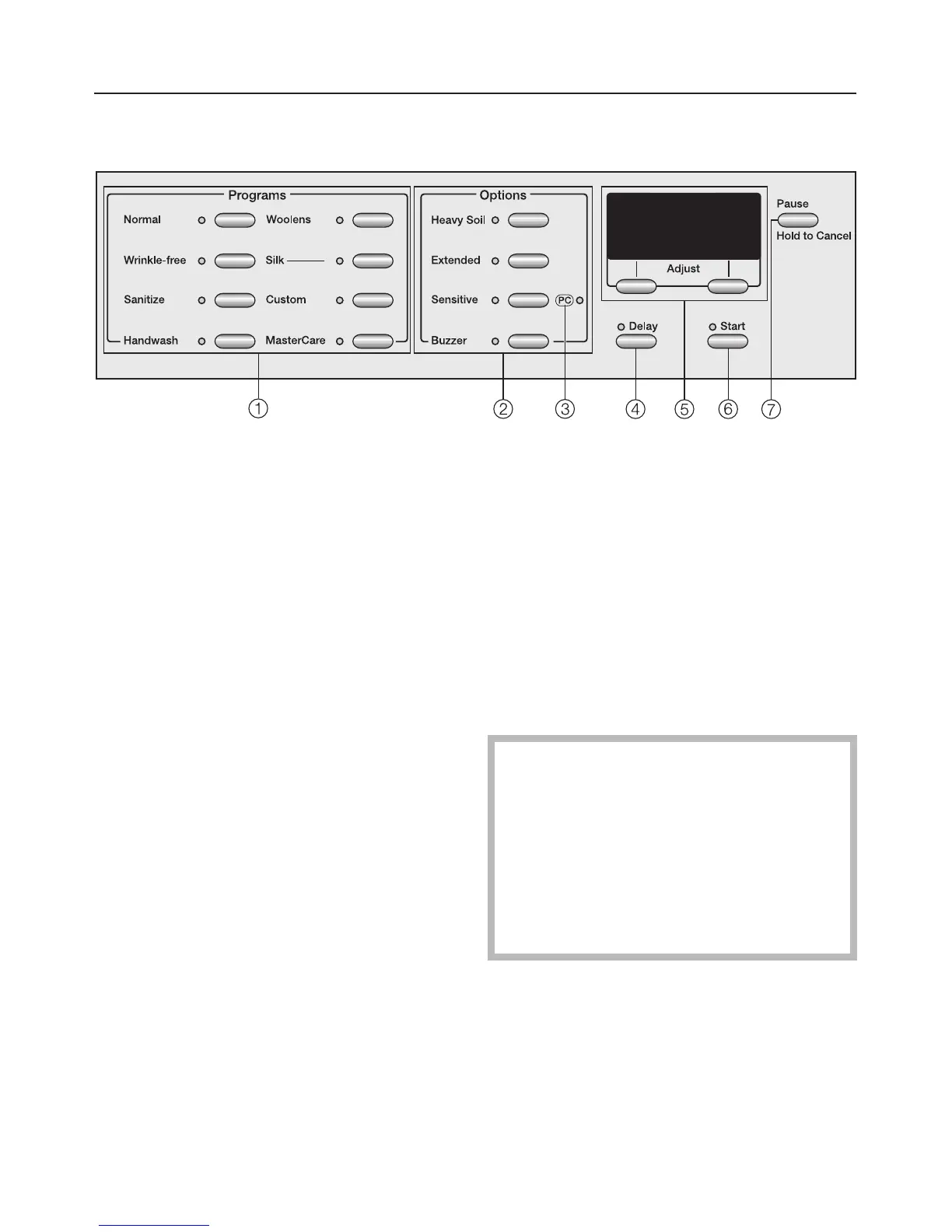
Control panel
a Program buttons
To select a wash program.
b Option buttons
Special features to enhance a wash
program.
c PC Indicator
Allows a service technician to check
and update the wash programs.
d Delay Start button
To delay the start of a program.
e Display with menu buttons
See "Display function" for more
information.
f Start
Starts the selected wash program.
g Pause button
Pauses or cancels a program.
Canada only
To exchange the control panel with
a French panel contact Miele's
Technical Service Dept.
Only Miele's Tech. Service is
authorized to change the control
panel. See the back of this
Operating manual for contact
information.
Guide to the washer
6



 To Next Page