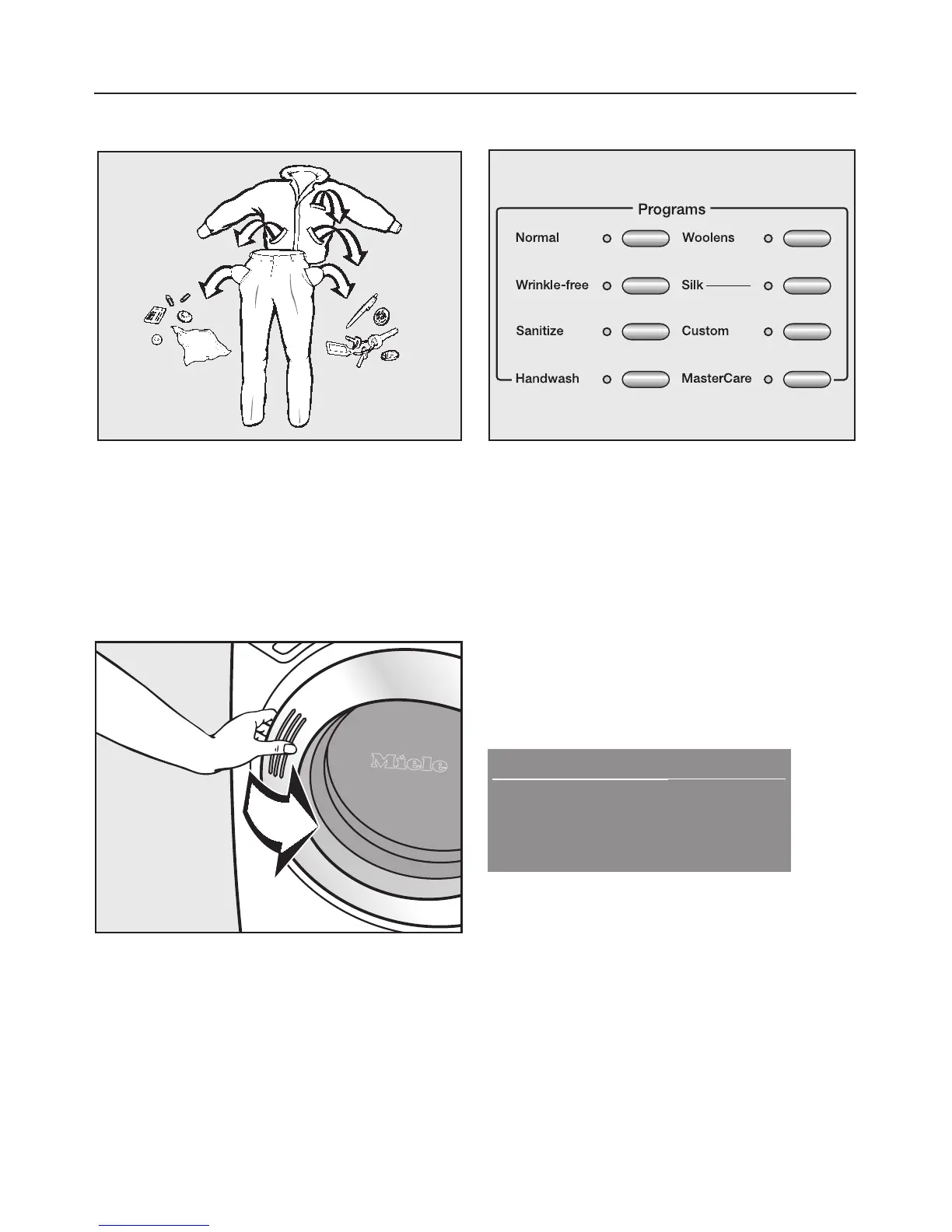
1. Sort the laundry
^
Empty all pockets.
^ Sort the laundry by fabric care label
and color.
^ Pretreat stains.
2. Load the laundry
^
Open the drum door and load the
laundry.
^
Close the drum door.
To prevent damage, make sure that no
clothing is caught between the drum
door and seal.
3. Select a program
^
Press the button of the desired
program.
The indicator of the selected program
lights.
4. Select a temperature
The preselected temperature and/or
spin speed can be adjusted if the
program allows.
Example:
Duration: 1:02 h
MGGPGGGM
MGGGGPGM
Warm
High spin
By pressing the left menu button
"Warm", the temperature will be
adjusted. Pressing the right menu
button "High spin speed" will adjust the
spin speed.
Quick guide



 To Next Page