Trouble Shooting
08
English
Copyright © MIFA. All rights reserved.
MIFA, the MIFA logo and other MIFA marks are all owned and registered by MIFA INNOVATIONS LLC.
All other trademarks are the property of their respective owners. The information contained here
is subject to change without prior notice.
MIFA INNO VATIONS LLC
www.mifa.net Designed in US Made in China
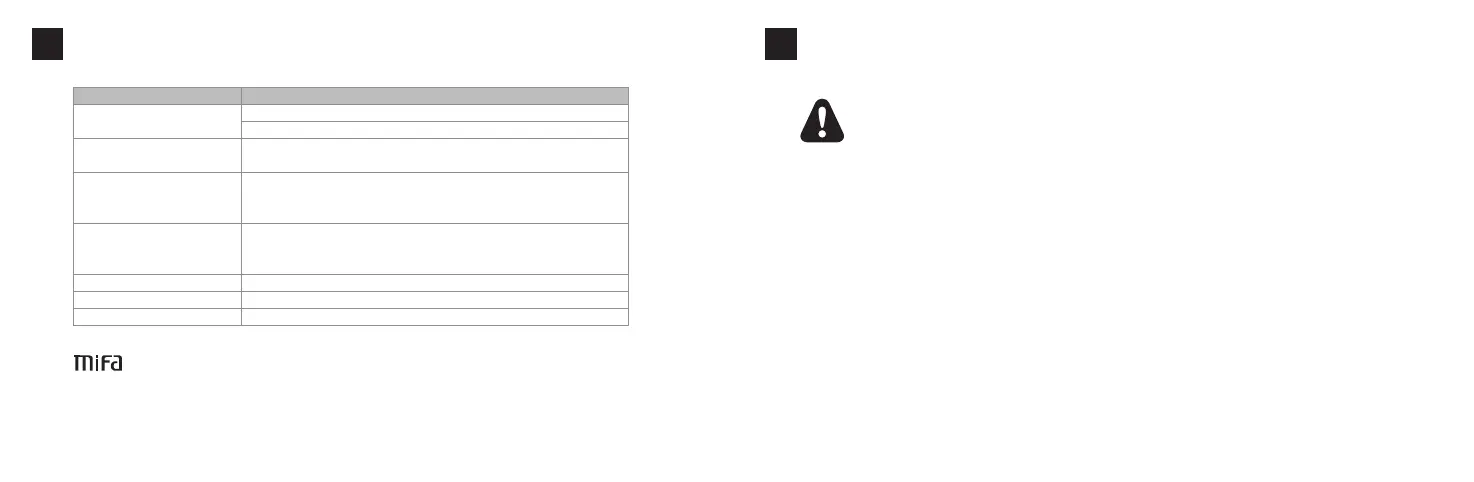
Not able to connect
to your device
FAQ Solutions
1. Restar t the speaker and try again
2. If your device requires a Pin Code, please enter 0000
1. Please ensure the format of the Micro SD card is FAT32. It only supports FAT32
Micro SD card
2. Please ensure the formats of the music files are APE, FLAC, WAV, WMA or MP3
No sound when playing
1. Please adjust the volume of the speaker
2. Please adjust the volume of your device
3. Please check if the speaker is paused
Keeps cutting out when playing
Please ensure the speaker is within the operating range and there
are no obstacles between the speaker and the device
Not able to play the music in
Micro SD card
No sound in AUX-in mode Please ensure the audio cable is connected well
Not able to turn on Please try to charge the speaker for about 3 hours
No respond to any operation
Pressandholdthepowerbuttonfor8secondstoresetthespeaker.
注意事項
09
◆この取扱説明書をよくお読みの上、正しくお使いください。
◆必要な時にご覧になれるよう、本書を保管してください。
◆本製品は、室温でご使⽤、保存してください。
◆油煙、湯気、湿度、ほこりの多い場所で使⽤しないでください。
◆ラジエーター、暖房送⾵⼝、ストーブ等の熱を発する装置(アンプを含む)の近くで保存しないでください。
◆破損を防ぐため、本製品を落としたり投げたりしないで下さい。
◆定格電圧のアダプターで製品を充電してください。
◆バッテリーが含まれる製品を直射⽇光や炎など、過度な熱にさらさないでください。
◆本製品を分解・修理・改造すると、品質保証は無効となります。
◆サーブすまたは修理が必要な際には、mifaカスタマーサービスにお問い合わせください。
◆⼤きな⾳量で⻑時間続けて聴くと、聴⼒に悪い影響を与えることがあります。特に⻑時間にわたるご使⽤の際は、⼤き
な⾳量はお避けください。
◆⼩さなお⼦様の⼿の届かないところに保管してください。
日本語


 To Next Page