EasyManua.ls Logo

Mighty Mule FM231 - User Manual

Mighty Mule FM231
8 pages
Print Icon
To Next Page IconTo Next Page
Loading...
WIRELESS
Driveway Alarm
INSTALLATION MANUAL
ACCESS CONTROLS
PROFESSIONAL RESIDENTIAL
ACCESS
SYSTEMS
PROFESSIONAL RESIDENTIAL
ACCESS
SYSTEMS
PROFESSIONAL RESIDENTIAL
ACCESS
SYSTEMS
PROFESSIONAL RESIDENTIAL
ACCESS
SYSTEMS
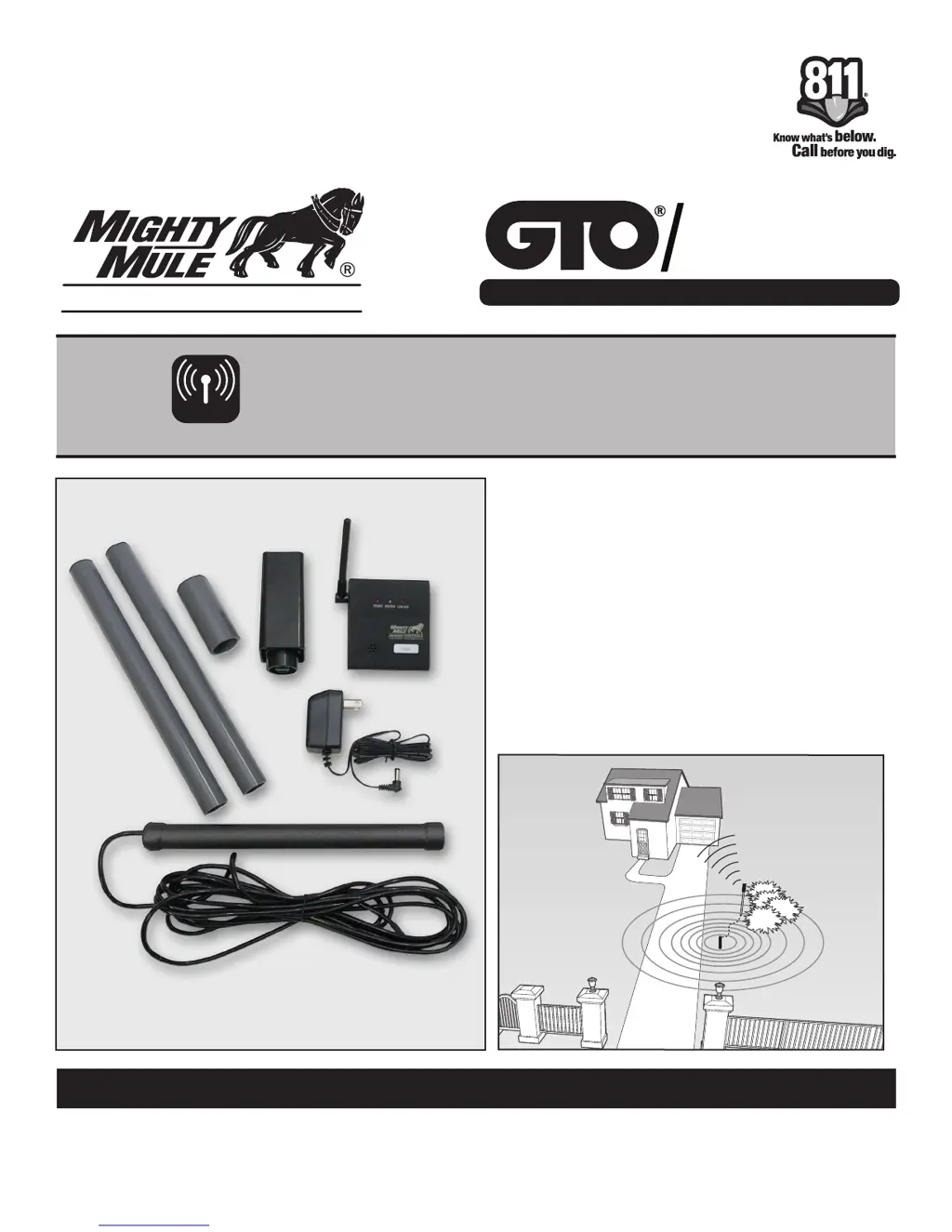
Kit Includes:
A. Transmitter
B. Sensor
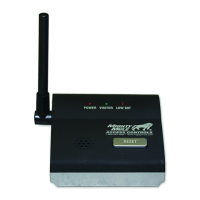
C. Receiver
D. Transformer
E. Mounting post (3 pcs)
How It Works:
The electromagnetic sensor detects vehicles
in motion and sends a signal to the indoor
receiver. The indoor receiver will chime when
it receives the signal.
©2012 Gates That Open, LLC Rev. 03.04.12
C
B
A
DE

Questions and Answers

  • D
    Dylan ButlerJul 27, 2025
    How to fix Mighty Mule FM231 system not detecting vehicles?
    • J
      Joanna MillerJul 27, 2025
      If your Mighty Mule Driveway Alarm system isn't detecting vehicles, first, remove the transmitter's outer cover and check if the LED blinks when a vehicle passes. Ensure the base unit is within the 400 ft range. Foliage, trees, buildings, or metal structures can block the signal, so try placing the indoor unit near a window facing the sensor. Kitchen appliances might also interfere; reposition the receiver if needed. Check that the DIP switches on both units match and the receiver volume is up. If large metal objects are close to the sensor, move them and recalibrate the system by replacing the batteries and waiting 60 seconds. Replace the transmitter batteries if the receiver's low battery light is on. For optimal performance in varying weather, use Lithium-Alkaline “AA” batteries.
  • N
    Nicholas FowlerAug 6, 2025
    What to do if my Mighty Mule Driveway Alarms sensor is detecting vehicles on the street?
    • T
      tinamillerAug 7, 2025
      If your Mighty Mule Driveway Alarm sensor detects vehicles on the street, ensure the sensor probe is at least 25 feet from the road's edge. If it is, try adjusting the sensitivity control to reduce the sensor's sensitivity.
  • L
    Lance BrownAug 15, 2025
    Why is my Mighty Mule FM231 Driveway Alarms indoor base unit detecting a neighbor’s driveway alert?
    • B
      Beth DominguezAug 15, 2025
      If your Mighty Mule Driveway Alarm indoor base unit is detecting a neighbor’s driveway alert, select a different TRANSMITTER/RECEIVER code using the 4 position DIP switch on both the transmitter and the indoor unit.

Summary

Installation Overview

Sensor Placement

Determining Sensor Location

Guidelines for selecting the optimal location for the driveway sensor.

Transmitter Placement

Determining Transmitter Location

Guidance on choosing a secure and appropriate location for the transmitter.

Installing Transmitter Batteries

Placing Receiver and Testing System

Receiver Placement

Instructions for positioning the indoor receiver unit for best reception.

Testing the System

Procedures to verify that the driveway alarm system functions correctly.

Permanently Install Sensor and Transmitter

Sensitivity Adjustment

Troubleshooting

System Not Detecting Vehicles

Steps to resolve issues where the alarm fails to detect approaching vehicles.

Sensor Detecting Street Vehicles

How to prevent false alarms caused by vehicles on nearby streets.

Neighbors Driveway Interference

Resolving false alerts caused by a neighbor's driveway activity.

GTO Limited One Year Warranty

Mighty Mule FM231 Specifications

General IconGeneral
Power Source (Transmitter)9V battery
Weather ResistanceYes
TypeDriveway Alarm
Detection Range400 ft
Power SourceBattery and AC adapter
Alert TypeAudible Alarm