3. Push Buttons
Reset Button
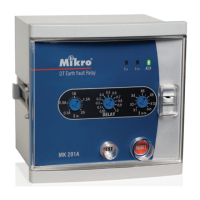
• The reset button is for resetting the light indicators (l> or l>>) after an earth-fault
tripping has occured.
• To reset, press the reset button once.
Test Button
• Test button is for checking the relay operation.
• Push on the test button to simulate an earth-fault low-set and high-set trip condition.
4. Trip Contacts
There is one set of tripping contacts namely, R1.
R1 - Manual Reset Type
• This contact (R1) is activated during an earth-fault trip. the contacts remain
activated regardless of the removal of fault current. This relay can only be reset
by pressing the “RESET” button.
5. Electrical Specification
Auxiliary Supply
MK201A-240A............................198~265 VAC
MK201A-110A.............................94~127 VAC
Supply frequency.........................50Hz
VA rating......................................3 VA typical
Trip Contact
Rated Voltage.............................250 VAC
Continuous carry.........................5A (cos ϕ = 1.0)
Expected electrical life................100,000 operations
Expected mechanical life............5 million operations
6. Mechanical
Indicators
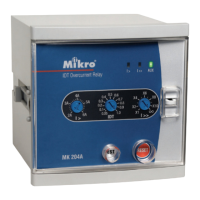
Auxiliary supply...........................Green LED indicator
Pick-up........................................Red LED indicator
Trip..............................................Red LED indicator
Mounting.....................................Panel mounting
Front panel..................................Standard DIN 96x96 mm
Approximate weight....................0.6 kg
Setting Ranges
Low-set (I>).................................0.1A to 2.0A
2% to 40%
Low-set delay time (DELAY).......0.05 sec to 1.0 sec
High-set (I>>)..............................I > to 10x I> or disable
High-set delay time (t>>).............instantaneous


 To Next Page