Property Description
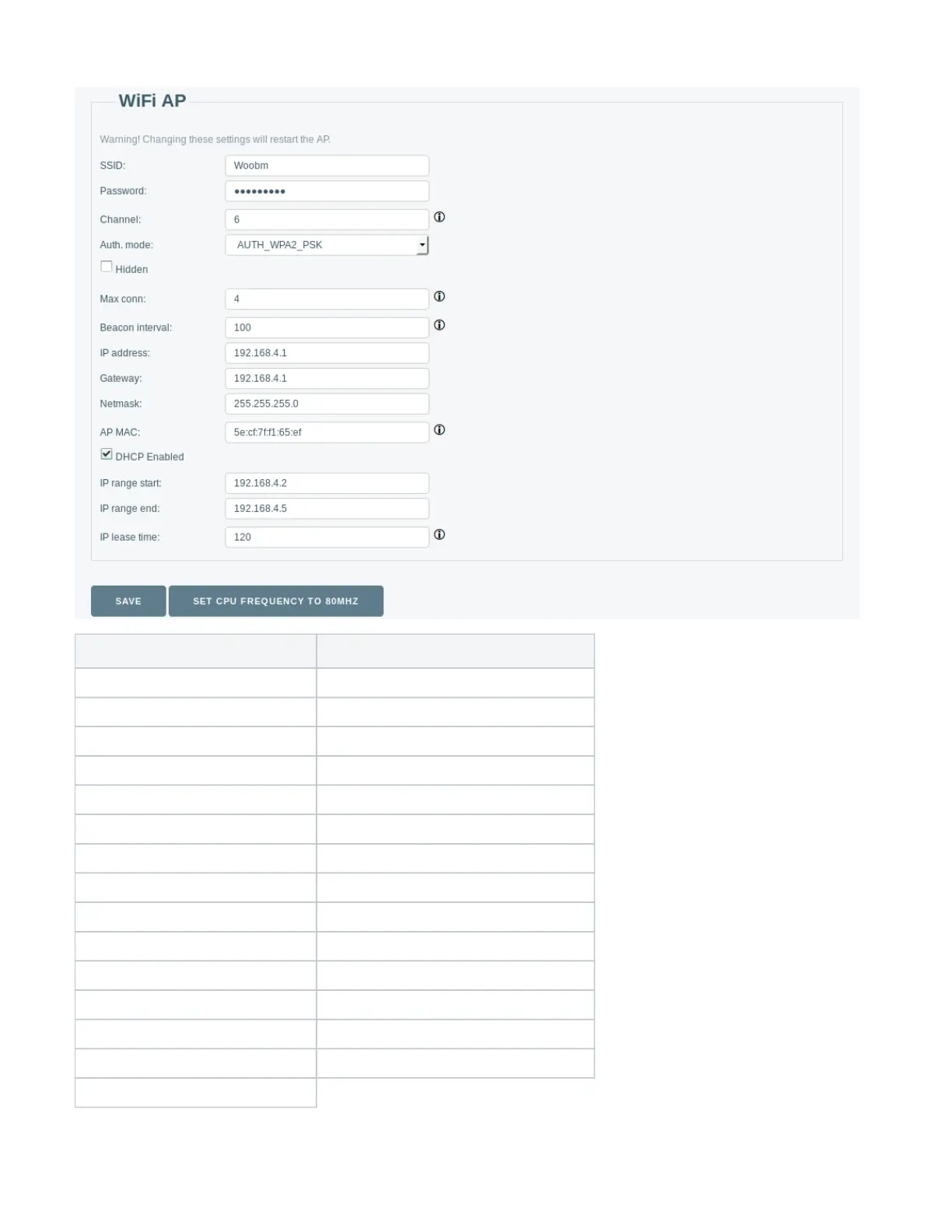
SSID( ; Default: )
string
SSID of Woobm-USB Access Point
Password( ; Default: )
string
WPA-PSK and WPA2-PSK
Channel(; Default: )6 Wireless channel used for AP
Auth. mode(; Default: )
Hidden( ; Default: )
On/Off
Off
Max conn( ; Default: )
1 to 4
4 Maximum allowed clients to Access Point.
Beacon interval( ; Default: )
100 to 60000
100 How often Access point broadcasts AP information.
IP address( ; Default: )
IP
192.168.4.1
Gateway( ; Default: )
IP
Netmask( ; Default: )
IP
AP MAC( ; Default: )
MAC
DHCP Enabled( ; Default: )
On/Off
On Enable/disable DHCP server
IP range start( ; Default: )
IP
192.168.4.2
IP range end( ; Default: )
IP
192.168.4.5
IP lease time(; Default: )120


 To Next Page
 Loading...