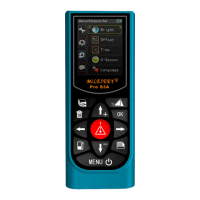
When this data was selected, press , the cursor appears in the measurement type
field, press or move the cursor to select the digit of data, and press or to
increase or reduce the value, press to save and return to measurment interface, or
press cancel the modification and return the previous data.
4) Addition / subtraction:
When this data was selected, press to appears in the measuremnt type field, press
the next measurement is added to the previous, In the same approach, Press ,
the The next measurement is subtracted from the previous one. press to save
and return to measurment interface, or press cancel the modification and return the
previous data.
8. Data locking:
1)Data locking introduction:
Usually the instrument keeps and deletes the measurement data in sequence of first in
first out. The first in value will be deleted if total measurement data reach the maximum
storage (eg.30 records). This function enable user to save data permanently except user
deletes it manually from memory.
2) Lock data:in mode of measuring, when measuring, select data, press , the dialog
box pop up user to select “save” button, then press “ ” to lock the data, return to
measurement interface.
3) Lock/unlock data:in Historical record function: In history data interface, move cursor to
navigate the data, then to lock it. And press again to unlock the data.
9. Historical record:
1) Historical record view:
Press to call up the function, press or to select the measurment type, sorting
by which, all of the data record displays in sequnce of created time.


 To Next Page
 Loading...