Thank you for purchasing Milesight IP camera. This Guide provides basic instructions on installing
and accessing Milesight network camera. For more details, please refer to the User Manual.
1. Package contents
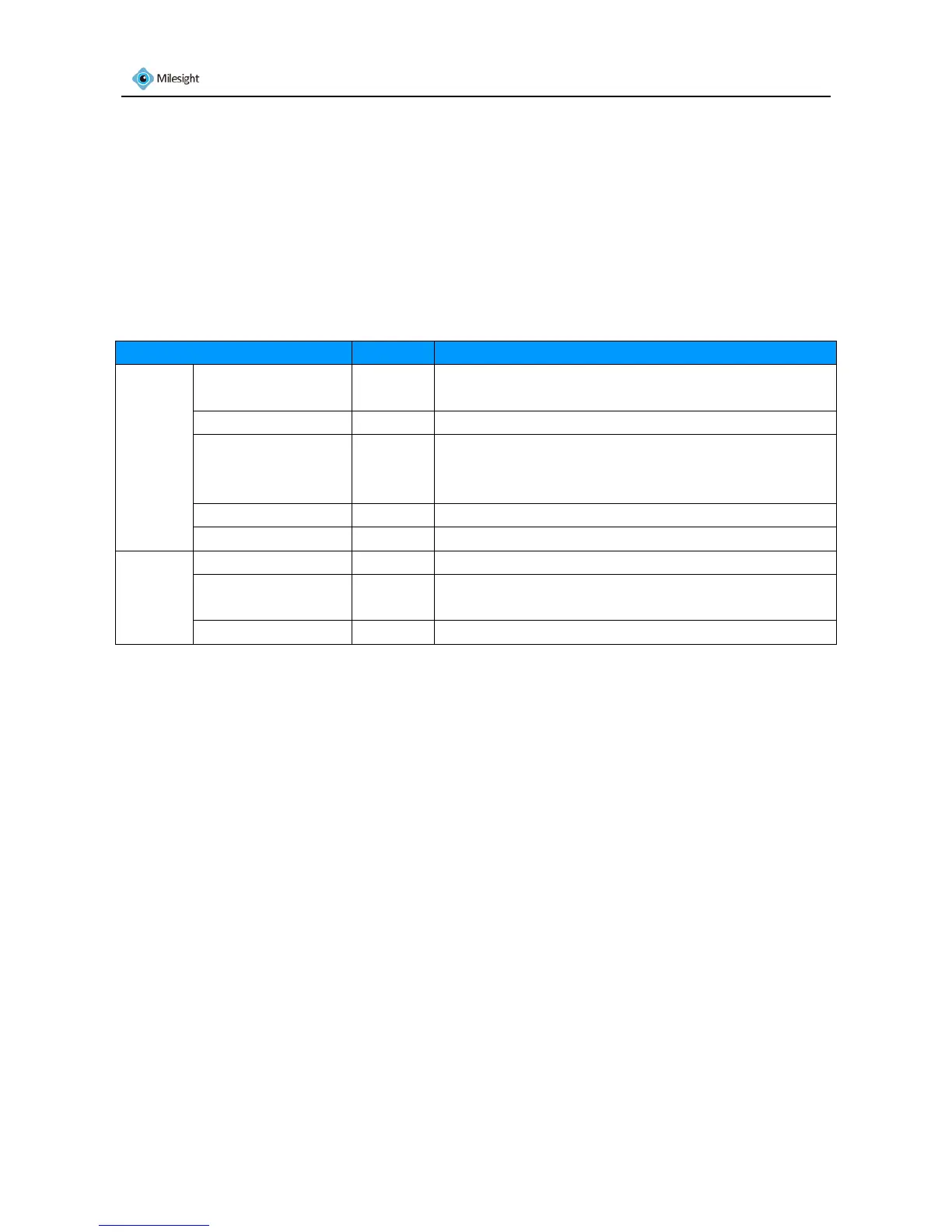
Before installation, please verify that all the necessary items are supplied in the gift box as the
package contents listed below. If any items are missing or damaged, please contact the shipper
and your Milesight sales representative.
Items Quantity
Description
Default Milesight Network
Camera
1 PC The purchased model
Power Adapter 1 PC DC12V, 1.5A MAX
CD 1 PC The CD includes the Datasheet, Quick Start Guide and
User Manual of Milesight network cameras, software
and User Manual of Milesight VMS and IPCTools.
Quick Start Guide 1 PC Printed material
Warranty Card 1 PC Printed material
Optional Lens If purchased
Bracket& Screw
Pack
If purchased
WIFI Antenna For box cameras with WIFI function only
Sheet 1-1
2. Cautions
Do not expose the product to rain or moisture.
Make sure the device is firmly fixed when mounting them on the wall or ceiling.
Make sure that the power supply voltage is correct before using the camera.
Do not use a third party power adapter.
Never attempt to disassemble or modify the camera.
3. System Requirements
OS: Windows XP/7/Vista/Server 2000/Server 2008(Please use IE browser to operate)
CPU: 1.66GHZ or higher
Memory: 1GMB or more
Graphic memory: 128MB or more
Internet protocol: TCP/IP (IPv4)











 To Next Page