HOW TO SET THE SOFTWARE
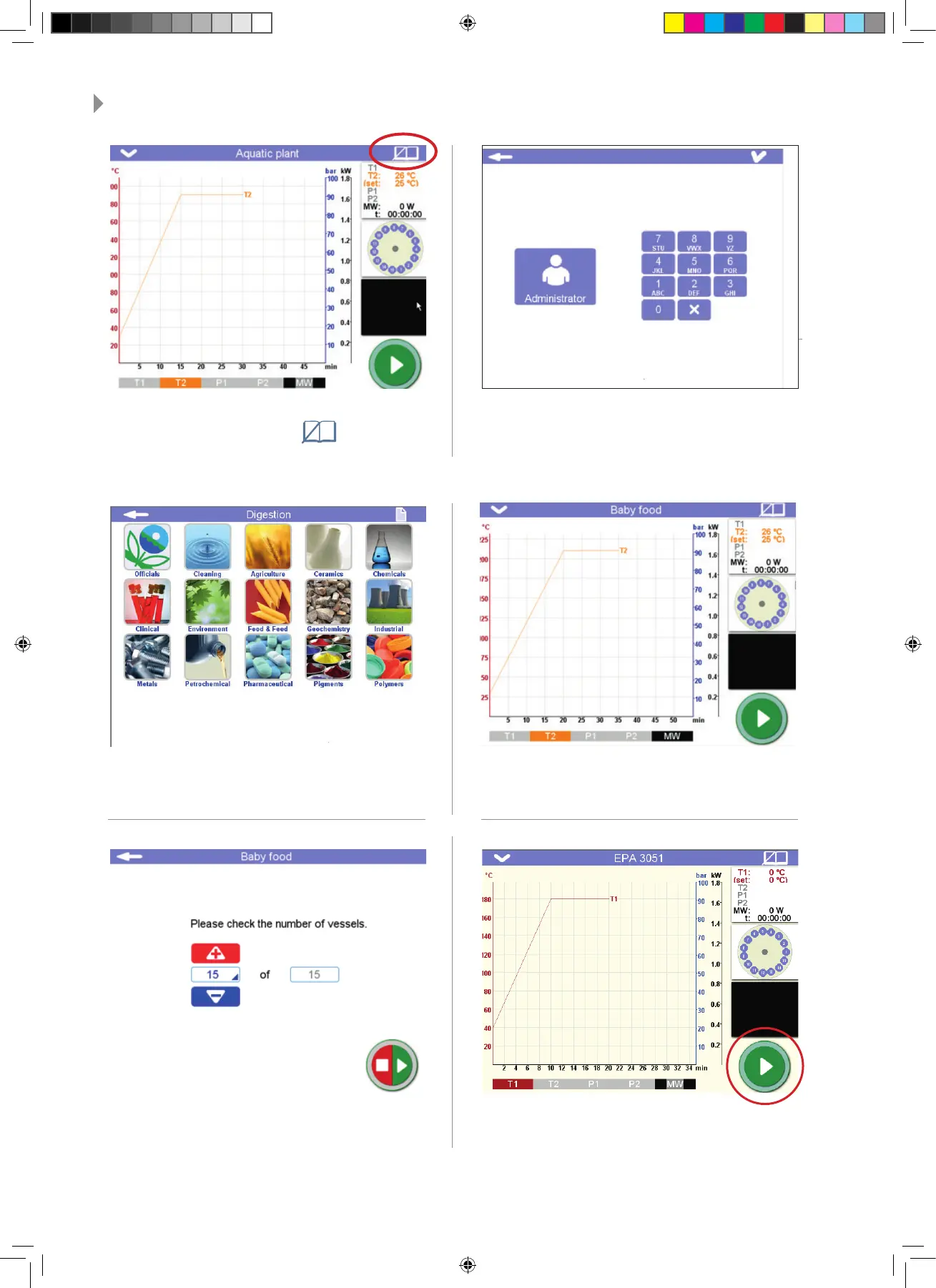
1 - The main page will be visualized on the scre-
en. Then press Library icon.
2 - Only the administrator has access to the Mi-
lestone library, so login with the administrator
password.
4 - Select your Method in accordance with
your rotor confi guration (SK-15, MAXI-44,
MAXI-24 HP rotors) and press √ icon.
5 - Enter the number of vessels you have loa-
ded into the microwave cavity.
3 - Access to the methods and select the mi-
crowave program suitable for the digestion of
you samples
6 - Close the door and press Start icon.
Quick Start Guides - ETHOS UP.indd 5Quick Start Guides - ETHOS UP.indd 5 25/09/20 16:3125/09/20 16:31



 To Next Page