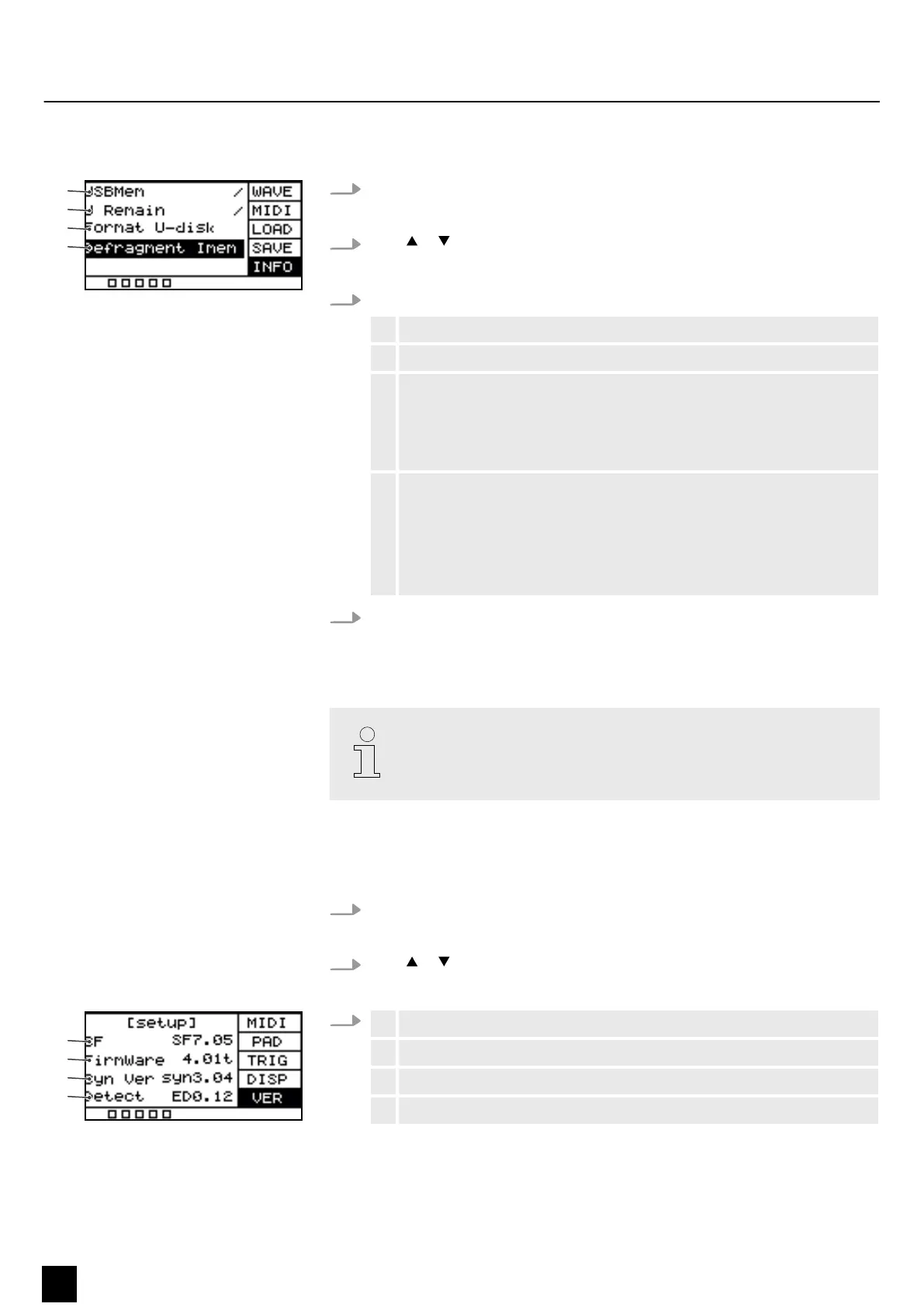
5.11.5 Information about the USB ash drive (USB stick)
1. Press [SETUP] and [OK] simultaneously to enter the USB menu.
ð
The display shows the respective submenus.
2.
Press or to select the menu item ‘INFO’ .
ð
The display shows the respective submenus.
3. Press [SELECT] repeatedly to switch between submenus.
1 Shows the total storage capacity of the USB ash drive.
2 Shows the remaining storage capacity of the USB ash drive.
3 Formats the USB ash drive.
Conrm the selection with [OK].
Press [SELECT] repeatedly to choose between ‘No’ (cancel formatting)
and ‘Yes’ (formatting) and conrm your selection with [OK].
4 Defrags the USB ash drive.
Conrm the selection with [OK].
Press [SELECT] repeatedly to choose between ‘No’ (cancel defrag) and
‘Yes’ (defrag) and conrm your selection with [OK].
Do not switch o the device during the defrag.
4. After the formatting / defrag, the device restarts and the display shows
‘welcome’ .
ð
The device is operational again.
Formatting erases all les on the USB ash drive (USB stick). Make sure there
are no les on the USB ash drive (USB stick) that you want to keep.
5.12 Device version
1. Press [SETUP] to enter the settings menu.
ð
The display shows the respective submenus.
2.
Press or to select the menu item ‘VER’ .
ð
The display shows the versions of the software operating the device.
3.
1 Shows the version of the internal sounds.
2 Shows the rmware version.
3 Shows the synthesizer version.
4 Shows the version of the detection algorithm.
Operating
30
NonaPad
Sampling Percussion Pad


 To Next Page