- 8 -
SUMMARY OF BUTTON FUNCTIONS
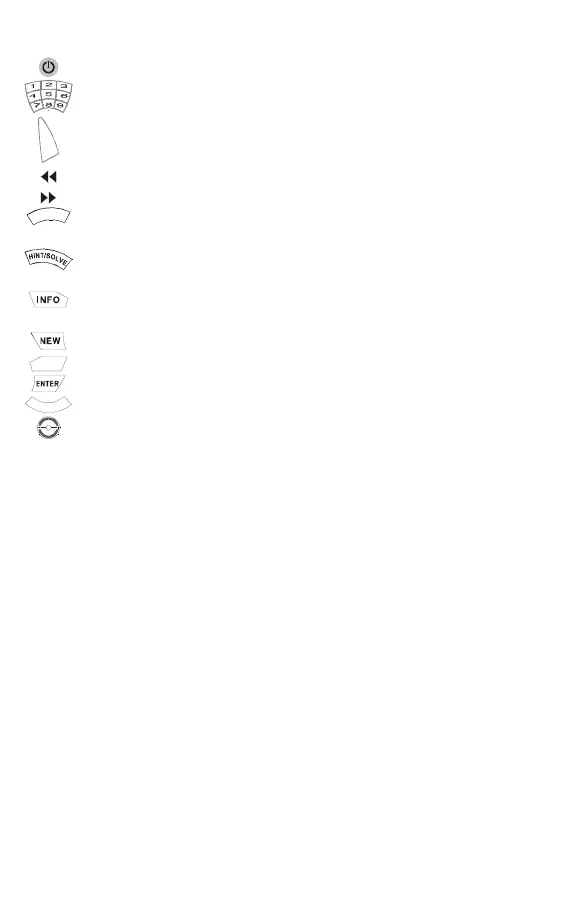
Switches the machine on or off.
A press on a number button inserts that number in to the cell.
C
L
E
A
R
Deletes the number in the cursor cell.
Deletes the last number you inserted.
Replaces the last deleted number.
L
E
G
A
L
Displays all the numbers that you can legally insert in the cell. These
numbers appears in the top line of the LCD.
Suggest where to insert the next number or solves the complete
puzzle if button held down for 2 seconds.
Displays LCD contrast, Level of difficulty, Number of hints used,
Time and Score.
Begins a new puzzle.
SOUND
Switches the sound on or off.
Locks or unlocks the number in the cell.
N
O
T
E
P
A
D
Allows to make a note of “candidate numbers” for one or more cells.
Navigation button.
PRODUCT SPECIFICATION
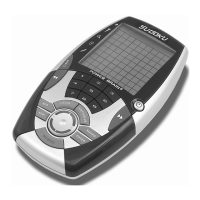
• PRODUCT: SUDOKU COMPUTER GAME
• MICRO-PROCESSOR TYPE: 8-BIT SINGLE CHIP CONTROLLER
• ROM SIZE: 80K BYTE
• RAM SIZE: 496 BYTE
• OSCILLATOR FREQUENCY: 3MHZ
• BATTERIES: 3 x “AAA”(LR03)
• RESET SWTICH: Resets computer and clears its memory. Reset switch
accessible through base of unit.


 To Next Page
 Loading...