EasyManua.ls Logo

Milwaukee 2236-20 - User Manual

Milwaukee 2236-20
20 pages
Print Icon
To Next Page IconTo Next Page
Loading...
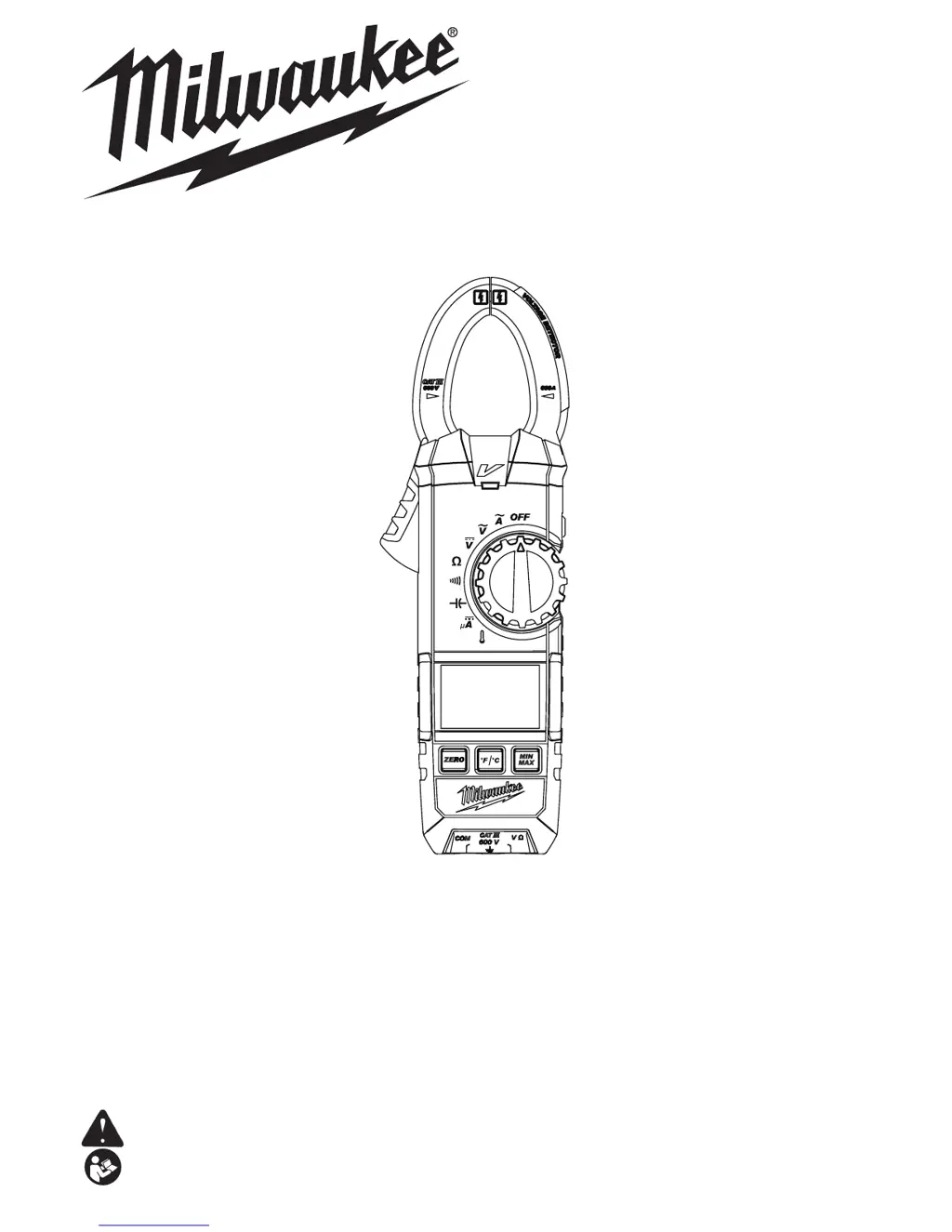
Cat. No. / No de cat.
2236-20, 2237-20
OPERATOR'S MANUAL
MANUEL de L'UTILISATEUR
MANUAL del OPERADOR
WARNING To reduce the risk of injury, user must read and understand operator's manual.
AVERTISSEMENT An de réduire le risque de blessures, l'utilisateur doit lire et bien
comprendre le manuel.
ADVERTENCIA Para reducir el riesgo de lesiones, el usuario debe leer y entender el manual.
CLAMP METERS
PINCE AFFICHEUR DE COURANT
MEDIDORES DE PINZA
2236-20 2237-20

Other manuals for Milwaukee 2236-20

Questions and Answers

  • R
    Ryan MarshallJul 26, 2025
    What to do if the LED for NCVD doesn’t light up on my Milwaukee Multimeter?
    • C
      Collin WatsonJul 26, 2025
      If the LED for NCVD (Non-Contact Voltage Detection) on your Milwaukee Multimeter doesn't light up, there are a few potential causes. First, check for breaks in the Flex PCB for Jaws; if there are any, replace the Jaws. Second, the NCVD LED orientation might be off; try adjusting the NCVD LED upward. Finally, a defect of circuit component might be the problem, in this case replace the PCB.
  • T
    Tina FrazierAug 1, 2025
    Why is the temperature measurement inaccurate on my Milwaukee Multimeter?
    • J
      Jason FlowersAug 1, 2025
      If you are experiencing inaccurate temperature measurements with your Milwaukee Multimeter, it could be due to a couple of reasons. One possible cause is insufficient battery capacity. When the “BATT” mark is displayed on the LCD, replace the batteries. If the batteries aren't the issue, the PCB may need re-adjustment. If so, check the components and follow the adjustment procedure to re-adjust the PCB.
  • D
    Donna AllisonAug 7, 2025
    What to do if Milwaukee Multimeter function buttons are invalid?
    • T
      Troy VincentAug 8, 2025
      If the function buttons on your Milwaukee Multimeter are not working correctly, it could be due to poor contact at the circuit components or a defect of circuit component. Try disassembling and cleaning the Function Buttons and the PCB to address poor contact. If that doesn't resolve the issue, consider replacing the PCB or Rubber Contact.
  • D
    David PhillipsAug 13, 2025
    Why is my Milwaukee Multimeter incapable of measurement at temperature range?
    • T
      Todd SmithAug 13, 2025
      If your Milwaukee Multimeter is incapable of measurement at temperature range, it might be due to a defect in the Temperature Probe; in this case, replace the Temperature Probe. Alternatively, there may be a defect of circuit component, so replace the PCB.
  • M
    Monica HallAug 19, 2025
    How to fix buzzer not working on Milwaukee 2236-20 continuity function?
    • A
      Alexis RuizAug 19, 2025
      If the buzzer doesn’t sound at Continuity function on your Milwaukee Multimeter, it may be due to a defect of circuit component. Replace the PCB to resolve this issue.

Summary

SAFETY INSTRUCTIONS AND SPECIFICATIONS

Essential Safety Warnings

Crucial warnings for safe operation, including electrical hazards and instrument integrity.

Voltage and Operating Limits

Specifies maximum voltage limits and conditions for safe measurements.

General Product Specifications

Lists model numbers, accuracy, voltage, and operating temperature ranges.

MEASUREMENT FUNCTIONS AND SYMBOLS

Measurement Functionality Details

Covers DC/AC Voltage, Current, Resistance, Capacitance, Continuity, uA, Temperature, Hz measurements.

Safety and Disposal Symbol Guide

Explains safety symbols for electric shock, insulation, and waste disposal.

FUNCTIONAL COMPONENT DESCRIPTIONS

Clamp Meter Component Overview

Identifies key parts like jaws, display, trigger, dial, buttons, and indicators.

ASSEMBLY AND OPERATIONAL GUIDES

Battery Loading and Replacement

Step-by-step instructions for safely installing and changing batteries.

Pre-Use Checks and Settings

Essential checks before operation, including dial position and hold function.

Core Measurement Procedures

Guides for performing AC/DC voltage and current measurements accurately.

ADVANCED MEASUREMENT TECHNIQUES

Resistance and Capacitance Measurement

Detailed steps for measuring resistance and capacitance.

Continuity and Micro-Amp Testing

Procedures for continuity checks and micro-amp current measurements.

Temperature Measurement Procedure

Instructions for using the K-type probe for temperature readings.

SPECIAL FEATURES AND MODES

Worklight, Data Hold, and Sleep Mode

Explains the LED worklight, data freeze function, and automatic sleep mode.

Voltage Detection and Overflow Alerts

Information on non-contact voltage detection and overflow indication.

MIN;MAX and Zero Adjustment Functions

Guides for capturing minimum/maximum values and zeroing the display.

INSTRUMENT MAINTENANCE

Tool Care and Calibration Advice

Recommendations for proper tool maintenance and periodic calibration.

PRODUCT SUPPORT AND WARRANTY INFORMATION

Cleaning, Repair, and Accessories

Guidance on cleaning, repair services, and available accessories.

Service Contact and Warranty Policy

Details US/Canada service contacts and the five-year limited warranty.

Milwaukee 2236-20 Specifications

General IconGeneral
BrandMilwaukee
Model2236-20
CategoryMultimeter
LanguageEnglish

Related product manuals