EasyManua.ls Logo

Milwaukee 2237-20 - User Manual

Milwaukee 2237-20
20 pages
Print Icon
To Next Page IconTo Next Page
Loading...
Cat. No. / No de cat.
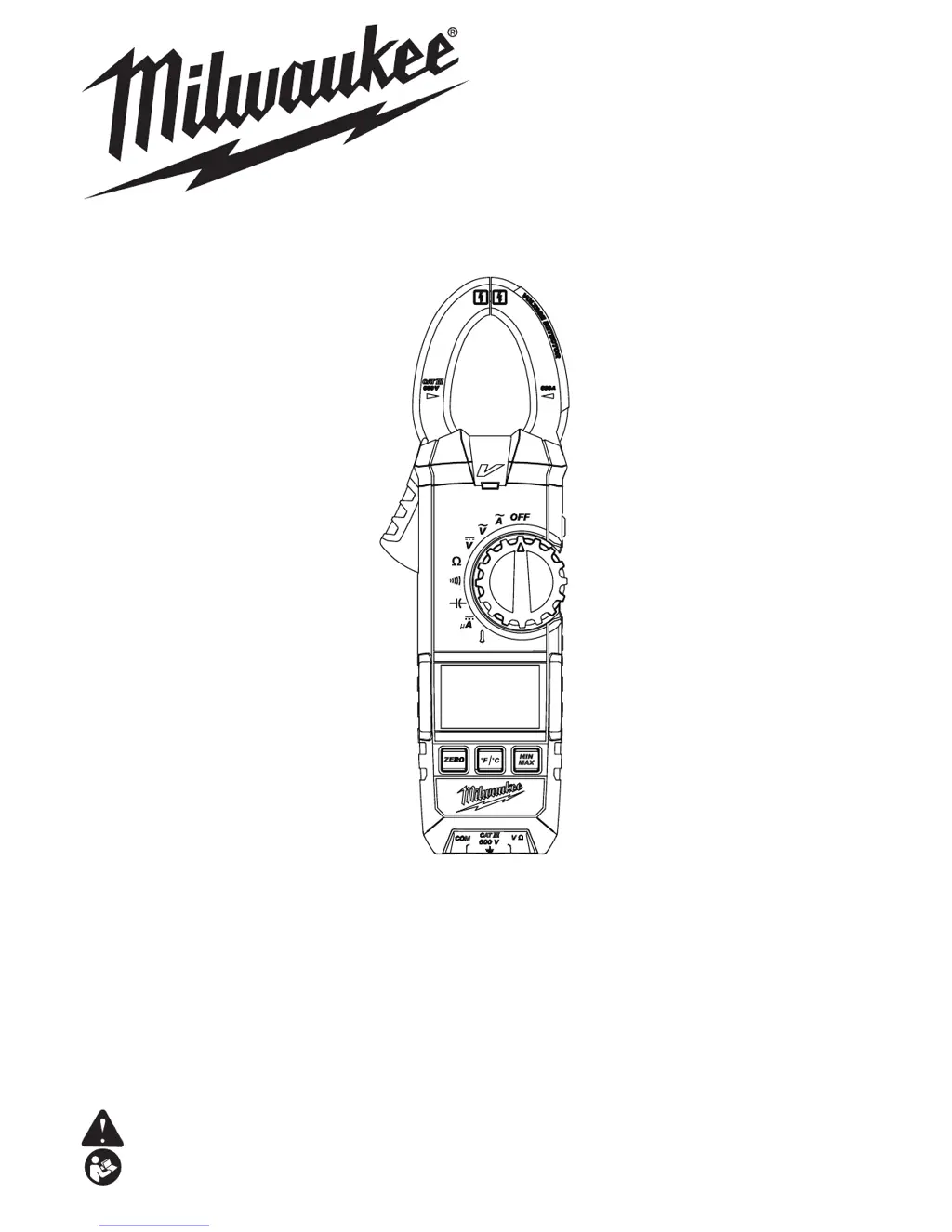
2236-20, 2237-20
OPERATOR'S MANUAL
MANUEL de L'UTILISATEUR
MANUAL del OPERADOR
WARNING To reduce the risk of injury, user must read and understand operator's manual.
AVERTISSEMENT An de réduire le risque de blessures, l'utilisateur doit lire et bien
comprendre le manuel.
ADVERTENCIA Para reducir el riesgo de lesiones, el usuario debe leer y entender el manual.
CLAMP METERS
PINCE AFFICHEUR DE COURANT
MEDIDORES DE PINZA
2236-20 2237-20

Other manuals for Milwaukee 2237-20

Questions and Answers

  • R
    reevesjenniferJul 30, 2025
    What to do if the LED for NCVD doesn’t light up on my Milwaukee 2237-20 Multimeter?
    • L
      lbeckJul 30, 2025
      If the LED for NCVD (Non-Contact Voltage Detection) on your Milwaukee Multimeter doesn't light up, there are a few potential causes. First, check for breaks in the Flex PCB for Jaws; if there are any, replace the Jaws. Second, the NCVD LED orientation might be off; try adjusting the NCVD LED upward. Finally, a defect of circuit component might be the problem, in this case replace the PCB.
  • J
    Jennifer OsbornAug 4, 2025
    Why is the temperature measurement inaccurate on my Milwaukee 2237-20?
    • C
      Christopher StephensAug 4, 2025
      If you are experiencing inaccurate temperature measurements with your Milwaukee Multimeter, it could be due to a couple of reasons. One possible cause is insufficient battery capacity. When the “BATT” mark is displayed on the LCD, replace the batteries. If the batteries aren't the issue, the PCB may need re-adjustment. If so, check the components and follow the adjustment procedure to re-adjust the PCB.
  • V
    Vicki WadeAug 10, 2025
    What to do if Milwaukee Multimeter function buttons are invalid?
    • M
      Melinda RamirezAug 10, 2025
      If the function buttons on your Milwaukee Multimeter are not working correctly, it could be due to poor contact at the circuit components or a defect of circuit component. Try disassembling and cleaning the Function Buttons and the PCB to address poor contact. If that doesn't resolve the issue, consider replacing the PCB or Rubber Contact.
  • R
    Randall GordonAug 17, 2025
    Why is my Milwaukee 2237-20 Multimeter incapable of measurement at temperature range?
    • L
      Leslie ClarkAug 17, 2025
      If your Milwaukee Multimeter is incapable of measurement at temperature range, it might be due to a defect in the Temperature Probe; in this case, replace the Temperature Probe. Alternatively, there may be a defect of circuit component, so replace the PCB.
  • M
    mary10Aug 22, 2025
    How to fix buzzer not working on Milwaukee Multimeter continuity function?
    • J
      Jessica SharpAug 22, 2025
      If the buzzer doesn’t sound at Continuity function on your Milwaukee Multimeter, it may be due to a defect of circuit component. Replace the PCB to resolve this issue.

Summary

Important Safety Instructions

General Safety Warnings

Essential safety guidelines to prevent shock, fire, and injury.

Operating Precautions

Cautions for safe operation and preventing equipment damage.

General Specifications

Product Specifications Summary

Key technical details, operational limits, and certifications for the clamp meter.

Functions and Descriptions

Measurement Functions and Accuracy

Details on available measurement types, their ranges, and precision.

Symbols and Instrument Components

Explanation of safety symbols and identification of meter parts.

Assembly and Operation Setup

Battery Replacement and Pre-Operation Checks

Steps for battery replacement and preparing the meter for use.

Making AC Current and Voltage Measurements

Procedures for measuring AC current and AC/DC voltage.

Additional Measurement Procedures

DC Voltage, Resistance, Continuity, and Capacitance

Guides for DC voltage, resistance, continuity, and capacitance measurements.

DC Current and Temperature Measurement

Procedures for DC current and temperature measurements (specific models).

Advanced Features and Maintenance

Special Operational Features

Explains advanced functions like data hold, NCVD, and min/max recording.

Maintenance, Cleaning, and Repairs

Guidelines for tool upkeep, cleaning procedures, and repair information.

Service and Warranty Information

Service, Repairs, and Accessories

Information on obtaining service, replacement parts, and accessories.

Warranty Terms and Conditions

Details of the product's limited warranty and legal disclaimers.

Milwaukee 2237-20 Specifications

General IconGeneral
CategoryMultimeter
Model2237-20
BrandMilwaukee
DisplayLCD
Voltage Range600V AC/DC
Current Range10A AC/DC
Resistance Range40 MΩ
Data HoldYes
BacklightYes
Auto Power OffYes
Continuity TestYes
Diode TestYes
Safety RatingCAT III 600V
Low Battery IndicatorYes
Weight0.5 lbs
Operating Temperature32° to 122°F (0° to 50°C)
Battery TypeAA

Related product manuals