Operating Instructions (continued)
Page 2
RenTrain INC
RenTrain INC
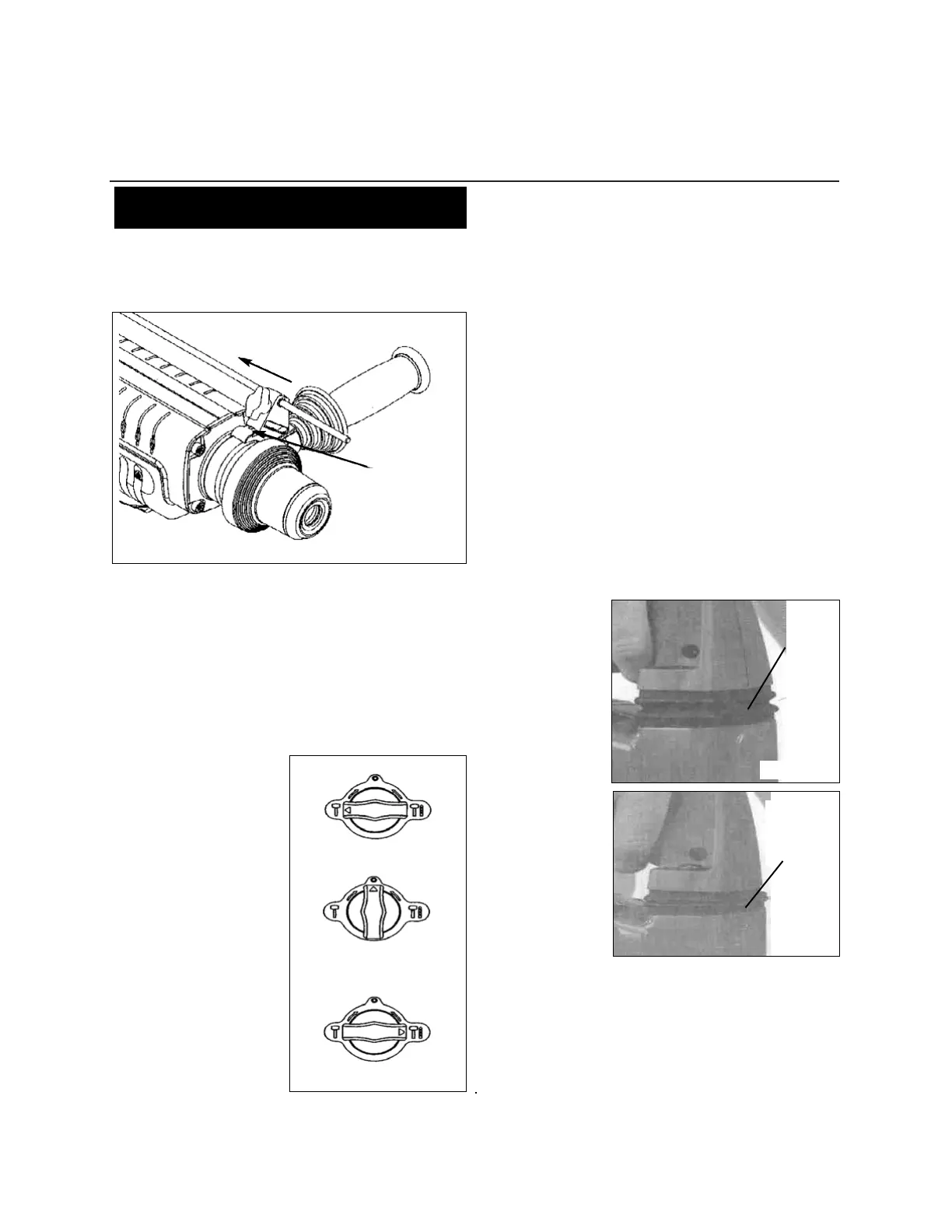
Removing the Depth Gauge System from Tool
(Fig. 4)
To remove the entire depth gauge system depress depth gauge
system lock tab and slide depth gauge system off the tool.
Selecting Action (Fig. 5)
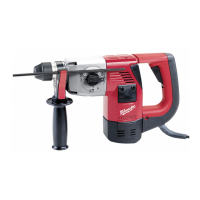
MILWAUKEE 1-1/2” Heavy Duty Rotary Hammers feature a
stop rotation knob with three settings: hammering only, chisel
position mode and hammering with rotation.
1. For hammering only, see Fig. 5a. (For Model Nos. 5313 &
5316)
2. For chisel position mode, see Fig. 5b. (For Model No.
5313 only)
3. For hammering with rotation, see Fig. 5c. (For Model
Nos. 5313 & 5316)
Note: To engage the ham-
mering action, apply pres-
sure to the bit. When the
pressure on the bit is
released, the hammering
action will stop.
Starting, Stopping &
Controlling Speed
To start the tool, pull the
trigger. To stop the tool,
release the trigger.
All models feature a variable
speed trigger. To vary the
speed, simply increase
or decrease pressure on the
trigger.
Cold Starting
If this tool is stored for a long period of time or at cold tem-
peratures, it may not hammer initially because the lubrication
has become stiff. To warm up the tool,
1. Insert and lock a bit or chisel into the tool. (See page 10
for installing bit instructions)
2. Turn the tool on, applying force to the bit or chisel against
a concrete or wood surface.
3. Turn the tool on and off every few seconds. In a short
time, the tool will start hammering.
Operating
Position the tool, grasp handles firmly and pull trigger. Always
hold the tool securely using both handles, and maintain con-
trol. This tool has been designed to achieve top performance
with only moderate pressure. Let the tool do the work.
The MILWAUKEE 1-1/2” Heavy Duty Rotary Hammers have
vibration isolating handles that provide for operator comfort
without sacrificing power or performance.
The main handle has a pivot at the bottom and vibration iso-
lating mechanism at the top. Fig. 6
Ideal operator force compresses the bellows
slightly and allows
the tool to work
aggressively while
the handle remains
steady. Fig. 6a
Excessive force com-
presses the bellows
significantly and
reduces vibration iso-
lation. Users will be
able to feel the differ-
ence and should
adjust the force to the
handle accordingly.
Fig. 6b
The side handle
works in a similar
fashion, where mod-
erate operator force
isolates vibration and
excessive force
reduces this effect.
If the speed begins to drop off when drilling deep holes, pull the
bit partially out of the hole while the tool is running to help clear
dust. Do not use water to settle the dust since it will clog the bit
flutes and tend to make the bit bind in the hole. If the bit should
bind, a built-in, nonadjustable clutch prevents damage to the tool.
If this occurs, stop the tool, free the bit and begin again.
OPERATION
Depress locking tab
Fig. 4
Fig. 5
Fig. 6
Fig. 6a
Fig. 6b
Fig. 5a
Fig. 5c
Fig. 5b
(Model No. 5313 only)
Ideal
applied
force
Excessive
applied
force


 To Next Page