12 M12 160x120 Thermal Imager Operator’s Manual
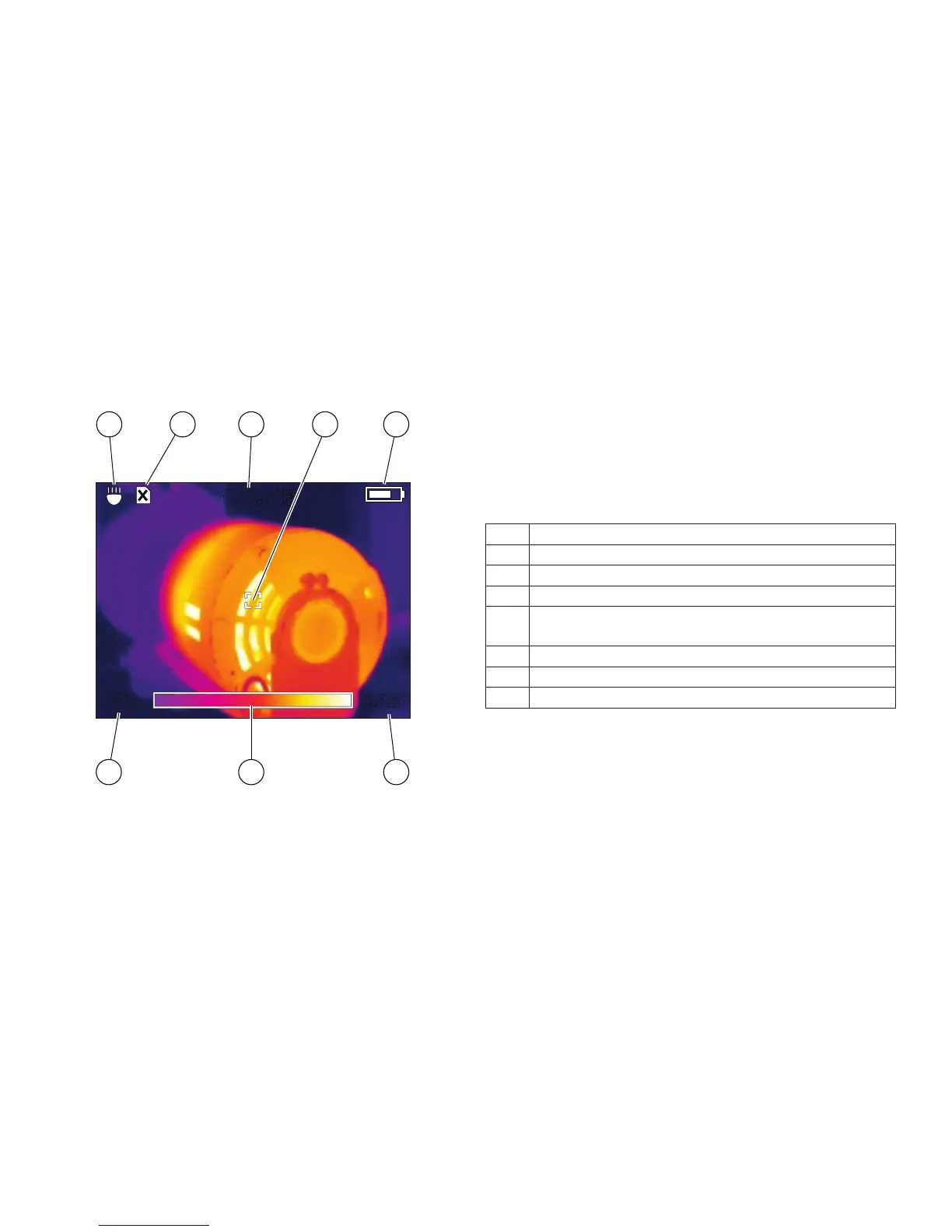
Figure 5. Elements of the Thermal Image Display
226
174.3˚F
98
7
6
5
8
41
2
3
Table 4. Explanation of Display Elements
1 LED ashlight is on
2 SD card is not installed (you cannot save images)
3 Target temperature
4 Target
5
Battery charge indicator (more white = more
charge remaining)
6 Upper limit of range
7 Picture of color palette in use ("Iron" is shown)
8 Lower limit of range




 To Next Page