20 M12 160x120 Thermal Imager Operator’s Manual
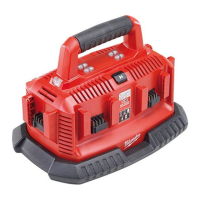
2. Press to select MANUAL range. The display appears
as in Figure 13 (this example is using a different target
image):
Figure 13. Setting Level and Span for Manual Range
3. Press and to experiment with the SPAN setting
to choose the best looking display for the area you are
studying.
4. Press and to experiment with the LEVEL setting
to choose the best looking display for the area you are
studying. When you move the LEVEL, you shift the
whole xed window of temperature range up or down.
5. Press
to accept your custom LEVEL and SPAN
settings and remain in MANUAL range mode.
To Set a MANUAL range, proceed as follows:
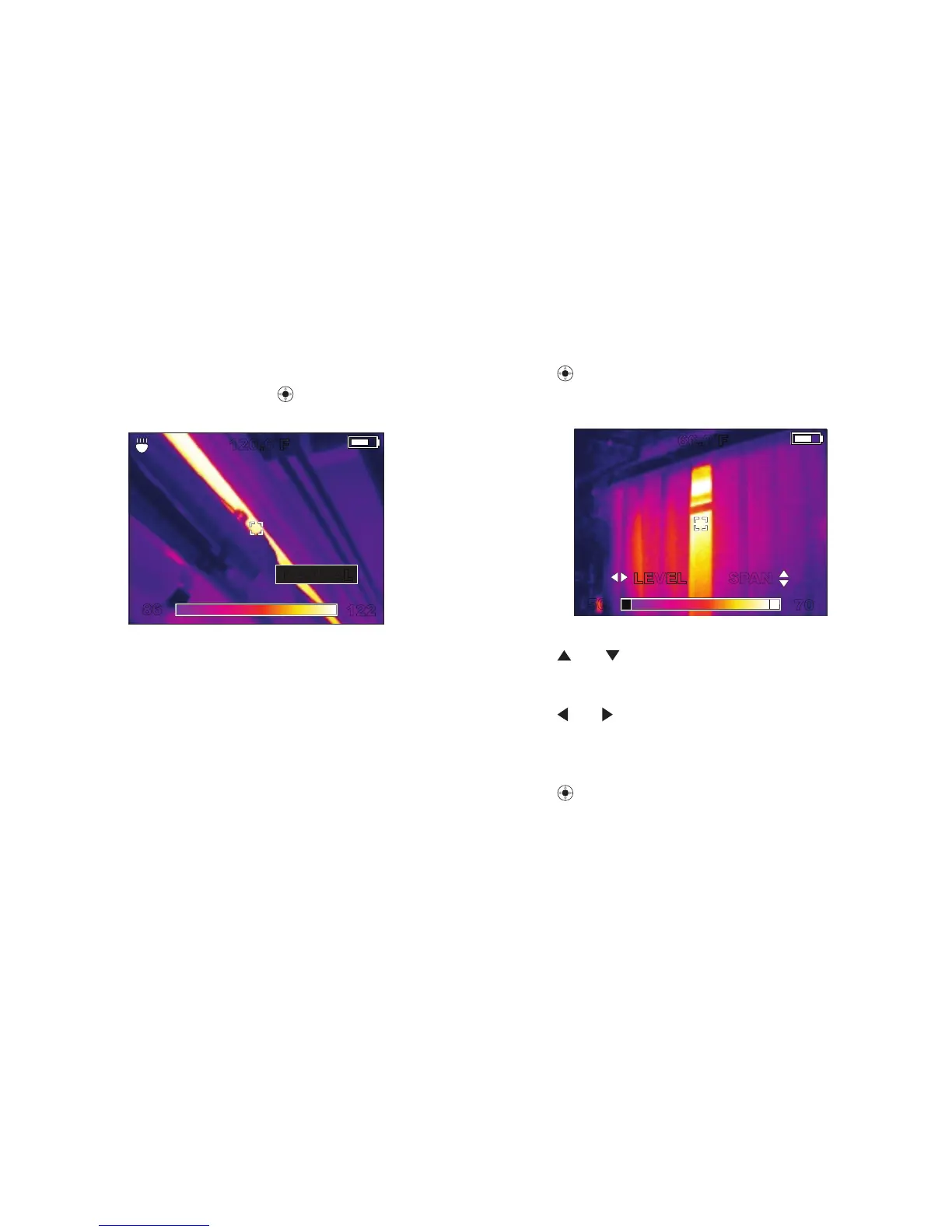
1. From live view mode, press
then select RANGE.
.The display appears as in Figure 12:
122
120.6˚F
86
MANUALAUTO
Figure 12. Setting Manual Range




 To Next Page