© Milwaukee Electric Tool Corp., 2010. Confidential Material. We reserve all rights in the event of intellectual property rights.
We reserve all rights of disposal such as copying or passing on to third parties.
1 2
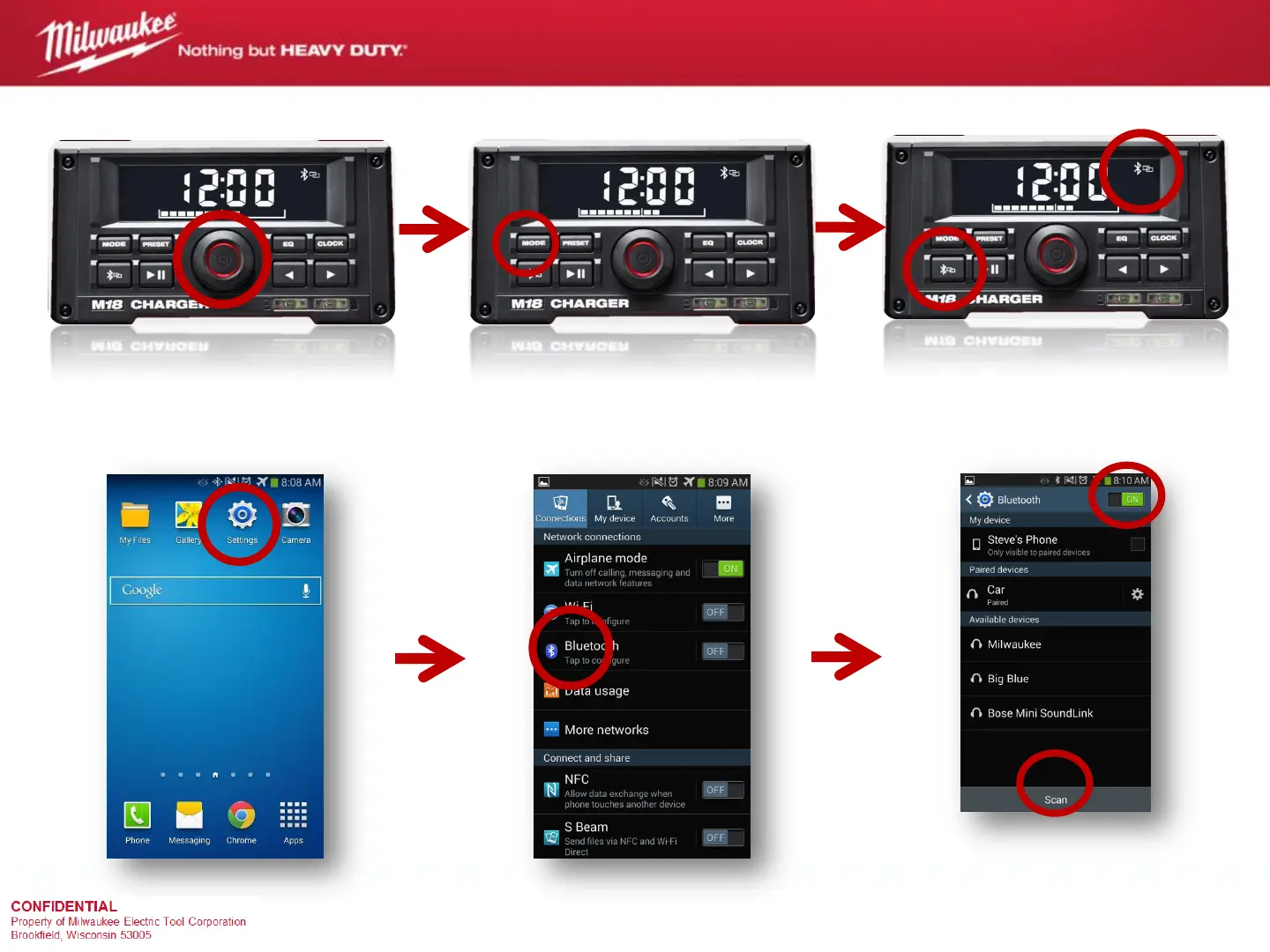
Tap the “settings” button Tap “Bluetooth” button to enter
settings
Turn on Bluetooth, press the
“scan” button at the bottom of the
screen. Select “Milwaukee” to
pair with radio. When prompted
for a pin, it’s: “0000”
M18™ Jobsite Radio/Charger
Bluetooth Pairing Instructions (Android)
Power on the radio Activate Bluetooth mode by
toggling through with the “mode”
button
Activate Bluetooth antenna by
pressing and holding the
“Bluetooth” button for two
seconds
4
5 6
3


 To Previous Page