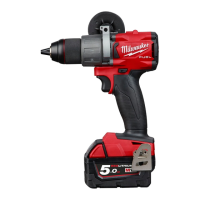
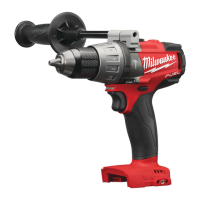
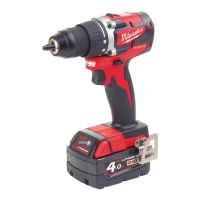
NOTE: An LED is turned on when the trigger is pulled.
2. To vary the speed, increase or decrease the pressure on the trigger. The further the trigger is pulled, the greater
the speed.
3. To stop the tool, release the trigger. Make sure the bit comes to a complete stop before laying the tool down.
APPLICATIONS
WARNING To reduce the risk of electric shock, check work area for hidden pipes nd wires before drilling or driving
screws.
Drilling
Place the bit on the work surface and apply firm pres- sure before starting. Too much pressure will slow the bit and
reduce drilling efficiency. Too little pressure will cause the bit to slide over the work area and dull the point of the bit.
If the tool begins to stall, reduce pressure slightly to allow the bit to regain speed. If the bit binds, reverse the motor to
free the bit from the workpiece.
Drilling in Wood, Composition Materials and Plastic
When drilling in wood, composition materials and plastic, select the drill-only operating mode. Start the drill slowly,
gradually increasing speed as you drill. When drilling into wood, use wood augers or twist drill bits. Always use sharp
bits. When using twist drill bits, pull the bit out of the hole frequently to clear chips from the bit flutes. To reduce the
chance of splintering, back work with a piece of scrap wood.
Select low speeds for plastics with a low melting point.
Drilling in Metal
When drilling in metal, select the drill-only operating mode. Use high speed steel twist drills or hole saws. Use a
center punch to start the hole. Lubricate drill bits with cutting oil when drilling in iron or steel. Use a coolant when
drilling in nonferrous metals such as copper, brass or aluminum. Back the material to prevent binding and distortion
on breakthrough.
Drilling in Masonry
When drilling in masonry, select the hammer drill operating mode. Use high speed carbide-tipped bits. Drilling soft
masonry materials such as cinder block requires little pressure. Hard materials like concrete require more pressure.
A smooth, even flow of dust indicates the proper drilling rate. Do not let the bit spin in the hole without cutting. Do not
use water to settle dust or to cool bit. Both actions will damage the carbide.
Driving Screws and Nut Running
Drill a pilot hole when driving screws into thick or hard materials. Select the driving screws mode. Set the torque
selector collar to the proper position and set the speed to low. Use the proper style and size screwdriver bit for the
type of screw you are using. With the screwdriver bit in the screw, place the tip of the screw on the workpiece and
apply firm pressure before pulling the trigger. Screws can be removed by reversing the motor.
Overloading
Continuous overloading may cause permanent dam- age to tool or battery pack.
MAINTENANCE
WARNING To reduce the risk of injury, always unplug the charger and remove the battery pack from the charger or
tool before performing any maintenance. Never disassemble the tool, battery pack or charger. Contact a
MILWAUKEE service facility for ALL repairs.
Maintaining Tool
Keep your tool, battery pack and charger in good repair by adopting a regular maintenance program. Inspect your
tool for issues such as undue noise, misalignment or binding of moving parts, breakage of parts, or any other
condition that may affect the tool operation. Return the tool, battery pack, and charger to a MILWAUKEE service
facility for repair. After six months to one year, depending on use, return the tool, battery pack and charger to a
MILWAUKEE service facility for inspection.
If the tool does not start or operate at full power with a fully charged battery pack, clean the contacts on the battery
pack. If the tool still does not work prop- erly, return the tool, charger and battery pack, to a MILWAUKEE service
facility for repairs.
WARNING To reduce the risk of personal injury and damage, never immerse your tool, battery pack or charger in
liquid or allow a liquid to flow inside them.


 To Next Page
 Loading...