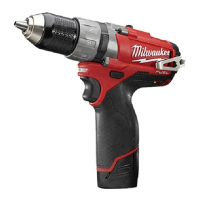
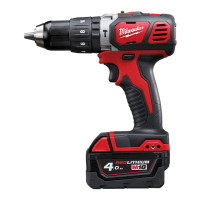
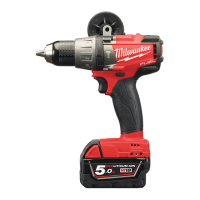
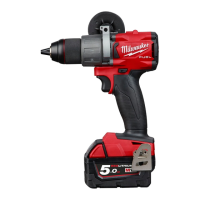
Always remove the battery before inserting or removing bits. Select the proper style and size bit for the job. This tool
is equipped with a spindle lock. The chuck can be tightened with one hand, creating higher grip strengths on the bit.
1. To open the chuck jaws, turn the sleeve in the counterclockwise direction. When using drill bits, allow the bit to
strike the bottom of the chuck. Center the bit in the chuck jaws and lift it about 1/16″ off of the bottom.
When using screwdriver bits, insert the bit far enough for the chuck jaws to grip the hex of the bit.
2. To close the chuck jaws, turn the sleeve in the clockwise direction. The bit is secure when the chuck makes a
ratcheting sound and the sleeve can not be rotated any further.
3. To remove the bit, turn the sleeve in the counter- clockwise direction.
NOTE: A ratcheting sound may be heard when the chuck is opened or closed. This noise is part of the locking
feature, and does not indicate a problem with the chuck’s operation.
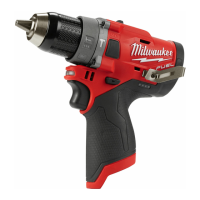
Selecting Drill or Drive Action
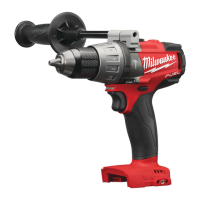
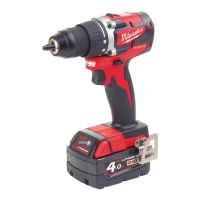
(Cat. No. 2606-20)
1. To use the drilling mode, rotate the torque selector collar until the drill symbol appears in line with the arrow.
2. To use the driving mode rotate the torque selector collar until the desired clutch setting appears in line with the
arrow.
The adjustable clutch, when properly adjusted, will slip at a preset torque to prevent driving the screw too deep into
different materials and to prevent damage to the screw or tool.
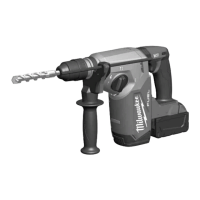
Selecting Hammer, Drill or Drive Action
(Cat. No. 2607-20)
1. To use the hammer-drilling mode, rotate the application selector collar until the hammer symbol appears in line
with the arrow.
Apply pressure to the bit to engage the hammering mechanism.
NOTE: The number selected on the torque selector collar has no effect on operation of the drill in hammer mode.
NOTE: When using carbide bits, do not use water to settle dust. Do not attempt to drill through steel reinforcing rods.
This will damage the carbide bits.
2. To use the drilling only mode, rotate the application selector collar until the drill symbol appears in line with the
arrow.
NOTE: The number selected on the torque selector collar has no effect on operation of the drill in drilling mode.
3. To use the driving screws mode, rotate the application selector collar until the drive symbol appears in line with the
arrow. Then rotate the torque selector collar until the desired clutch setting appears in line with the arrow.
The adjustable clutch, when properly adjusted, will slip at a preset torque to prevent driving the screw too deep into
different materials and to prevent damage to the screw or tool.
The torque specifications shown here are approximate values obtained with a fully charged battery pack.
NOTE: Because the settings shown in the table are only a guide, use a piece of scrap material to test the different
clutch settings before driving screws into the workpiece.
Selecting Speed
The speed selector is on top of the motor housing. Allow the tool to come to a complete stop before changing
speeds. See “Applications” for recommended speeds under various conditions.
1. For Low speed, push the speed selector to display “1”.
2. For High speed, push the speed selector to display “2”.
Using the Control Switch
The control switch may be set to three positions:
forward, reverse and lock. Due to a lockout mechanism, the control switch can only be adjusted when the ON/OFF
switch is not pressed. Always allow the motor to come to a complete stop before using the control switch.
For forward (clockwise) rotation, push in the control switch from the right side of the tool. Check the direction of
rotation before use.
For reverse (counterclockwise) rotation, push in the control switch from the left side of the tool. Check direction of
rotation before use.
To lock the trigger, push the control switch to the center position. The trigger will not work while the control switch is
in the center locked position. Always lock the trigger or remove the battery pack before performing maintenance,
changing accessories, storing the tool and any time the tool is not in use.
WARNING To reduce the risk of injury, always hold or brace securely.
Starting, Stopping and Controlling Speed
1. To start the tool, grasp the handles firmly and pull the trigger.


 To Next Page
 Loading...