EasyManua.ls Logo

Milwaukee MX FUEL MXF CVBP - User Manual

Milwaukee MX FUEL MXF CVBP
8 pages
Print Icon
To Next Page IconTo Next Page
Loading...
Cat. No.
MXF CVBP
MX FUEL BACKPACK CONCRETE VIBRATOR
OPERATOR'S MANUAL
WARNING
To reduce the risk of injury, user must read and understand operator's manual.
Question and Answer IconNeed help?

Do you have a question about the Milwaukee MX FUEL MXF CVBP and is the answer not in the manual?

Summary

General Power Tool Safety Warnings

Work Area Safety

General safety precautions for maintaining a safe and well-lit work environment. Avoids hazards.

Electrical Safety

Guidelines for safe use of electrical power tools, including plug compatibility and avoiding wet conditions.

Personal Safety

Essential personal safety measures like staying alert, wearing protective equipment, and preventing unintentional starts.

Power Tool Use and Care

Best practices for operating and maintaining power tools, including proper use, cleaning, and tool care.

Battery Tool Use and Care

Specific instructions for the safe use and charging of battery-powered tools and packs.

Product Information and Setup

Specific Safety Rules for Backpack Concrete Vibrator

Safety precautions unique to the backpack concrete vibrator, including accessory use and common sense.

Symbology

Explanation of the various symbols and indicators used throughout the operator's manual.

Specifications

Technical details and specifications for the MX FUEL™ Backpack Concrete Vibrator and its accessories.

Functional Description and Assembly

Assembly

Instructions for charging the battery and assembling the machine components.

Attaching the Flex Shaft

Step-by-step guide for securely attaching the flex shaft to the tool coupler.

Attaching Head to Flex Shaft

Procedure for attaching the concrete vibrator head to the flex shaft.

Putting on the Backpack

Instructions on how to properly wear and adjust the backpack for comfortable use.

Changing Remote Batteries

Guidance on how to replace the batteries in the remote control unit.

Pairing the Remote

Steps required to establish a wireless connection between the remote and the machine.

Operation

Removing;Installing the Backpack

Instructions for detaching and reattaching the backpack unit from the machine.

ONE-KEY Indicator

Explanation of the indicator light for ONE-KEY™ functionality and connectivity status.

Arming the Machine

Procedure to arm the machine, enabling its operational functions before use.

Starting and Stopping

How to start and stop the machine using the primary on-tool switch.

Starting and Stopping (Remote Mode)

Instructions for operating the machine's start and stop functions via the remote control.

Cold Start LED

Information on the Cold Start LED and its function in low-temperature operations.

Low Battery Alert

How the machine indicates a low battery condition and what action to take.

General Operation

Step-by-step guide for effective use of the concrete vibrator head in material.

Maintenance and Accessories

Maintaining Machine

Guidelines for regular maintenance to ensure the machine's performance and longevity.

ONE-KEY

Details on replacing the internal battery that facilitates ONE-KEY™ functionality.

Cleaning

Instructions for cleaning the machine, including vents and handles, using mild agents.

Cleaning the Battery and Battery Bay

Proper methods for cleaning battery connections and the battery bay area.

Repairs

Information on where to return the machine for servicing and repairs.

Accessories

Information and guidance on using recommended accessories with the tool.

Warranty and Service Information

Warranty - Australia and New Zealand

Details regarding the product warranty applicable in Australia and New Zealand.

Service - Australia and New Zealand

Contact information and resources for service and support in Australia and New Zealand.

Summary

General Power Tool Safety Warnings

Work Area Safety

General safety precautions for maintaining a safe and well-lit work environment. Avoids hazards.

Electrical Safety

Guidelines for safe use of electrical power tools, including plug compatibility and avoiding wet conditions.

Personal Safety

Essential personal safety measures like staying alert, wearing protective equipment, and preventing unintentional starts.

Power Tool Use and Care

Best practices for operating and maintaining power tools, including proper use, cleaning, and tool care.

Battery Tool Use and Care

Specific instructions for the safe use and charging of battery-powered tools and packs.

Product Information and Setup

Specific Safety Rules for Backpack Concrete Vibrator

Safety precautions unique to the backpack concrete vibrator, including accessory use and common sense.

Symbology

Explanation of the various symbols and indicators used throughout the operator's manual.

Specifications

Technical details and specifications for the MX FUEL™ Backpack Concrete Vibrator and its accessories.

Functional Description and Assembly

Assembly

Instructions for charging the battery and assembling the machine components.

Attaching the Flex Shaft

Step-by-step guide for securely attaching the flex shaft to the tool coupler.

Attaching Head to Flex Shaft

Procedure for attaching the concrete vibrator head to the flex shaft.

Putting on the Backpack

Instructions on how to properly wear and adjust the backpack for comfortable use.

Changing Remote Batteries

Guidance on how to replace the batteries in the remote control unit.

Pairing the Remote

Steps required to establish a wireless connection between the remote and the machine.

Operation

Removing;Installing the Backpack

Instructions for detaching and reattaching the backpack unit from the machine.

ONE-KEY Indicator

Explanation of the indicator light for ONE-KEY™ functionality and connectivity status.

Arming the Machine

Procedure to arm the machine, enabling its operational functions before use.

Starting and Stopping

How to start and stop the machine using the primary on-tool switch.

Starting and Stopping (Remote Mode)

Instructions for operating the machine's start and stop functions via the remote control.

Cold Start LED

Information on the Cold Start LED and its function in low-temperature operations.

Low Battery Alert

How the machine indicates a low battery condition and what action to take.

General Operation

Step-by-step guide for effective use of the concrete vibrator head in material.

Maintenance and Accessories

Maintaining Machine

Guidelines for regular maintenance to ensure the machine's performance and longevity.

ONE-KEY

Details on replacing the internal battery that facilitates ONE-KEY™ functionality.

Cleaning

Instructions for cleaning the machine, including vents and handles, using mild agents.

Cleaning the Battery and Battery Bay

Proper methods for cleaning battery connections and the battery bay area.

Repairs

Information on where to return the machine for servicing and repairs.

Accessories

Information and guidance on using recommended accessories with the tool.

Warranty and Service Information

Warranty - Australia and New Zealand

Details regarding the product warranty applicable in Australia and New Zealand.

Service - Australia and New Zealand

Contact information and resources for service and support in Australia and New Zealand.

Overview

The Milwaukee MX FUEL™ Backpack Concrete Vibrator, model MXF CVBP, is a robust and portable power tool designed for concrete consolidation. It operates on a 72V DC MX FUEL™ Li-Ion battery system, offering cordless convenience for various job site applications.

Function Description

The primary function of the MX FUEL™ Backpack Concrete Vibrator is to remove air bubbles from freshly poured concrete, ensuring a denser, stronger, and more uniform finish. This is achieved by inserting a vibrating head, attached to a flexible shaft, into the concrete. The high-frequency vibrations cause the concrete to settle and compact. The backpack design allows for enhanced mobility and comfort for the user, distributing the weight across the back and shoulders. The tool can be operated directly via controls on the machine or remotely using a dedicated remote control, providing flexibility and control during operation.

Important Technical Specifications

  • Cat. No.: MXF CVBP
  • Battery Type: MX FUEL™ Li-Ion
  • Charger Type: MX FUEL™
  • Recommended Ambient Charging Temperature: 5°C to 40°C
  • Rated VPM (Vibrations per Minute): 11,200
  • Battery Voltage: 72V DC
  • Flex Shafts (available separately):
    • 2.1 m (7') Flex Shaft: Cat. No. MXF CVS-21M
    • 4.2 m (14') Flex Shaft: Cat. No. MXF CVS-42M
  • Vibrator Heads (available separately):
    • 38 mm (1-1/2") Head: Cat. No. MXF CVH-38MM
    • 50 mm (2") Head: Cat. No. MXF CVH-50MM
  • Remote Cat. No.: 22800237
  • Communication Range (Remote): Up to 9 m
  • Remote Battery Type: 2xAAA (alkaline only)

Usage Features

The MX FUEL™ Backpack Concrete Vibrator is designed for user-friendly operation with several key features:

  • Portability and Comfort: The backpack design, with adjustable shoulder, chest, and waist straps, ensures a snug and comfortable fit, allowing for extended use without excessive fatigue. The backpack can also be removed for certain applications or spot cleaning.
  • Flexible Shaft and Head Attachment: The flex shaft is attached to the machine by opening a coupler locking handle, inserting the greased end of the shaft, and allowing the handle to engage. The vibrator head is then threaded onto the flex shaft and tightened securely, with sealant recommended to prevent water ingress.
  • Arming the Machine: For safety, the machine must be "armed" before use. This involves inserting the battery pack and pressing the Arm button until the MX FUEL™ symbol illuminates. The machine will enter sleep mode after 15 minutes of inactivity, requiring the Arm button to be pressed and held for 1 second to reactivate.
  • Starting and Stopping: The machine can be started by setting the switch to the "ON" position and stopped by setting it to the "OFF" position.
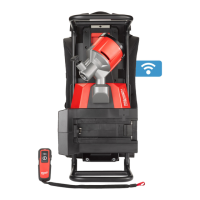
  • Remote Control Operation: For enhanced convenience, the tool can be operated remotely. After arming the machine and setting the switch to the remote mode position, the remote control can be turned on and paired with the machine. The remote features a start/stop button for controlling the vibrator.
  • Pairing the Remote: The pairing process involves arming the machine, setting the switch to the remote mode, turning on the remote, and then pressing and holding the pairing buttons on both the machine and the remote until the LED on the machine indicates successful pairing.
  • Cold Start LED: This feature illuminates when the machine is started in cold conditions (below 0°C). The machine will gradually increase VPM to 10,000 to prevent nuisance shutdowns. The LED turns off once 10,000 VPM is reached, allowing operation down to -20°C.
  • Low Battery Alert: The machine provides a low battery alert by turning itself off and on (pausing) when the battery charge is between 10% and 2%, signaling the user to remove and charge the battery.
  • ONE-KEY™ Integration: The tool is equipped with ONE-KEY™ functionality, allowing for wireless configuration and tracking via a dedicated app. The ONE-KEY™ indicator provides visual feedback on the tool's status (solid blue for wireless mode active, blinking blue for active communication, blinking red for security lockout). An internal coin cell battery facilitates full ONE-KEY™ functionality.
  • General Operation: The unit should be turned on before inserting the head into the material. The head is inserted vertically, allowed to sink to the desired depth, held for 5-15 seconds, and then slowly lifted. A small up and downward movement helps close the hole. The head should be withdrawn quickly near the top to prevent agitating air.

Maintenance Features

Proper maintenance is crucial for the longevity and safe operation of the MX FUEL™ Backpack Concrete Vibrator:

  • General Maintenance: Regular inspection of the machine, battery pack, and charger is recommended for issues such as undue noise, misalignment, binding of moving parts, or breakage. Any issues should be addressed by a MILWAUKEE® service facility.
  • Battery Pack Handling: Always remove the battery pack before making any adjustments, changing accessories, or performing maintenance. Store battery packs away from metal objects to prevent shorting.
  • Cleaning: Keep the machine, battery pack, and charger clean and free of debris. Vents should be clear of dust. Handles and grasping surfaces should be dry, clean, and free of oil or grease. Use only mild soap and a damp cloth for cleaning; avoid harsh chemicals, solvents, or spraying the machine directly.
  • Battery and Battery Bay Cleaning: Ensure battery connections and surfaces between the machine and battery are free of debris and materials to prevent misalignment or damage.
  • Internal Battery Replacement (for ONE-KEY™): To replace the internal coin cell battery, remove the main battery pack, unscrew and open the battery door, remove the old battery, insert a new 3V CR2032 battery with the positive side facing up, and securely close the battery door.
  • Repairs: All repairs should be performed by a MILWAUKEE® service facility. Never attempt to disassemble the machine, battery pack, or charger yourself.
  • Accessory Use: Only use accessories specifically recommended by MILWAUKEE® for this machine to avoid hazards.

Milwaukee MX FUEL MXF CVBP Specifications

General IconGeneral
BrandMilwaukee
ModelMX FUEL MXF CVBP
CategoryPower Tool
LanguageEnglish

Related product manuals