PAGE 11 OF 22
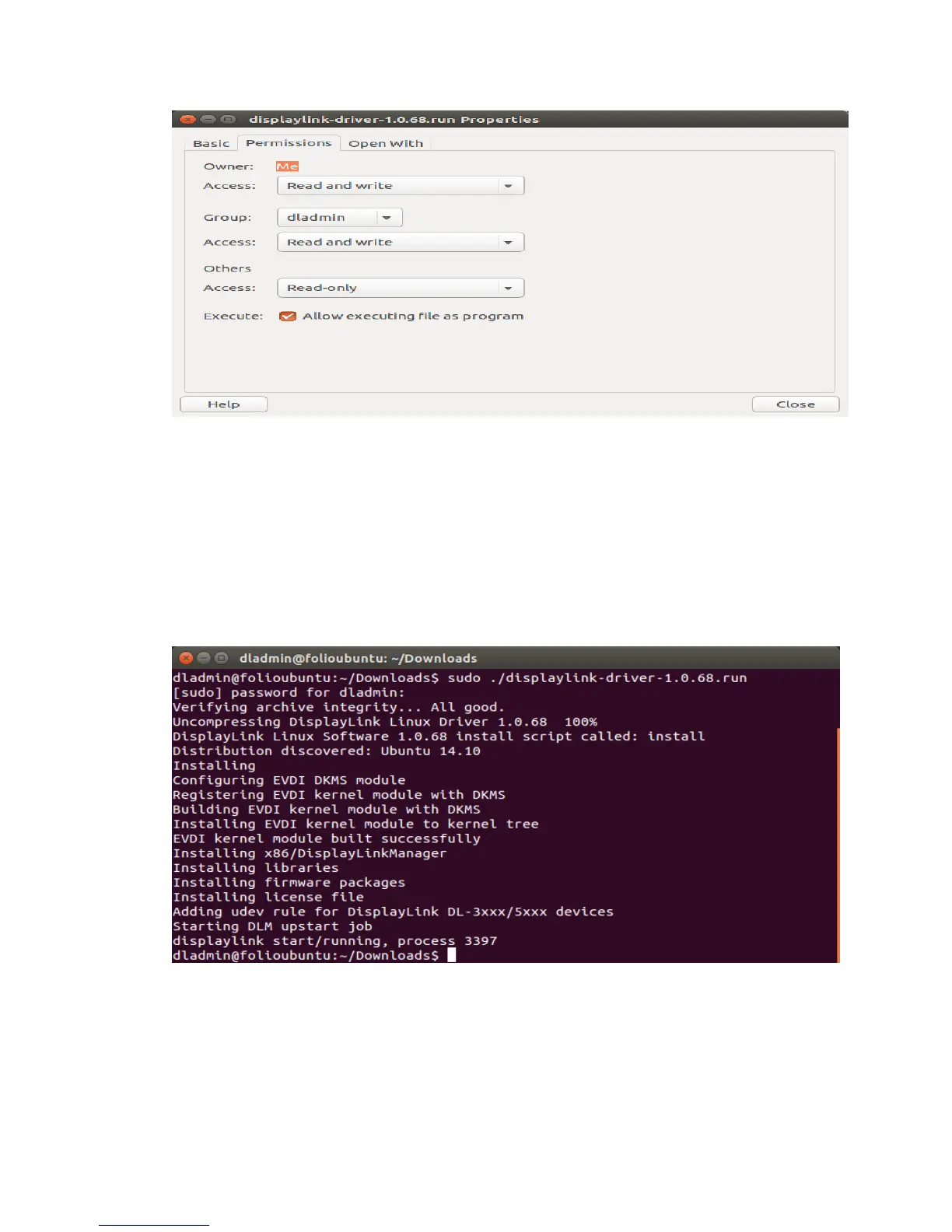
Check the "Allow executing file as a program" box.
4. Install the DKMS framework from a Terminal using the command “sudo apt-get install
dkms”
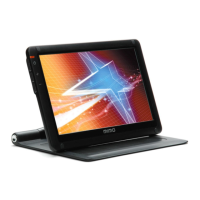
5. Execute the DisplayLink “.run” file using the Terminal, by cding to the directory containing the
“.run” file and running the command “sudo ./displaylink-driver-xxxxx.run” (where
xxxx is the version number)
6. The DisplayLink software should install as shown below.
7. You can now connect your DisplayLink products to the computer
Note: The DisplayLink .run file just provides support for the video outputs. Audio and Ethernet support
are provided by the native Ubuntu drivers.


 To Next Page